Bee Editor is a powerful, professional and easy-to-operate video editing tool. Many friends want to know how to adjust the video size in Bee Editor. Here is a tutorial on how to adjust the video size in Bee Editor . If you need it, hurry up. Take a look.
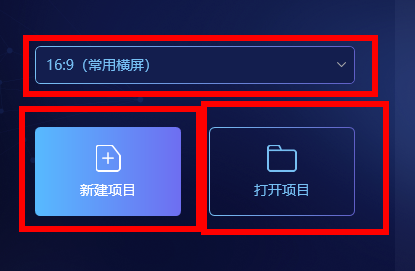
1. Double-click to open the software and select "New Project" or "Open Project".
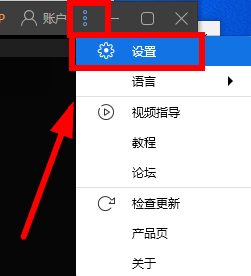
2. After opening the video that needs to be adjusted, click the three-dot icon in the upper right corner, and then select "Settings" in the option list below.
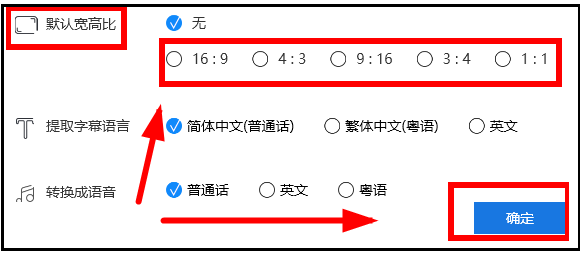
3. Then in the window interface that opens, find the "Default Aspect Ratio" column, and finally select the appropriate video size to adjust according to your needs, and then click "OK".