
How to watch videos directly on wallpaper? Wallpaper not only has good-looking wallpapers, but you can also use it to watch videos directly. This is something that many friends don’t know how to operate. Today I will bring you a tutorial on watching videos directly using the wallpaper engine.

How to watch videos directly on wallpaper
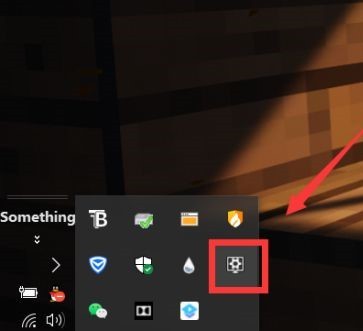
1. First, we need to click the wallpaper engine icon on the taskbar, and then click to enter the software interface.
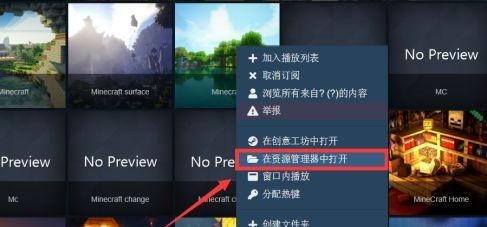
2. In the software interface, we need to find the video we want to play.

3. Right-click the video option to pop up the menu bar, and select the "Open in Explorer" option in the menu.
4. We will then go to the source folder of the wallpaper, where we can see the video file.
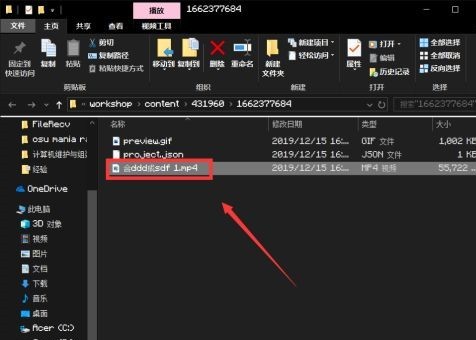
5. Finally, double-click the video file to enter the video playback interface and watch it.