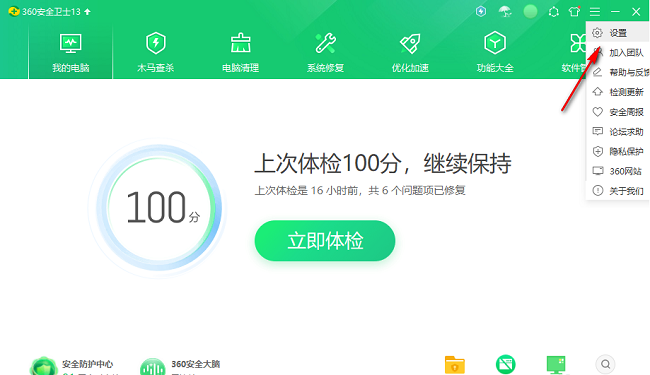
360 Security Guard is a very easy-to-use anti-virus software. Many friends want to know how to close selected pop-up windows in 360 Security Guard. Here is a tutorial on how to close selected pop-up windows in 360 Security Guard . Interested friends Come and take a look.

1. Double-click to open the software and click the three horizontal lines icon in the upper right corner.

2. Then click "Settings" in the option list below.
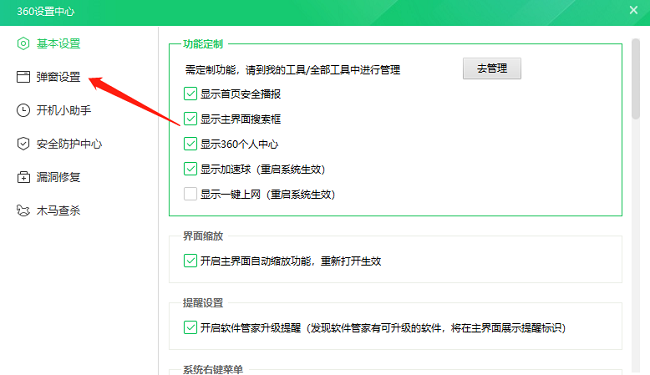
3. In the window interface that opens, click "Pop-up Settings" in the left column.
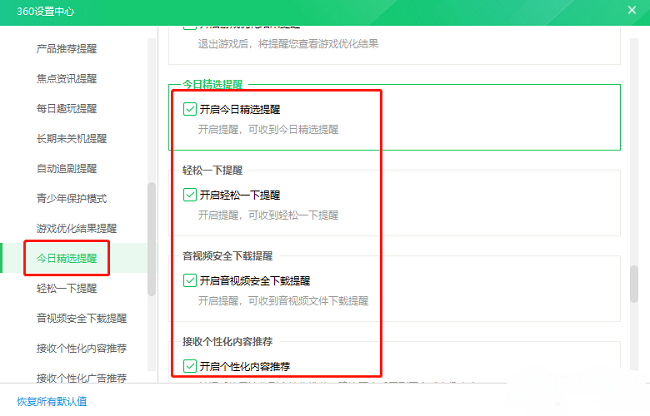
4. Then click the "Today's Featured Reminder" option in the left column, and then uncheck several options in the picture below.
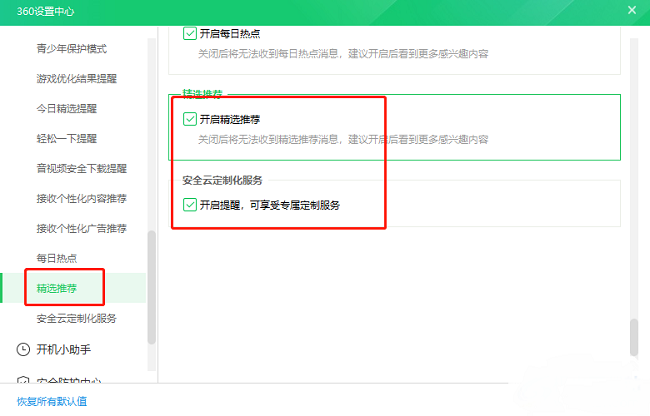
5. Finally, click the "Featured Recommendations" option in the left column and uncheck the two options in the picture below.