
Many friends are using EZVIZ Cloud video software, but some friends have encountered that the video is hidden and don’t know how to deal with it. Let’s take a look below!

1. Open the EZVIZ Cloud APP, click ":" in the lower right corner of the video to enter the setting interface;

2. In the settings interface, find and click "Video Channel Management";

3. After entering the video channel management, you can find out which video channels are hidden. Click on the hidden channel to enter the channel settings;
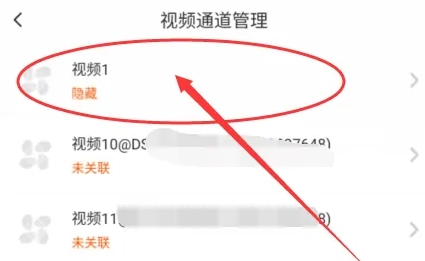
4. After entering the channel settings, find and click "*Settings";

5. In the * interface, you can find the "hidden channel", click the circle on the right, and the message can be hidden.
