
After updating Alipay to the latest version, you can enjoy the convenience brought by the payment code privacy protection function. Next, follow the tutorial shared by the editor to turn on this function, and you can hide the payment code and better protect privacy security.
The first step is to open the Alipay payment code page;
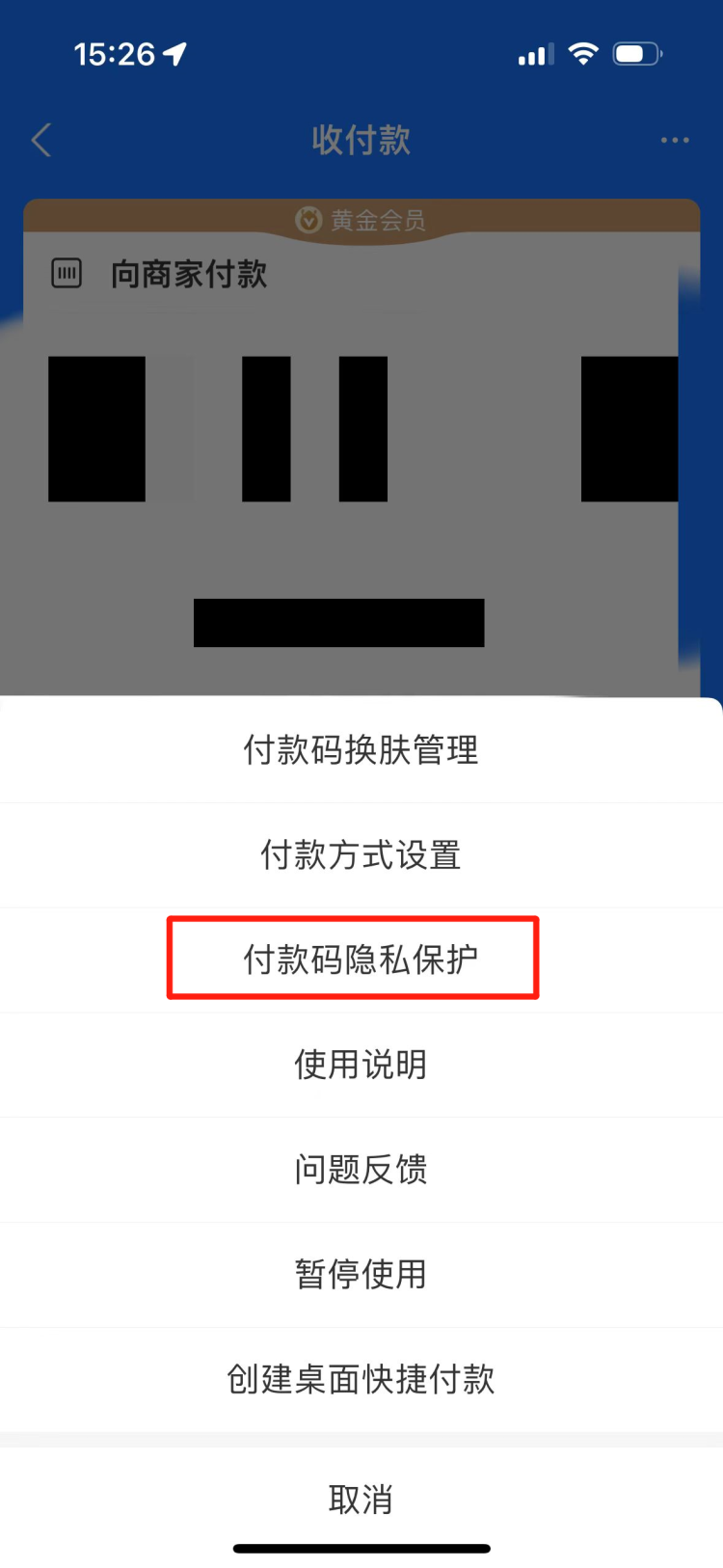
In the second step, select More in the upper right corner and click "Payment Code Privacy Protection";
The third step is to choose to turn on “Payment Code Privacy Protection”;
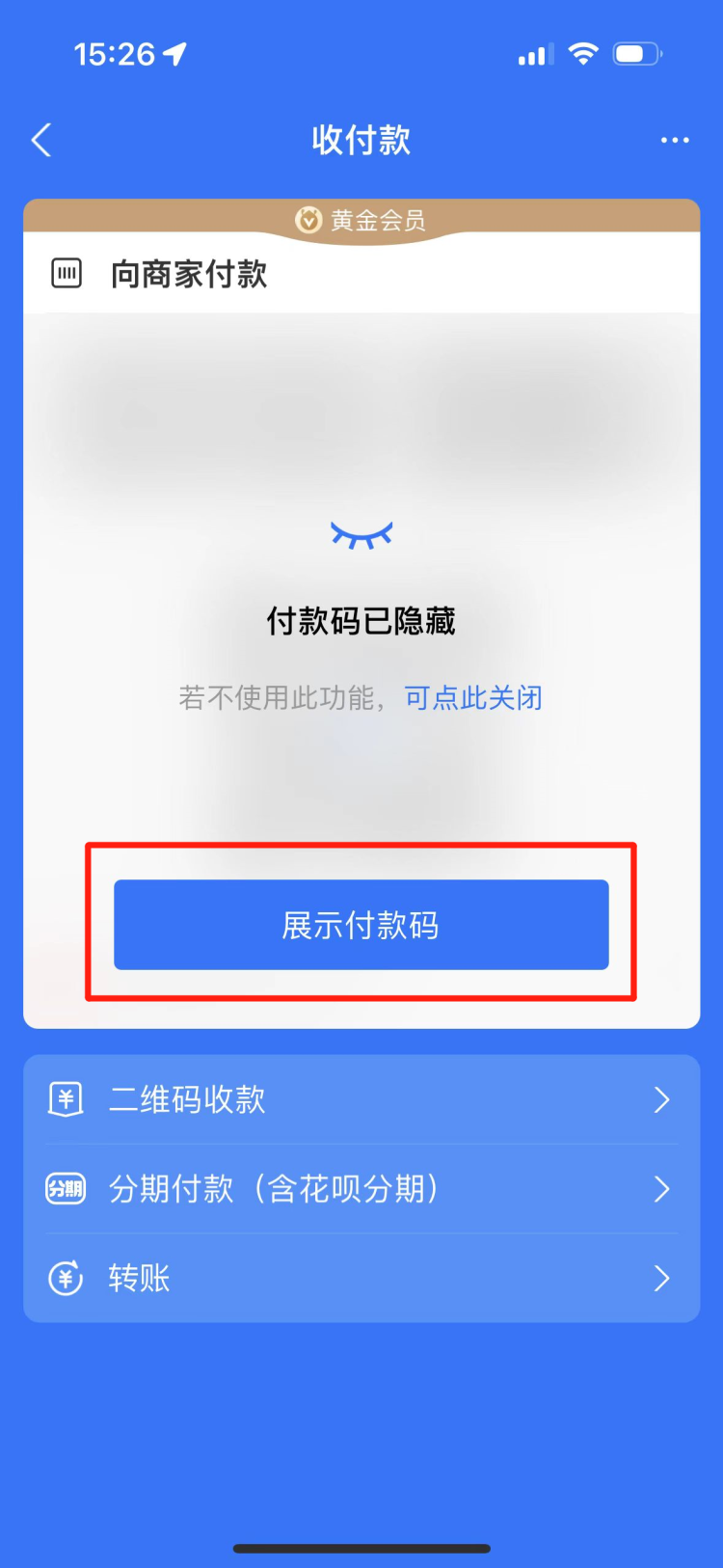
Step 4: After activation, open the payment code again and you will see that the payment code has been hidden. Click "Show Payment Code" when using it.
It is reported that the "payment code privacy protection function" launched this time is the fifth lock equipped by Alipay for payment codes. The remaining four layers of protection include prohibiting mobile phone screenshots or screen capture security reminders on the payment code page. The payment code will be automatically updated every minute and Valid once, hide the "payment code number" and enter the digital code page to force viewing of the anti-fraud reminder. After the payment code security lock function is turned on, verification is required to enter the payment code page, etc.