
Many friends will encounter unclear points when using Pinduoduo APP. How to set the order of deduction for Pinduoduo password-free payment? Let’s take a look at the password-free payment deduction sequence setting tutorial below!
1. First open Pinduoduo, enter the homepage and click [Personal Center] in the lower right corner;

2. Then click [Duoduo Wallet] on the personal center page;
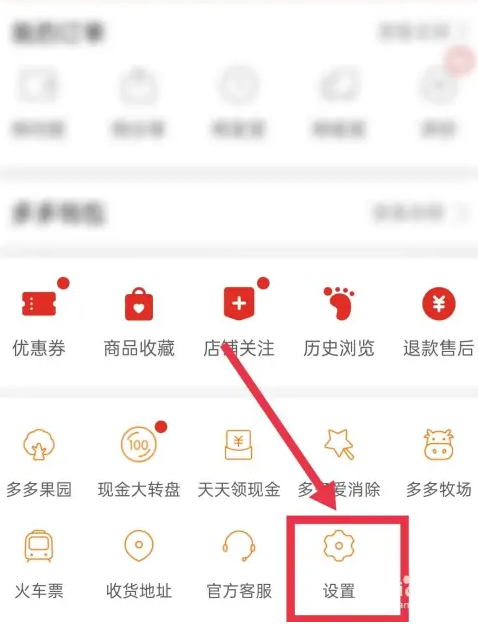
3. Enter the Duoduo Wallet page and click the [Settings] icon in the upper right corner;
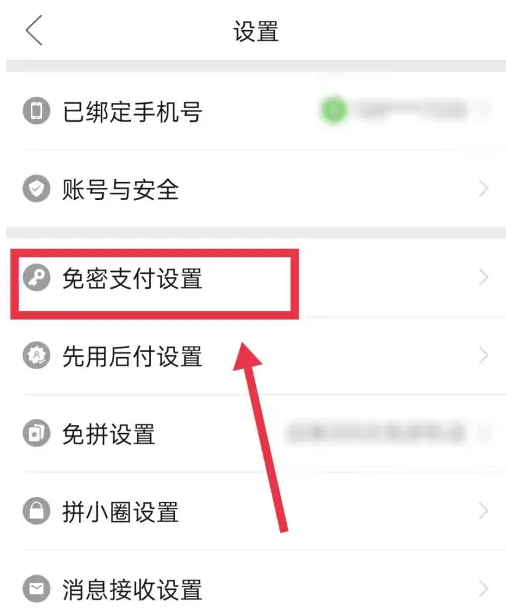
4. Go to the Duoduo wallet settings page and click [Password-free payment];
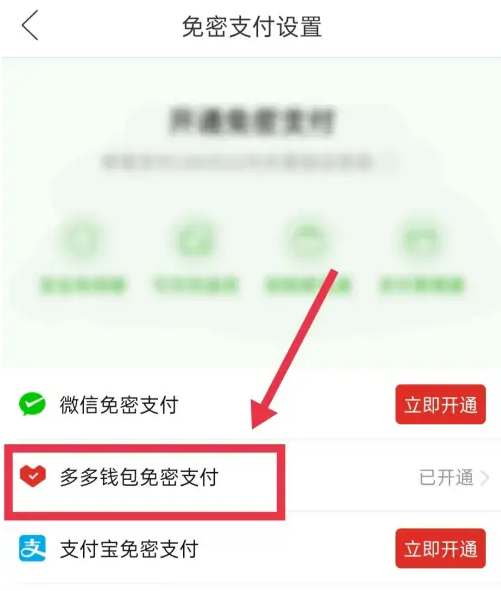
5. Enter the password-free payment page and click [Priority Deduction Method];

6. Finally, set the payment order in the dialog box that pops up on the page.
