
Google is actively integrating its latest AI assistant, Gemini, into Chrome browser, aims to provide users with a smarter and more convenient browsing experience. This feature was introduced similar to the C opilot in Microsoft's Edge browser, but Google has designed it uniquely.
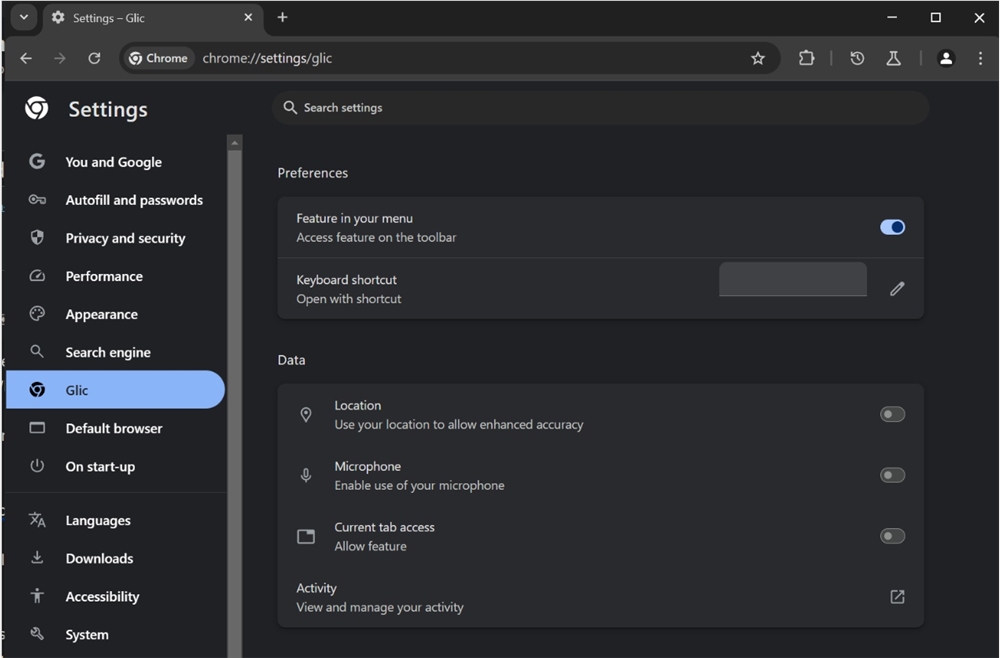
According to the analysis of browser researcher Leopeva64, the Gemini AI assistant has already taken a preliminary prototype in Chrome Canary (the experimental version of Google Chrome). Users can customize the way Gemini is opened in settings, including setting shortcut keys and menu display. When the user clicks the Enable toggle button, the Gemini icon will appear next to the window's control icon, and after clicking it, the AI Assistant will be activated in the floating window. This design not only provides convenient access, but also allows users to obtain instant AI help during browser activity.
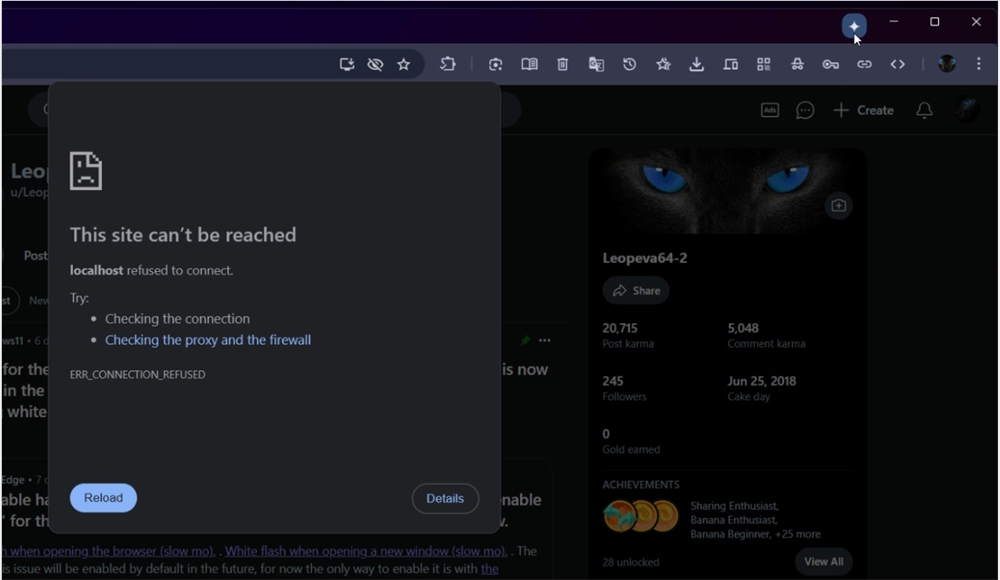
Compared to Edge's C opilot, Gemini is different in layout. First, the Gemini icon is located above the window, not the menu bar or toolbar. Second, Gemini's floating window design allows it to not obstruct browsing content when used. Although this floating design is still in the adjustment stage, Google plans to optimize it in future versions to allow AI assistants to be more integrated into the user's browsing environment.
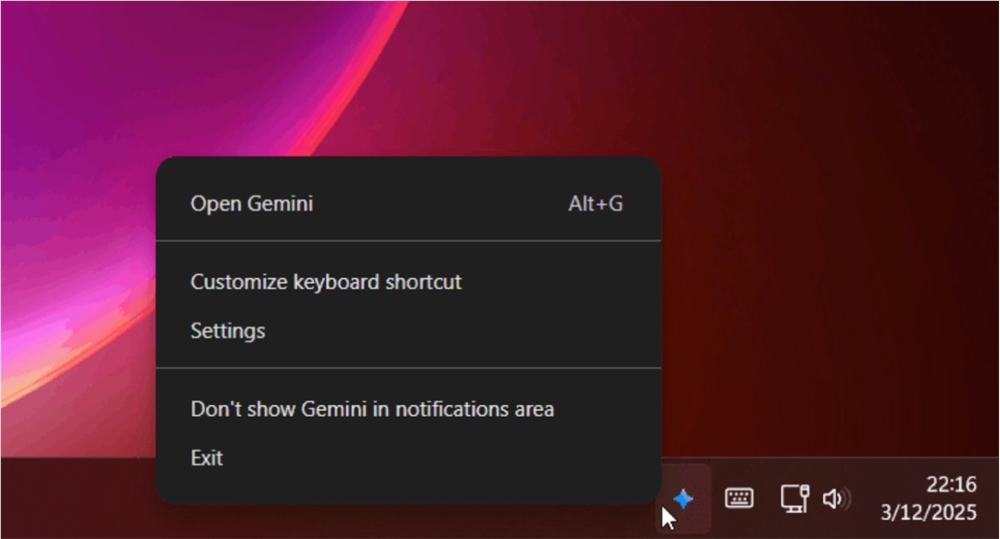
In addition to integration within the browser, Google plans to expand Gemini's capabilities to the taskbar. Users can choose to display the Gemini icon in the system tray, thereby starting the Assistant from the taskbar at any time. The assistant will provide multiple features including voice search, ensuring that users can easily obtain the information they need while browsing. The key to this design is that Gemini still needs to be run through Chrome, similar to the C opilot working mode that relies on Edge.
Google's move will undoubtedly bring users a smarter browsing experience. The addition of Gemini AI may change the way we use browsers, making smart assistants the right-hand assistant for every user.