In today's digital age, using AI tools to quickly generate large amounts of content and batch creation of posters through design tools such as Canva has become an efficient way to produce graphic and text content. This approach not only significantly improves productivity, but also provides great convenience for new media operators, designers, content creators, and people interested in AI content generation. Although it is moderately difficult to get started, once you master it, you can quickly achieve large-scale content output.
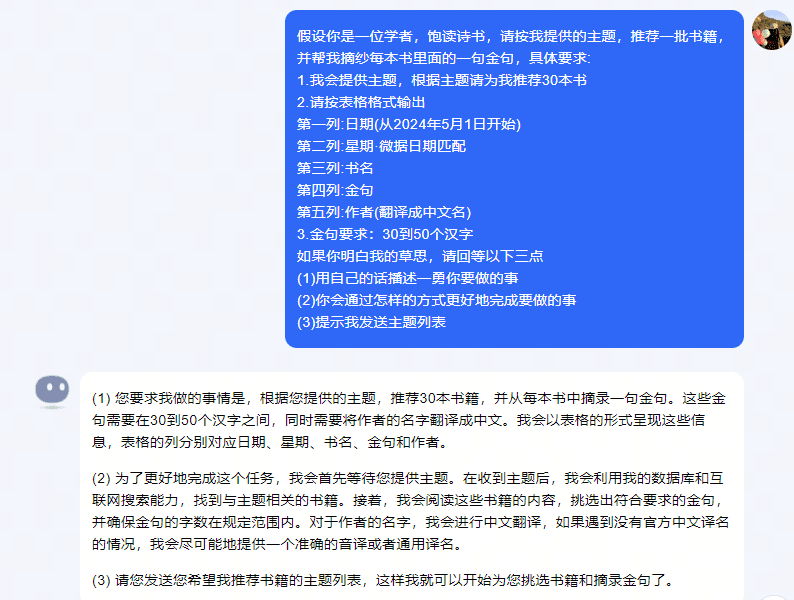
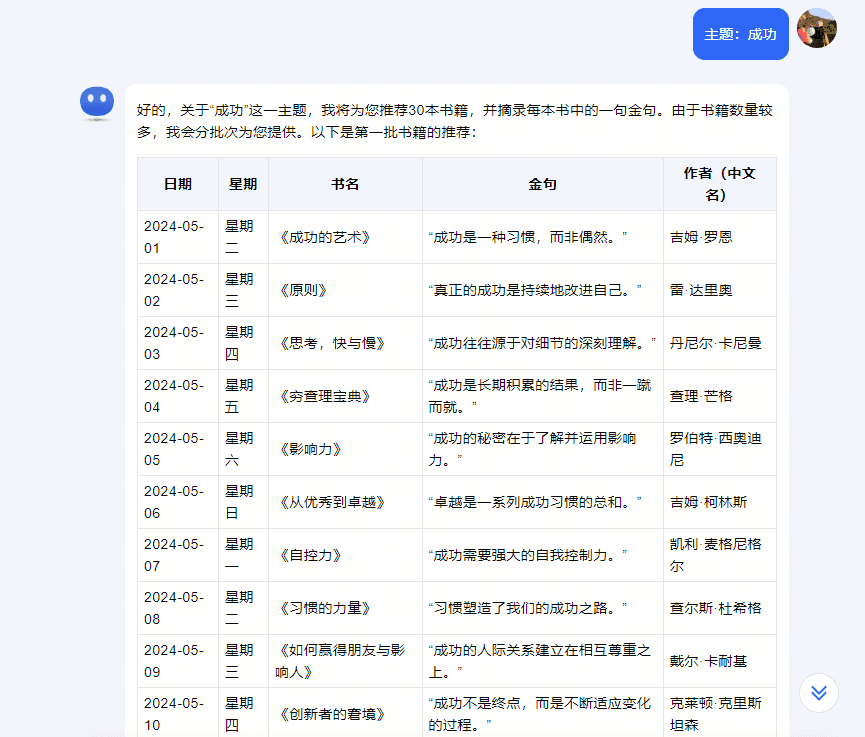
First, identifying the content topic is a key step in the entire process. Whether it is book recommendations, movie interpretations or emotional chicken soup, clarifying the theme can help AI tools generate relevant content more accurately. Next, use AI tools such as Kimi to generate content based on the topic. By giving clear instructions, Kimi is able to quickly recommend books and extract golden sentences, generating tables containing dates, week, titles, golden sentences and authors. This step greatly simplifies the preliminary preparations for content creation.
The generated content needs further organization and editing. Copy and paste the content generated by the AI into an Excel spreadsheet, adjust and edit to ensure the information is accurate, save it in csv format, and prepare for the next batch creation. This step, while seemingly simple, is essential to ensure the quality of the final output.
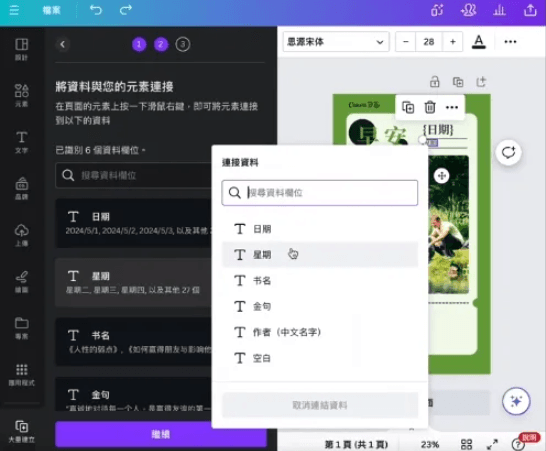
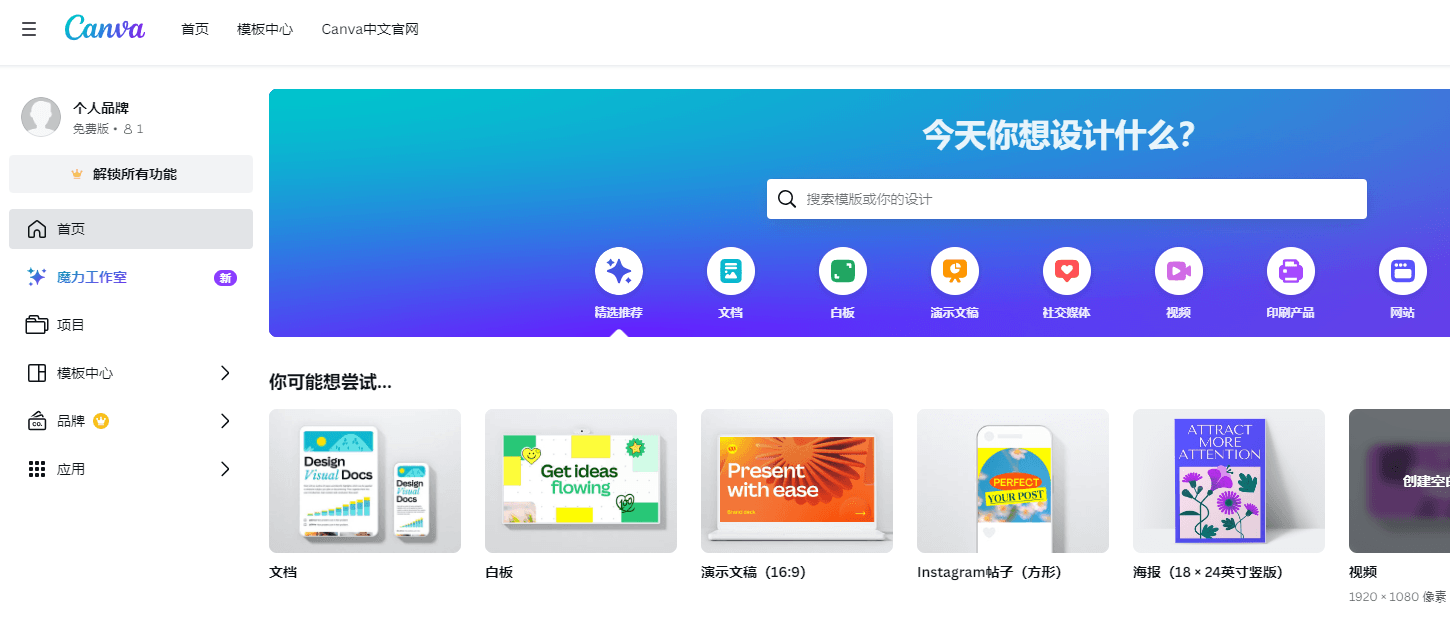
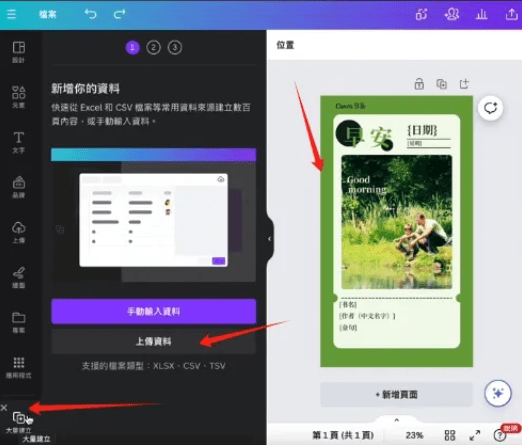
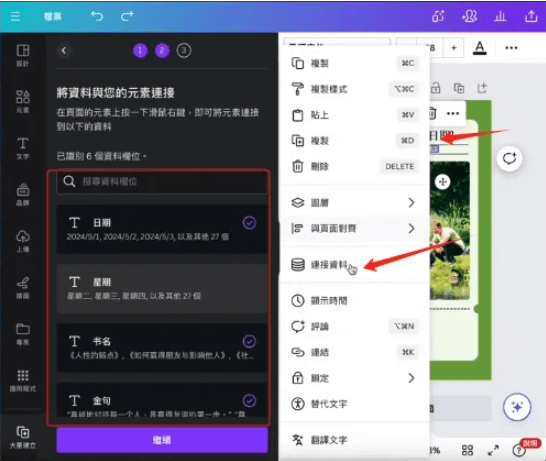
Choosing the right design tool is the key to creating posters in batches. Once you log in to your Canva account, select a suitable poster template or create a new one. Canva's batch creation feature can greatly simplify the poster production process. By uploading the previously saved table file, associate the corresponding location in the template with the data in the csv file, ensuring that each element has correctly linked the data.
Once all settings are done, click Continue to generate the poster in batches. Canva will automatically generate each poster based on the template and link data. The generated posters need to be reviewed and fine-tuned to ensure there are no errors or areas that need improvement. Manually adjust the unsatisfied poster to ensure that the final output meets the requirements.
Finally, the generated posters are exported into the required formats, such as JPG, PNG, etc., and are used for social media publishing, marketing materials, advertising, etc. This process not only demonstrates the huge potential of AI in content creation and design work, but also greatly improves the efficiency of content production, especially suitable for scenarios that require a large amount of standardized content to be generated.
Through this method, non-professional designers can also quickly create beautiful posters, lowering the barriers to design work. Using AI tools such as Kimi and design tools such as Canva can not only achieve efficient graphic and text content production, but also provide content creators with more creative possibilities. In the future, with the continuous development of AI technology, this method will be widely used in more fields to promote further innovation in content creation.