
ChatGPT Mac client is officially launched, bringing a new and convenient AI interaction experience to macOS users. The client supports multiple functions such as shortcut key activation, voice conversation, screenshot interaction, etc., allowing users to communicate with ChatGPT more quickly and naturally, whether processing emails, analyzing screenshots, or querying computer files, it can be easily accomplished. It also provides a conversation record search function to facilitate users to quickly find historical information, significantly improving work efficiency.
The Mac client of ChatGPT has been officially released, bringing a series of convenient new features to macOS users. Users can now quickly activate ChatGPT via the Option + Space shortcut to communicate with the AI, whether discussing emails, screenshots, or whatever is displayed on the screen.
The app supports voice conversations, allowing users to interact with AI via voice. In addition, it also has a screenshot function. Users can take screenshots of specific windows or the entire screen and discuss the screenshots with the AI. The application also provides the ability to search past conversation records, allowing users to quickly review and find historical information.
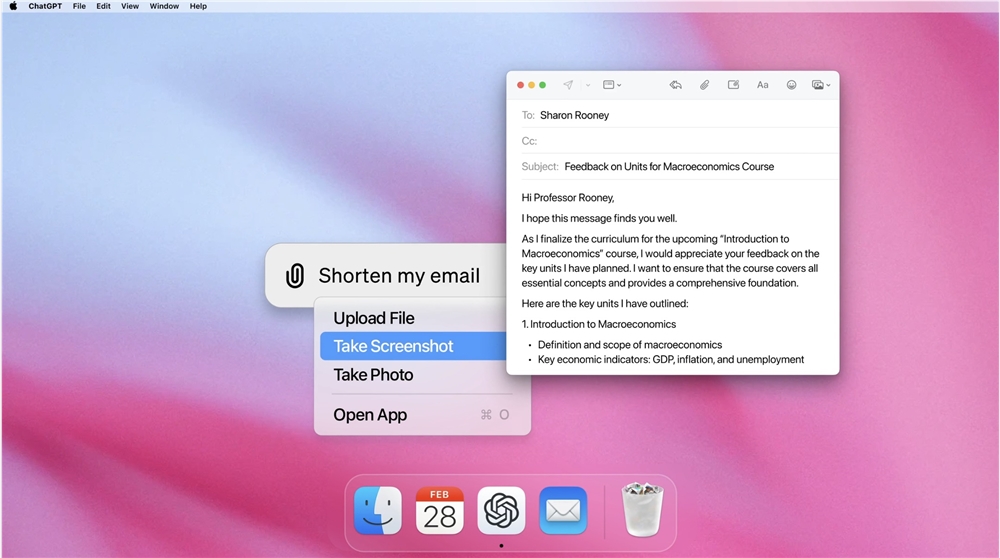
Users can quickly and easily interrogate anything on their computer, whether it's files, documents, or other data. In addition, the application supports uploading files for Q&A, as well as accessing documents and asking related questions.
The release of this client marks an important step for ChatGPT in improving user experience and interactivity.
Download address: https://top.aibase.com/tool/chatgpt-for-macos
The release of this Mac client will undoubtedly further enhance the user stickiness and frequency of use of ChatGPT, providing users with a more convenient and efficient AI-assisted office experience. Go download and experience it now!