
How to insert a verification tag in Dreamweaver? Let’s take a look at the detailed tutorial below.
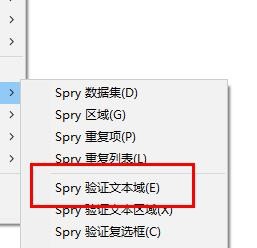
1. Under the Spry data set, we click the Spry verification tab .
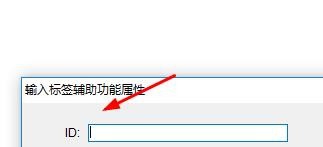
2. Then we can enter the ID of the tag here.
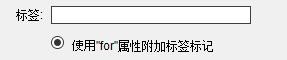
3. Here we can enter the content of the tag.
4. Next we set the classification of styles here.

5. Or we can also set the position of the label here.

6. If you don’t know how to use it, you can check the auxiliary function instructions here.

The above is the tutorial for inserting verification tags in Dreamweaver cs5. I hope you like it. Please continue to pay attention to downcodes.com.