
The first time you change or delete a link to a file in a local folder after you start Dreamweaver, Dreamweaver prompts you to load the cache. If you click Yes, Dreamweaver loads the cache and updates any links to the files that just changed. If you click No, the changes are recorded in the cache, but Dreamweaver does not load the cache or update the link. How to create a cache file for the site? Let’s take a look at the detailed tutorial below.

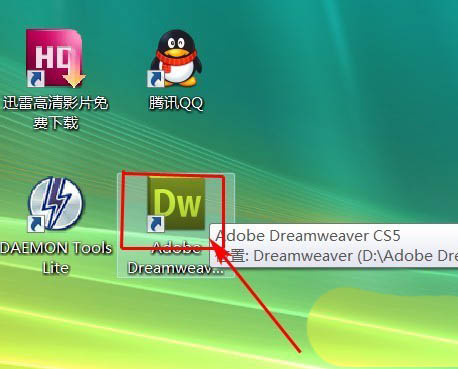
1. Double-click the dreamweaver CS5 icon
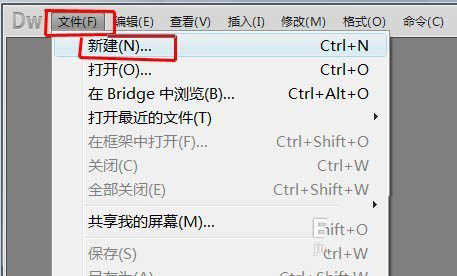
2. Click "File" in the menu and select "New"
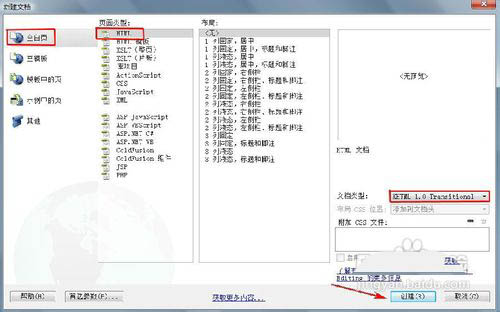
3. In the new document window, select "Blank Page" - " HTML ", select "XHTML1.0 transitional" as the document type, and click the "Create" button.
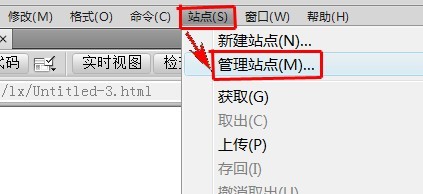
4. Click " Site " in the menu bar and select "Manage Site" in the pop-up drop-down menu.
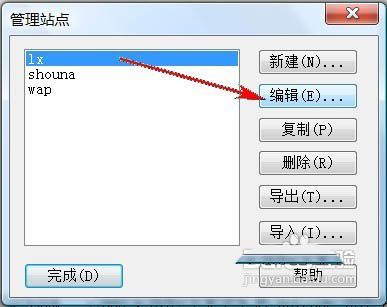
5. Select a site in the " Manage Sites " window and click the "Edit" button.
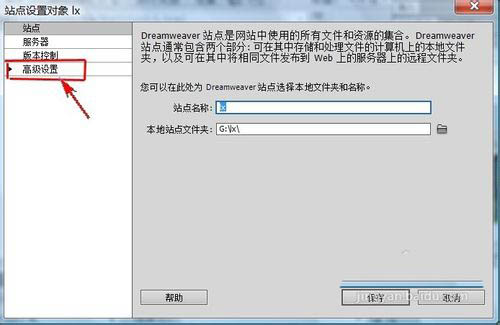
6. Click " Advanced Settings " in the menu on the left side of the "Site Setting Object" window.
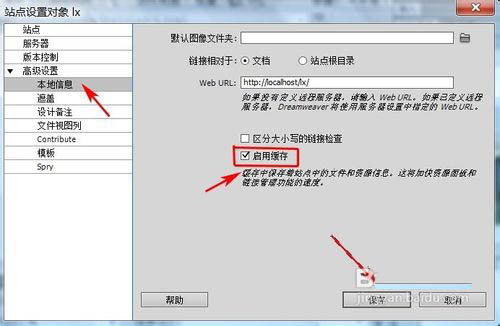
7. Expand " Advanced Settings " and select the "Local Information" category. Check "Enable Cache" in the "Local Information" window, click the "OK" button, and the setting is completed.
The above is the tutorial for creating cache files for Dreamweaver cs5 site. I hope you like it. Please continue to pay attention to downcodes.com.