
Downcodes editor reports: Apple has released the first developer beta version of iOS 18.2, which contains the highly anticipated new Apple Intelligence features: Genmoji and Image Playground. Genmoji allows users to create personalized emojis, while Image Playground allows users to generate AI images in a cartoon style. Both functions are in the testing stage, and some functions may be unstable, but they undoubtedly bring users a new experience full of fun and creativity. This article will introduce in detail how to use Genmoji on iPhone and briefly describe the functions of Image Playground.
Apple has released the first developer beta of iOS 18.2, which includes some of the latest Apple Intelligence features, including new features such as Genmoji and Image Playground. Here's how to use Genmoji on iPhone.
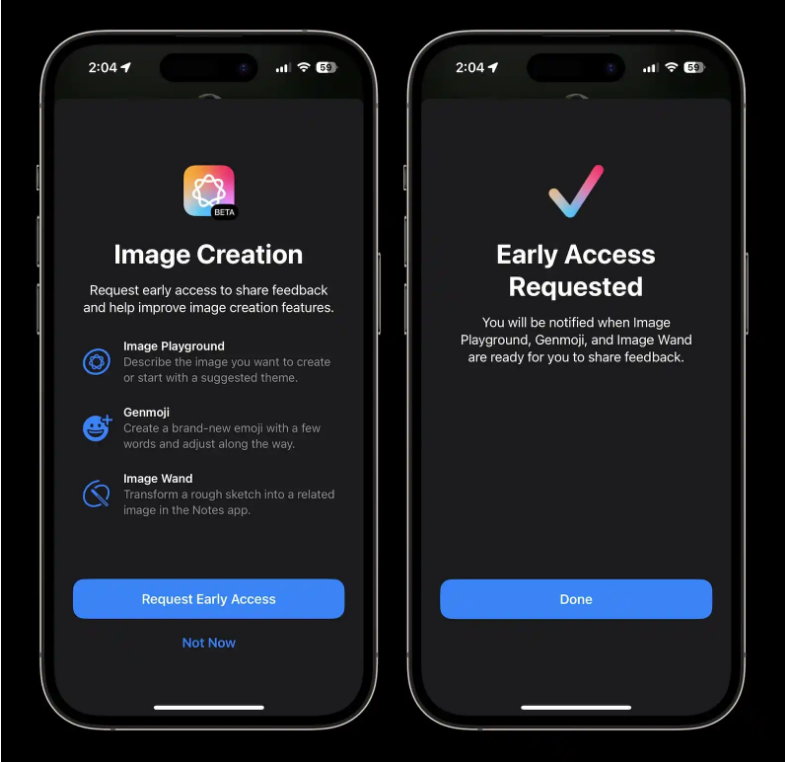
The Genmoji beta version requires iPhone15Pro or Pro Max, iPhone16 or 16Plus, or iPhone16Pro or Pro Max, iOS18.2 developer beta, and application for early access to the Apple Intelligence image creation function.
While these features are in beta, Apple notes that some image prompts "may have unexpected results." Of course, these features are subject to change at any time.
In order to use Genmoji on iPhone, users need to set up the iOS 18.2 beta and apply for early access to the image creation feature. Users can then make and send Genmoji in the Messages app. Users can enter a description for a Genmoji and then select all Genmoji variations based on the prompts. Users can also save Genmoji to stickers, copy and share them.
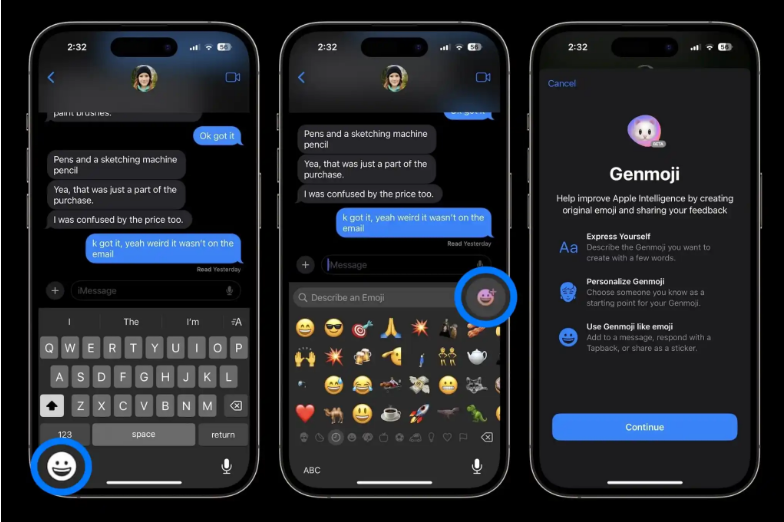
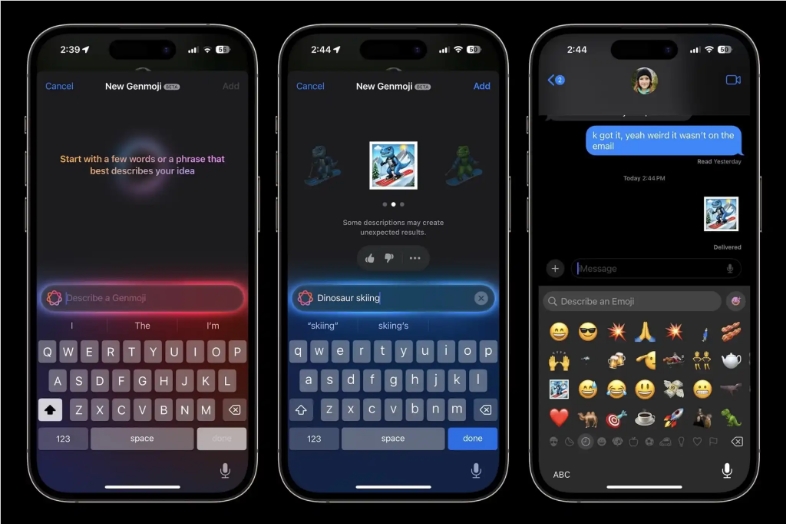
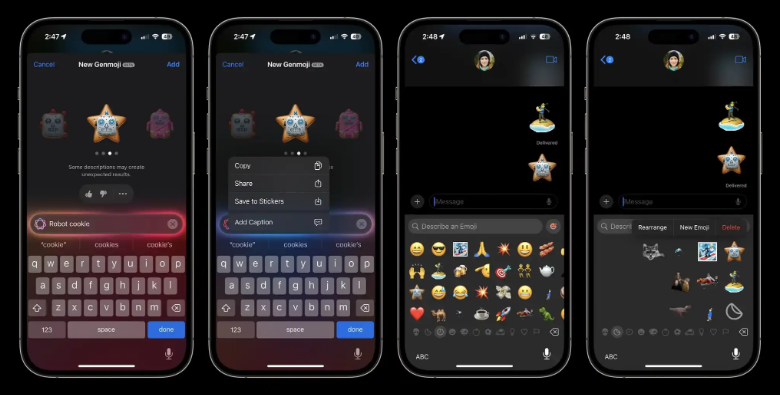
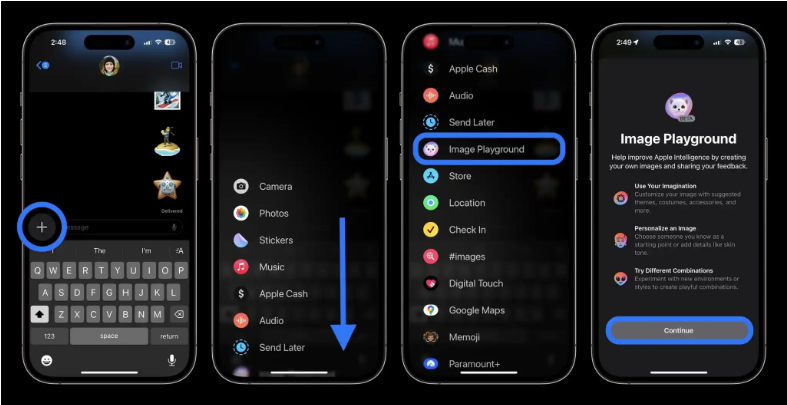
Image Playground is another new feature that allows users to create AI images in a cartoon style. Users can find the new Image Playground by pressing the "+" icon next to the text field in the Messages app, or find the dedicated Image Playground app on the last app page after installing iOS 18.2.
All in all, the new features of iOS 18.2 bring users richer ways of creative expression, but please note that they are still in the beta stage. The editor of Downcodes recommends users to experience it with caution and looks forward to further improvements and optimizations in future versions.