
Downcodes editor reports: OpenAI recently released a major update, bringing a more powerful desktop application experience to Windows and Mac users of ChatGPT. This update includes the official launch of the Windows desktop application and the release of the macOS beta version. The latter has also achieved deep integration with development tools such as VS Code and Xcode, greatly improving development efficiency. This marks an important step in ChatGPT's transformation from a simple chatbot to an all-round desktop assistant, bringing many conveniences to developers and daily users.
OpenAI has released two important updates aimed at improving the usefulness of ChatGPT on Windows and Mac systems. These updates include the general availability of the Windows desktop app, as well as a beta version for macOS that provides deep integration with popular coding apps such as VS Code, Xcode, and Terminal.
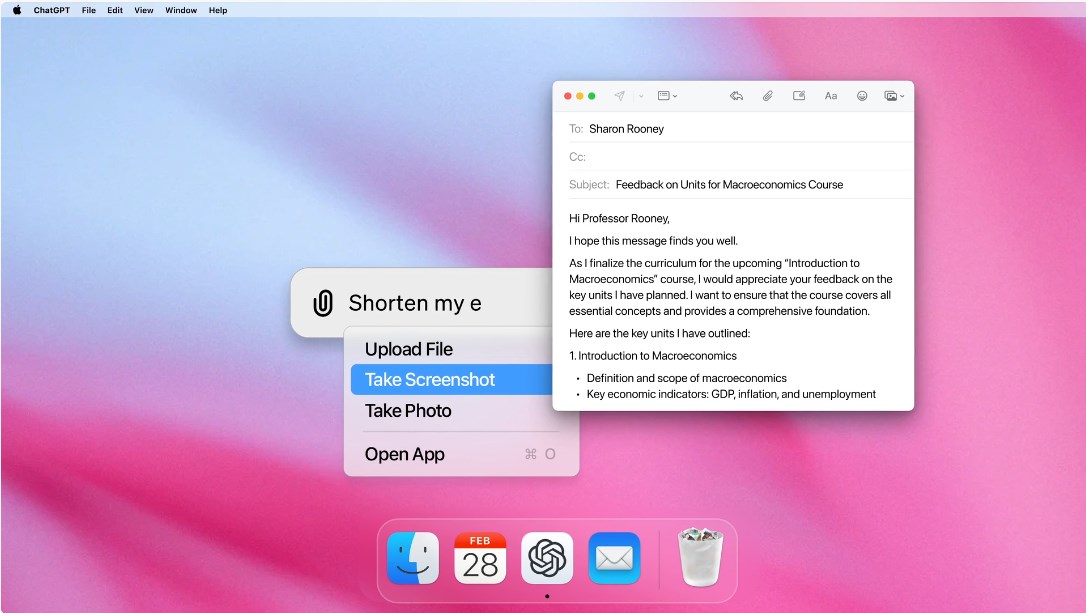
These improvements mean that ChatGPT is not limited to chat interaction, but has transformed into a real-time assistant that can directly interact with users’ desktop workflows. This is undoubtedly a major benefit, especially for developers.
For Windows users, the ChatGPT desktop app is now generally available. After its early release, OpenAI made several optimizations to the application based on user feedback, including:
- **Alt + Space shortcut key**: Users can instantly access ChatGPT to improve work efficiency.
- **Conversation accompanying window**: Users can seamlessly switch between different sessions to maintain work continuity.
- **Screen Sharing and Advanced Voice Mode**: Makes collaboration and interaction smoother.
macOS adds new “collaborate with apps” feature
For macOS users, the new version of ChatGPT desktop application further enhances the developer experience. The new "Collaborate with Apps" feature allows ChatGPT to access and read the content of other apps, but only if the user grants permission.
During this testing phase, the feature is compatible with popular development tools such as VS Code, Xcode, TextEdit, Terminal, and iTerm2.
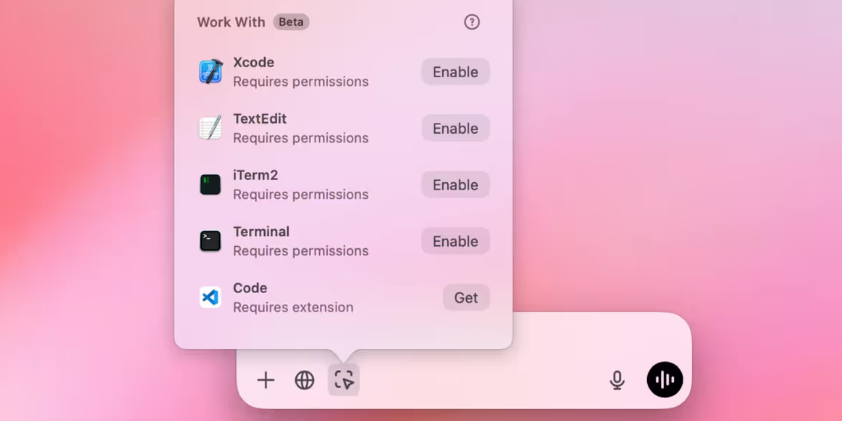
Developers no longer need to manually copy and paste blocks of code, ChatGPT can analyze the code directly from the application and provide smarter context-sensitive suggestions. Currently, this feature is only available to Plus and Team users, but will soon be rolled out to enterprise and education accounts.
OpenAI plans to provide support for more applications and hopes to implement ChatGPT in various writing tools and other text applications. The launch of these features marks an important milestone in bringing practical AI tools directly into the desktop experience.
It's important to note that on Mac, ChatGPT uses Apple's Accessibility API to read content, which, while a reliable tool, has certain limitations. Therefore, when using certain applications (such as VS Code), users need to install additional extensions to ensure compatibility. It’s worth mentioning that while ChatGPT can read code and suggest improvements, unlike GitHub Co pilot, it can’t currently be written directly in the development environment.
Official entrance: https://openai.com/chatgpt/desktop/?ref=maginative.com
All in all, this update of OpenAI has greatly improved the practicality and ease of use of ChatGPT, bringing users a more convenient and efficient AI-assisted experience. We look forward to more surprising feature updates from OpenAI in the future!