
The following is a detailed introduction to the steps and methods of the software tutorial for enabling narration touch for backward navigation on iPhone:
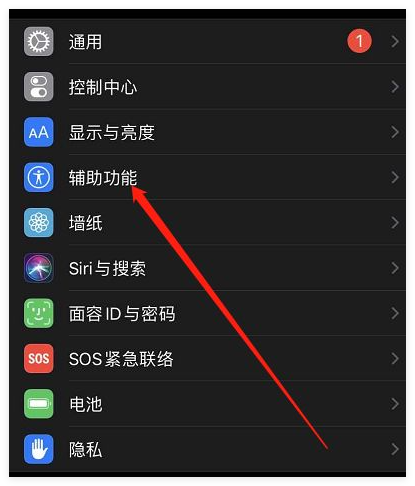
1. Click the settings icon on the iPhone desktop to open the settings interface.
2. In the settings interface, click to select the accessibility option to enter the accessibility interface.

3. In the accessibility interface, click to select the narration option to enter the narration interface.
4. In the narration interface, click to select audio options to enter the audio settings interface.

5. In the audio settings interface, click to select the narration sound and touch options.
6. In the narration sound and touch interface, click to enter the focused screen recognition item option. On this page, click to turn on the touch option.
Through the above steps, you can successfully turn on the narration tactile function of iPhone backward navigation. Hope this tutorial is helpful to you.