
The problem of low sound on Apple phones may be caused by a variety of factors, including system settings, hardware failures, software conflicts, etc. This article will introduce in detail how to solve the problem of low sound on Apple mobile phones through software settings.
1. Check and adjust volume settings
1. Physical button adjustment:
- Directly press the volume "+" key on the side of the phone until the volume is satisfactory.
2. System settings adjustment:
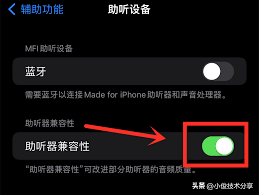
- Open the Settings app and find "Sounds & Haptics" or "Sounds."
- Slide the sliders for ringtones, reminders, media volume, etc. to adjust the volume to a suitable level.
2. Check the mute switch and do not disturb mode
1. Silent switch:
- Check that the mute switch on the top of the phone is turned off.
2. Do not disturb mode:
- Open "Settings", find "Do Not Disturb" and make sure it is not turned on or turn it off as needed.
3. Adjust equalizer and mono audio
1. Equalizer adjustment:
- In the Music or Podcasts app settings, find the Equalizer option.
- Select "Boost Bass" or "Boost Treble" to improve the volume experience.
2. Mono audio:
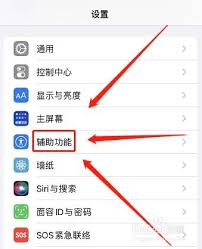
- Open "Settings", go to "Accessibility" and find "Audio/Visual".
- Turn on the "Mono Audio" option to merge the two-channel audio and increase the external volume.
4. Check for software conflicts and system updates
1. Uninstall third-party software:
- Uninstall recently installed third-party software to prevent software conflicts from causing volume reduction.
2. System update:
- Check the system version in "General" - "About This Mac" in the "Settings" app and update it.
5. Reset phone settings
1. Restore all settings:
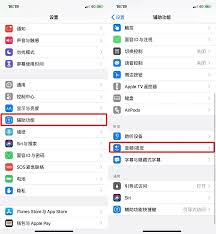
- Select "Restore All Settings" in "General" - "Restore" in "Settings" to reset all settings but keep the data.
6. Check the audio output device
1. Disconnect Bluetooth:
- If a Bluetooth device is connected, try disconnecting it and then adjusting the phone volume.
2. Check headphone mode:
- Plug and unplug the headset a few times to make sure the phone exits headset mode.
Through the above steps, the problem of low sound on most Apple phones can be effectively solved. If the problem persists, it is recommended to contact Apple’s official customer service or go to an Apple authorized repair center for repair.