
How to switch the male protagonist in Love and Deep Space? To switch the male protagonist in Love and Deep Space, the player needs to enter the character change menu, select your favorite male protagonist and make the switch selection. Players who don’t know the specific method can take a look at the tutorial on how to switch male protagonists in Love and Deep Space brought to you by the editor.

How to switch the male protagonist in Love and Deep Space
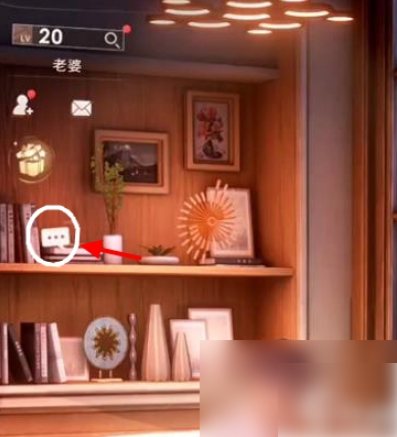
1. After entering the game in the first step, click the "three dots" bubble icon in the upper left corner of the main page.
2. In the second step, after entering the male protagonist interface, click the "Switch" button in the upper left corner.
3. The third step is to click on the male protagonist with blue background to cancel the current male protagonist setting, and then click on the male protagonist you like.

4. In the fourth step, after selecting the male protagonist you like, click "OK" to switch to the male protagonist in the main interface.