
How to log out of the role of Lost in Time How to log out of the account in Lost in Time
1. First enter the main interface of the game, there is the entrance to our personal information in the upper left corner, click to enter;

2. After entering here, you can see a settings button below the character picture, which is the entrance to log out of the account;
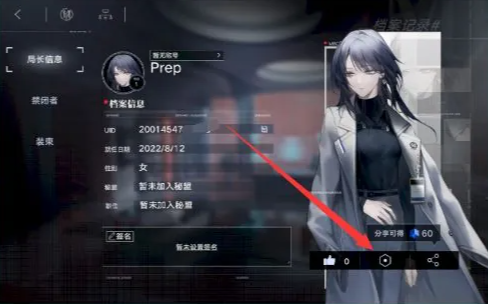
3. After entering here, players will be able to see the option to cancel their account. You can directly log out and re-register to start the game;
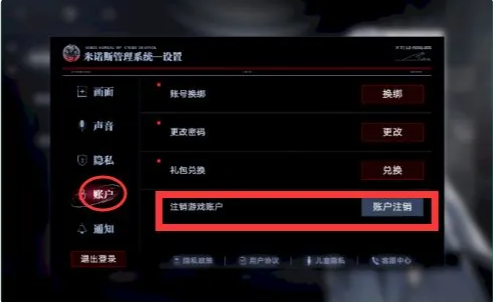
4. Players can log out of their accounts through the settings in the game. This process is also very simple;
5. If you don’t want to cancel your account, you can also purchase a new initial account to play the game, but this is not recommended;
6. The initial grind of this game is still relatively important, but some players are really unlucky, so canceling the account is a reasonable choice.