
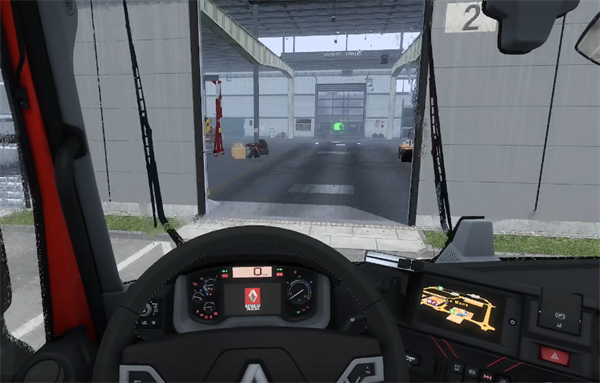
Euro Truck Simulator 2, as the name suggests, is a game that simulates driving a truck. The game is very real. Players can almost truly experience the feeling of driving a truck. There will also be a wiper design in the game. To turn on the wipers in the game, just press the P key. That's it.
Answer: P key on the keyboard , → key on the handle
1. Players press the P key to start the wiper, press it again to start the fast wiper, and press it again to stop it.
(If we have changed the key position before, we can only look at what we changed p to)
Truck Simulator 2 Buttons Overview :
1. Introduction to keyboard keys
Arrow keys: WASD
P --- wiper
Space---Handbrake
B---Mechanical brake
E --- ignition, flameout, (necessary when refueling, when taking a rest.)
[Left turn] Right turn
12345678 on the large keyboard changes perspective. []
/ and * on the keypad look left or right.
H --- Speaker
L --- Instrument panel/low beam
K --- Turn on/off high beam
J --- flash headlights
O---Strobe light
M --- Mini map.
F1---enter the navigator dialog box
F2 --- Reflector
F4---light control
F5---Navigator map size zoom
F6---Cargo information (including cargo name, required arrival time, remaining rest time, etc.)
F7---Vehicle damage and cargo damage information
F8---Information
F10 --- Screenshot
T --- Connect and unzip the container.
Shift --- shift up
Ctrl --- downshift usually defaults to automatic gearbox
F ---Double flash
[ --- Left turn light
] --- Right turn light
2. Introduction to handle keys
Arrow key ↑: switching perspective
Arrow key ↓: Open the map
Direction keys ←: Lighting mode adjustment
Arrow keys →: Wipers
Left joystick to the left: steering wheel to the left
Left joystick to the right: steering wheel to the right
select: Mouse control of route advisor (and pause at the same time)
start: Return to the menu/Back one level of menu
A: Equivalent to keyboard enter (carriage return)
B: Return to the default cabin perspective (regardless of whether it was the cabin perspective before pressing this button)
X: cruise control
Y: Trailer connection/detachment
Right joystick: move the perspective
LB: left turn indicator light
RB: right turn indicator light
LT: Brake/Reverse
RT: Throttle