

node.js is based on Chrome 's v8 engine to run js code, so we can get rid of the browser environment and run js code directly in the console, such as the following hello world code
console.log('hello world'); You can run it directly using node in the console
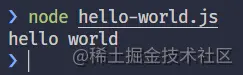
The built-in module http of node.js provides basic http service capabilities. Based on the CommonJS specification, we can use require to import the http module for use. There is a createServer function in the http module that allows us to create an http The server receives a callback function as a parameter. This callback function receives two parameters - request and response .
request includes all the information requested by the client, such as url , request header , request method and request body.response is mainly used to return information to The client encapsulates some operations related to the response body. For example, the response.writeHead method allows us to customize the header information and status code of the return body.After we have processed the response body, we call response.end() method. You can send the response body to the client. Using the createServer function only creates a Server object for us, but does not enable it to listen. We also need to call the listen method of server object to listen. We can actually start running
listen methodip , and the third parameter is a callback function that will be called asynchronously by the http module. When an error is encountered, it can be The thrown exception is obtained from the first parameter of the callback function. We can choose to handle the exception to make our server more robust.The following is an example of using the http module to create a simple server.
const { createServer } = require('http' );
const HOST = 'localhost';
const PORT = '8080';

const server = createServer((req, resp) => {
  // the first param is status code it returns
  // and the second param is response header info
  resp.writeHead(200, { 'Content-Type': 'text/plain' });

  console.log('server is working...');

  // call end method to tell server that the request has been fulfilled
  resp.end('hello nodejs http server');
});

server.listen(PORT, HOST, (error) => {
if (error) {
  console.log('Something wrong: ', error);
   return;
  }
  console.log(`server is listening on http://${HOST}:${PORT} ...`);
});
You can directly try to run it with node and create a server of your own! After the server is running, the browser can access the server by accessing http://localhost:8080
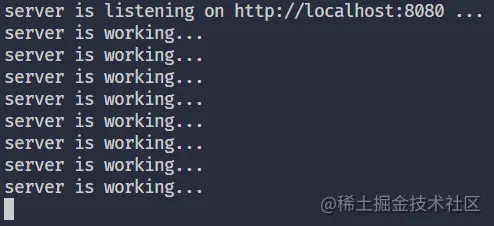
You can also use nodemon to run it, so that when our code changes, we don’t need to manually terminate the program and re-run
npm i -g nodemon.
It is recommended to install it globally so that you can use it directly without using npx nodemon It is also very simple, just change the node command to the nodemon command
nodemon http-server.js
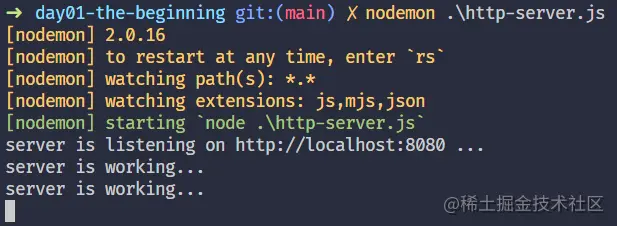
. When we used createServer and resp objects earlier, we could not see any syntax prompts. We must follow the official node documentation to check it at any time. It is a bit inconvenient but it doesn’t matter. We can use .d.ts of ts . The .d.ts file helps us provide the syntax prompt function. Note that we are not using ts for development, but only using its syntax prompt function
npm init -y@types/node -- pnpm i @types/node -Djsconfig.json file in the project directory, exclude node_modules , there is no need to check it{ "compilerOptions": {
"checkJs": true
},
"exclude": ["node_modules", "**/node_modules/*"]
} I wonder if you have discovered that there is actually an error in the above code? checkJs can help us check for type errors. You can choose whether to turn it on according to your needs. After turning on the check, it will immediately prompt us about parameter type mismatch.
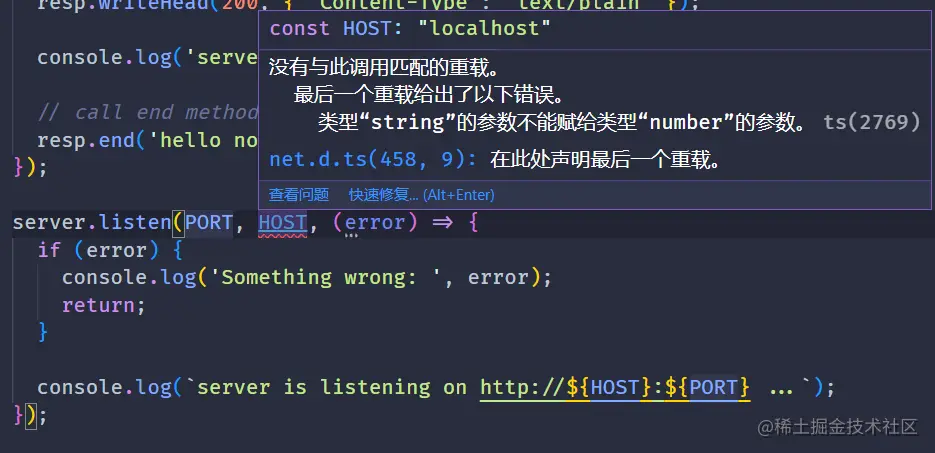
At this time, hover the mouse over the listen method and you can see the signature of the method.
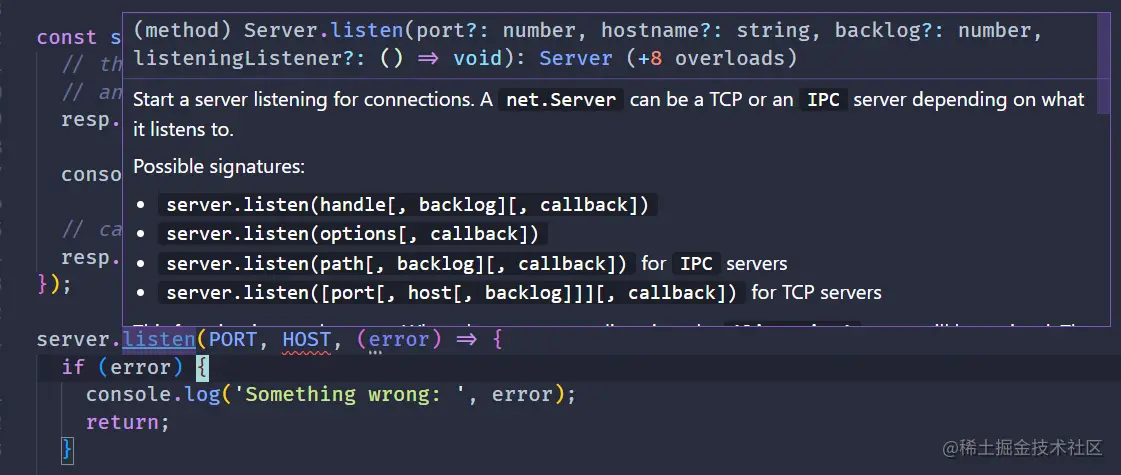
As you can see, the original port parameter needs to be of type number , but when we defined it, it was of type string , so it did not match. Just change it to 8080 of number and you can directly view the relevant api documentation without opening the official node . It took me a long time to find the document and check it out.
. Our simple http server only returned one sentence, so is it possible to return multiple sentences? This requires using the write method of the resp object. end can only return content once. Instead, use the write method. We can write content into the response body multiple times. In the end, we only need to call end once and do not pass any parameters. Only let him complete the function of sending the response body
const { createServer } = require("http");
const HOST = "localhost";
const PORT = 8080;

const server = createServer((req, resp) => {
  resp.writeHead(200, { "Content-Type": "text/plain" });
  console.log("server is working...");

  // write some lorem sentences
  resp.write("Lorem ipsum dolor sit amet consectetur adipisicing elit.n");
  resp.write("Omnis eligendi aperiam delectus?n");
  resp.write("Aut, quam quo!n");

  resp.end();
});

server.listen(PORT, HOST, (error) => {
  if (error) {
  console.log("Something wrong: ", error);
  return;
  }
  console.log(`server is listening on http://${HOST}:${PORT} ...`);
});
This time we wrote three sentences, and the effect now becomes like this

we can not only return a string to the browser, but also directly read the content of the html file and return it to the browser as a result. This requires the use of another Node.js built-in module - fs , which The module provides the function of file operation. You can use fs.readFile to read files asynchronously, but it will not return a promise object, so we need to pass in a callback to handle the operation after reading the file. You can also use fs.readFileSync Synchronously blocking file reading, here we choose asynchronous reading
const { createServer } = require("http");
const fs = require("fs");
const HOST = "localhost";

const PORT = 8080;const server = createServer((req, resp) => {
  // change the MIME type from text/plain to text/html
  resp.writeHead(200, { "Content-Type": "text/html" });

  // read the html file content
  fs.readFile("index.html", (err, data) => {
     if (err) {
      console.error(
        "an error occurred while reading the html file content: ",
        err
      ); throw err;
    }
    console.log("operation success!");

    resp.write(data);
    resp.end();
  });
});

server.listen(PORT, HOST, (error) => {
  if (error) {
  console.log("Something wrong: ", error);
  return;
  }
  console.log(`server is listening on http://${HOST}:${PORT} ...`);
});
The current result is as follows:

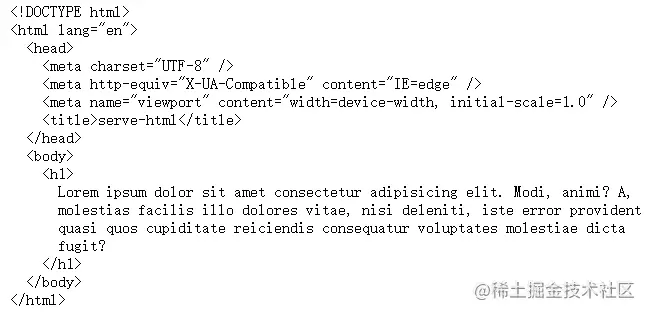
Successfully return html Note: Here you need to change **Content-Type** of the response header to **text/html** to inform the browser that we are returning the content of the **html** file. If you still use **text/plain** If **text/plain** is returned, the browser will not parse the returned content, even if it conforms to **html** syntax, it will not be parsed, just like the following:
When we need to write a back-end server that is only responsible for returning interface data, we need to return content in json format. I believe you are smart and know how to handle it:
MIME type to application/jsonresp.write When resp.write , the json string is passed in. You can use JSON.stringify to process the object and returnconst { createServer } = require("http");
const HOST = "localhost";
const PORT = 8080;
const server = createServer((req, resp) => {
// change the MIME type to application/json
resp.writeHead(200, { "Content-Type": "application/json" });
// create a json data by using an object
const jsonDataObj = {
code: 0,
message: "success",
data: {
name: "plasticine",
age: 20,
hobby: "coding",
},
};
resp.write(JSON.stringify(jsonDataObj));
resp.end();
});
server.listen(PORT, HOST, (error) => {
if (error) {
console.log("Something wrong: ", error);
return;
}
console.log(`server is listening on http://${HOST}:${PORT} ...`);
}); The results are as follows:

The idea of returning pdf files is similar to that of returning html files before. They are both a process of setting the MIME type of the response header, reading the file, and returning the file content. But this time we do something different. Our idea is to do it while the server is running. To generate a pdf file and return it, you need to change MIME type to application/pdf To generate a pdf file, you need to use a library - pdfkit
pnpm i pdfkit.
First, we write a function to create a pdf file, because creating a pdf file also requires Perform some writing operations, not sure when it will be completed, but our request must wait until pdf file is created before we can get a response, so we need to make it asynchronous and return a promise
/**
 * @description Create pdf file */const createPdf = () => {
   return new Promise((resolve, reject) => {
       if (!fs.existsSync("example.pdf")) {
       // create a PDFDocument object
       const doc = new PDFDocument();

       // create write stream by piping the pdf content.
       doc.pipe(fs.createWriteStream("example.pdf"));

      // add some contents to pdf document
      doc.fontSize(16).text("Hello PDF", 100, 100);

      // complete the operation of generating PDF file.
      doc.end();
    }

    resolve("success");
  });
};
The pipeline operation is used here to transfer the contents of PDFDocument object to the newly created write stream through the pipeline. When the operation is completed, we notify the outside world through resovle that the pdf file has been created and then call
const serverin the server code.
= createServer(async (req, resp) => {
  // change the MIME type to application/pdf
  resp.writeHead(200, { "Content-Type": "application/pdf" });

  // create pdf file
  await createPdf();

  // read created pdf file
  fs.readFile("example.pdf", (err, data) => {
      if (err) {
       console.error(
        "an error occurred while reading the pdf file content: ",
        err
      );
      throw err;
    }
    console.log("operation success!");

    resp.end(data);
  });
});

server.listen(PORT, HOST, (error) => {
  if (error) {
      console.log("Something wrong: ", error);
      return;
  }
  console.log(`server is listening on http://${HOST}:${PORT} ...`);
});
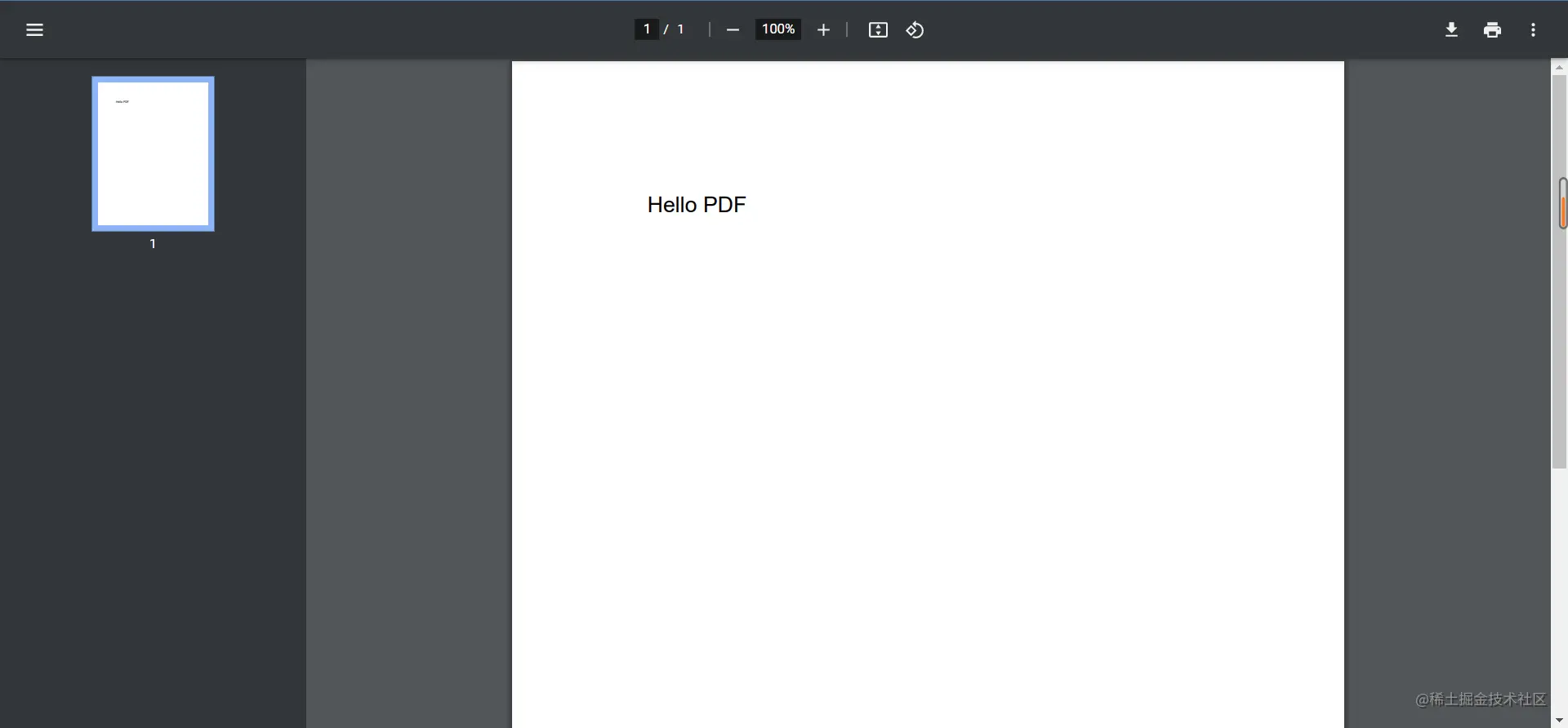
Now the browser can read the created pdf file
is still the same. Read an audio file, then send it to the resp object through a pipeline and return it.
const { createServer } = require("http");
const { stat, createReadStream } = require("fs");
const HOST = "localhost";
const PORT = 8080;

const server = createServer((req, resp) => {
  // change the MIME type to audio/mpe
  resp.writeHead(200, { "Content-Type": "audio/mp3" });
  const mp3FileName = "audio.mp3";

  stat(mp3FileName, (err, stats) => {
    if (stats.isFile()) {
      const rs = createReadStream(mp3FileName);

      // pipe the read stream to resp
      rs.pipe(resp);
    } else {
      resp.end("mp3 file not exists");
    }
  });
});

server.listen(PORT, HOST, (error) => {
  if (error) {
  console.log("Something wrong: ", error);
  return;
  }
  console.log(`server is listening on http://${HOST}:${PORT} ...`);
});
The effect is as follows

After opening, there is an interface for playing audio. This is the display of audio files provided by chrome . When you open the console, you will find that there are audio files returned.

Note: After passing the audio file stream to **resp** through the pipe , there is no need to call **resp.end()** method, because this will close the entire response and cause the audio file to be unavailable.


The processing of video files and audio files is the same, except that MIME type needs to be changed to video/mp4 . Everything else is the same
const { createServer } = require("http");
const { stat, createReadStream } = require("fs");
const HOST = "localhost";
const PORT = 8080;
const server = createServer((req, resp) => {
// change the MIME type to audio/mpe
  resp.writeHead(200, { "Content-Type": "audio/mp4" });
  const mp4FileName = "video.mp4";

  stat(mp4FileName, (err, stats) => {
     if (stats.isFile()) {
     const rs = createReadStream(mp4FileName);
     // pipe the read stream to resp
      rs.pipe(resp);
    } else {
      resp.end("mp4 file not exists");
    }
  });
});

server.listen(PORT, HOST, (error) => {
 if (error) {
 console.log("Something wrong: ", error);
 return;
  }
  console.log(`server is listening on http://${HOST}:${PORT} ...`);
});
we learned:
Node to create an http serverjshtmlJSONpdf files.Although the content is simple, it is still I hope you can follow along and give it a try. Don’t think it’s easy just to look at it. Just because you look at it doesn’t mean you know it. You will find your own problems only after you actually implement it.