

1. Express is a very heavyweight third-party framework in Nodejs development. It is to the NodeJS server what Jquery is to the HTML client.
2. Express official website:
www.expressjs.com.cn/
expressjs.com/
3. Express’s github address: https://github.com/expressjs/express
4. The Express official website introduces itself like this: Based on the Node.js platform, it is fast, open, and extremely Simple web development framework.
A very important highlight of Express is that it does not change the existing features of nodejs, but expands on it.
5.Express三大核心功能
: 1. Hosting static resources.
2. Routing.
== 3. Middleware ==
The core technology and idea of Express, everything is middleware.
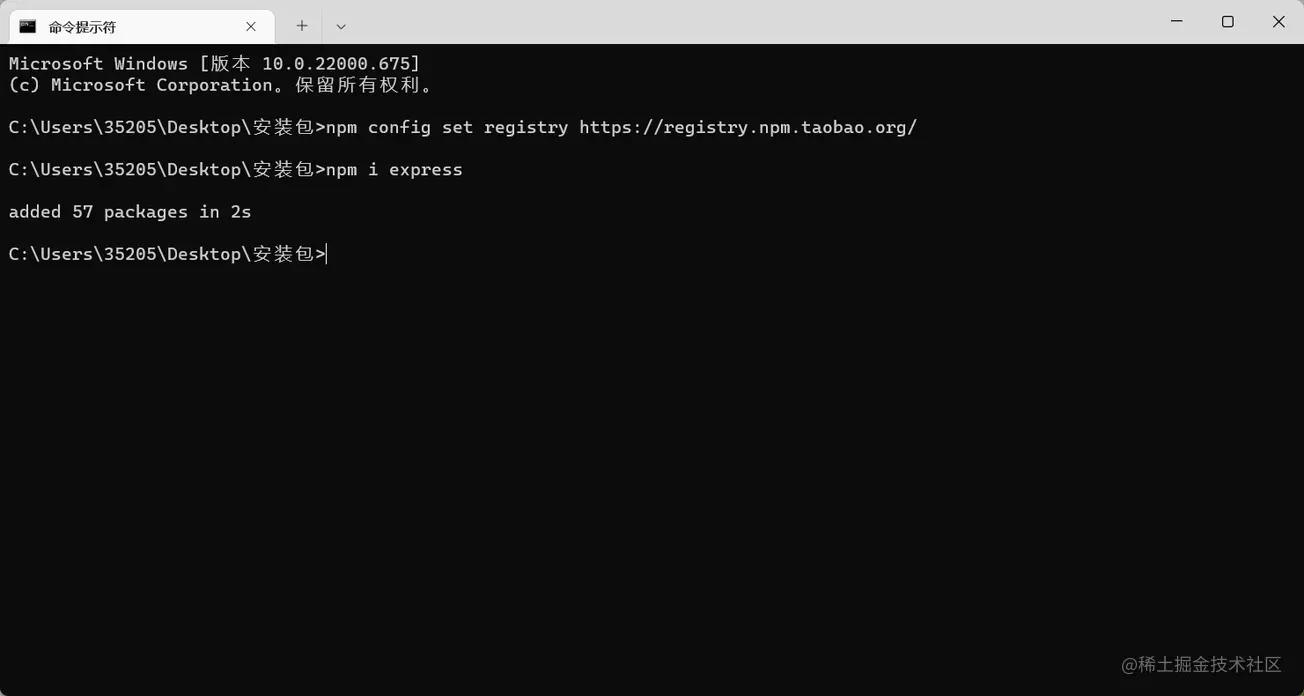
bootstrap插件.download instructions: npm i express
If your website is very slow, you can use npm config set registry registry.npm.taobao.org/ to increase the speed.
Taobao will help you download this thing to Taobao's server, and then you will download it on Taobao's server. download
//1. Import module const express = require('express')

//2. Create server/* express() is equivalent to http.createServer() of http module */
const app = express()


//3. Receive client requests/* (1) The biggest feature of express is its own routing function. We do not need to process all requests in one method * Routing: One request path corresponds to one method (function)
   (2) In express, each request is a separate method*/

app.get('/',(req,res)=>{
    //Response to client data //Express response data send method: Automatically set the response header for us, no need to worry about Chinese garbled characters res.send('The wind rises under the moon')

})

app.get('/heroInfo',(req,res)=>{

    res.send({
        name:'Zhang San',
        age:20
    })
})

//4. Open the server app.listen(3000,()=>{
    console.log('Server started successfully')
}) //1. Import module const express = require('express')
//2. Create server/* express() is equivalent to http.createServer() of http module */
const app = express()
//3. Receive client request //Text type data app.get('/',(req,res)=>{
//Response to client data res.send('The wind rises under the moon')
})
//json format data app.get('/info',(req,res)=>{
//express automatically helps us convert js objects into json responses to the client res.send({
name:'Zhang San',
age:20
})
})
//File type data app.get('/login',(req,res)=>{
res.sendFile(__dirname + '/login.html')
})
//4. Open the server app.listen(3000,()=>{
console.log('Server started successfully')
}) http://expressjs.com/en/starter/static-files.html
//1. Import module const express = require('express');

//2. Create server const app = express()

//Host static resources (equivalent to the static resource server we wrote before)
/*
1. When the request path is /, express will automatically read the index.html file in the www folder and return the response. 2. When the path request is a static resource in the www folder, express will automatically splice the file path and return the response */
app.use(express.static('www'))

//4. Open the server app.listen(3000,()=>{
    console.log('success')
}) 1. On the Express official website, there are many third-party middleware, which can make our Nodejs development extremely simple
中间件前端的插件,使用后就会给express中的req或者res添加成员2. All third-party framework learning routines are the same
3. The steps for using third-party middleware are generally fixed two steps
one: Installation npm i xxxx (official website copy and paste)
2: Use app.use(xxx) (official website copy and paste)
body-parse third-party middleware : Parse post request parameters
npm install body-parser//Import module const express = require('express')
//Create server const app = express()
//Use third-party middleware/*The idea of all third-party modules is the same 1. Go to the official website and check the documentation 2. Find examples (usage examples), copy and paste a. Install the third-party module: `npm i body-parser`
b. Use middleware: arr.use (please copy and paste for specific usage)
After using the body-parser middleware, your req will add a body attribute, which is your post request parameter*/
//(1) Import module const bodyParser = require('body-parser')
// parse application/x-www-form-urlencoded
//(2) Use middleware app.use(bodyParser.urlencoded({ extended: false }))
//Parse json parameters app.use(bodyParser.json())
app.post('/abc',(req,res)=>{
console.log(req.body)
//Tell the client the parameters I received res.send(req.body)
})
app.post('/efg',(req,res)=>{
console.log(req.body)
//Tell the client the parameters I received res.send(req.body)
})
//Start the server app.listen(3000, () => {
console.log('success');
})