
This is all the content that the editor has compiled for you today to bring you relevant information. Finally, I hope this article can help you. Friends who are interested should not miss it!
1. Open the setting interface of the Honor phone, select and click on desktop and wallpaper.
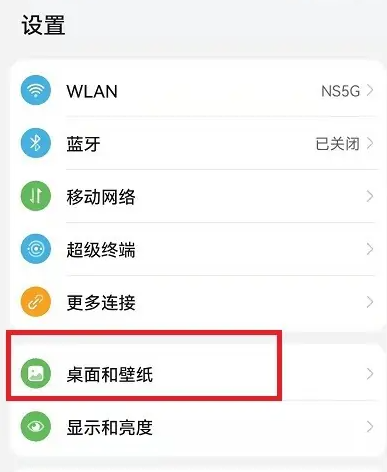
2. Then switch to the home screen and background screen setting section, and select the [Desktop Settings] function at the bottom.

3. Finally, in the desktop settings function section, directly select [Icon Size] to open the icon adjustment window.
