
PlayerUnknown's Battlegrounds has small footsteps and loud gunshots, so it is easy to be bypassed and attacked when fighting guns. You can use the computer's built-in sound control panel to set the loudness equalization and virtual surround sound, and then adjust the in-game volume to achieve louder footsteps. , the situation with small gunfire.

1. First find “ Realtek High Definition Audio Manager ” in the lower right corner of the desktop, as shown in the figure;

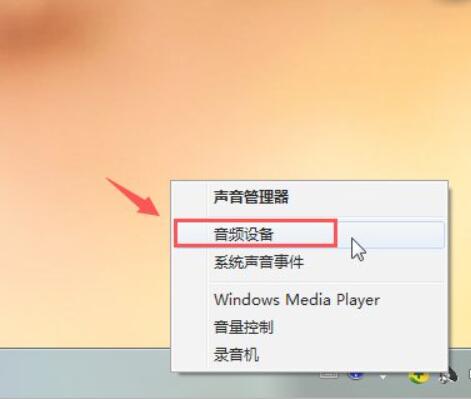
2. Right-click "Realtek High Definition Audio Manager" and select " Audio Devices " (if it is not available on the lower right, open it in the control panel);
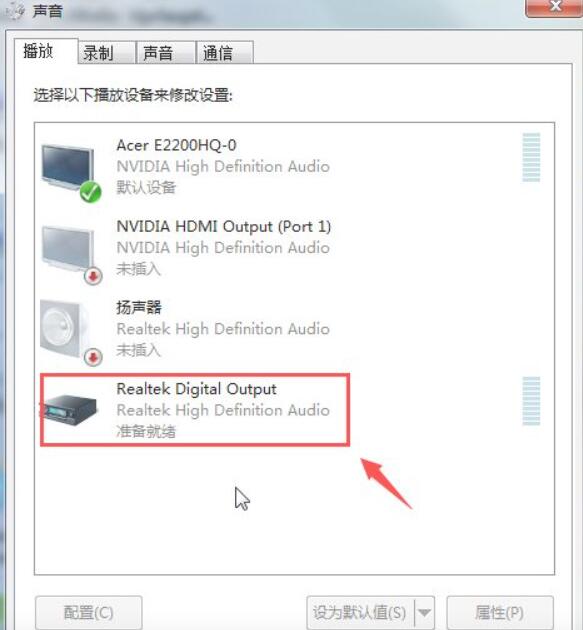
3. After opening, double-click " Realtek Digital Output " audio digital output in the playback bar;
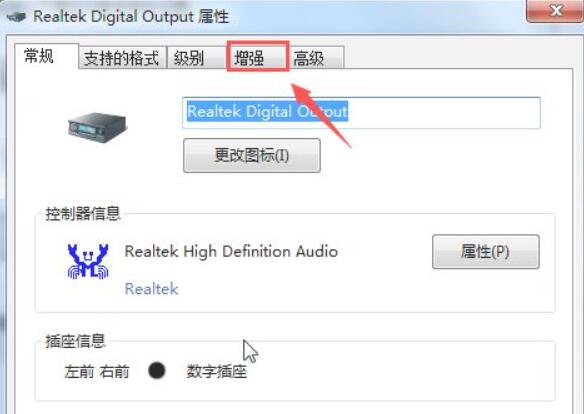
4. Open the panel and select " Enhance ";
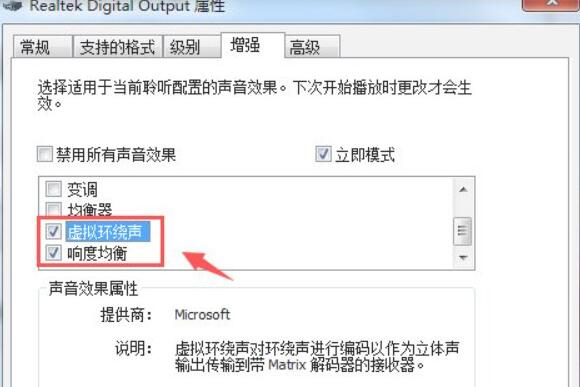
5. Find " Virtual Surround Sound " and " Enjoy Equalization " and check the two options;
6. Find the level bar and set the " Realtek Digital Output " sound to the maximum ;
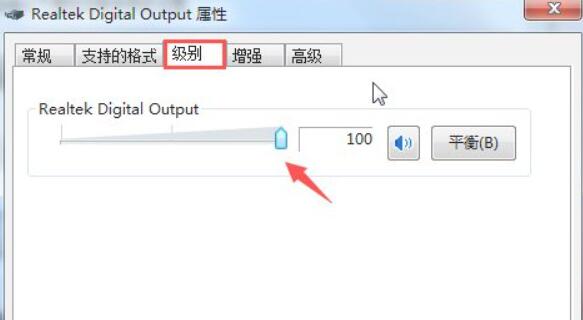
7. Set the sampling frequency and bit depth to the highest in the advanced column;
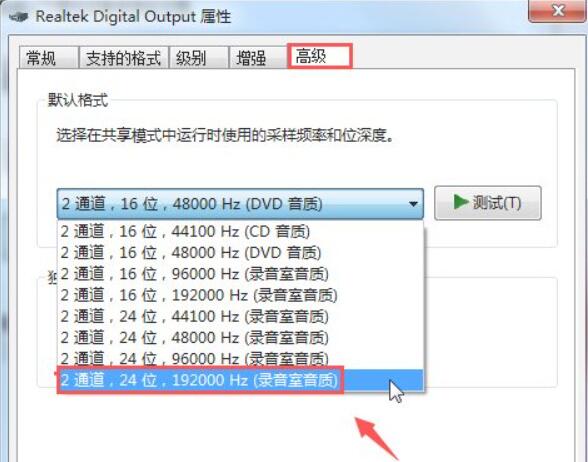
8. Finally, start PlayerUnknown’s Battlegrounds to test and adjust the appropriate volume.
Related tips : How to increase the sound of footsteps