
Xiaobai Voice APP is a very popular voice dating application that allows users to directly conduct voice chats. Next, I will introduce to you how Xiaobai Voice turns off personalized recommendations, let’s find out together.

1. Enter the Xiaobai Voice app Mine and click [Settings Icon].

2. Enter settings and click [Privacy Settings].

3. Enter privacy settings and click [System Permission Settings].
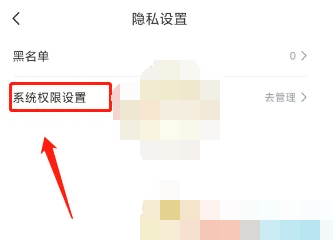
4. Enter the system permission settings and click the button on the right side of [Personalized Recommended Settings] to close.
