
If Douyin users do not want others to view their account, they can set it to be private. So how do they set a private account on Douyin? Next, I will bring you a tutorial on setting up a private account on Douyin. Interested netizens should not miss it.

1. First open the Douyin software and enter the homepage, then click [Me] in the lower right corner;

2. Then click the [three horizontal icons] in the upper right corner of my page;

3. Then click [Settings] on this page;

4. Go to the settings page and click [Privacy Settings];

5. Enter the privacy settings page and click [Private Account];
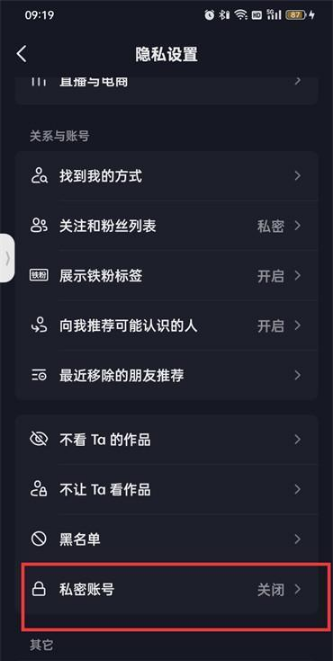
6. Click [Private Account] on the private account page;

7. Finally, click [Confirm Private] in the dialog box that pops up at the bottom of the page;
