
Kugou Music is a well-known music streaming platform and music player. So how does Kugou Music turn off the lock screen display? Today, the editor will share with you a tutorial on how to turn off the lock screen display on Kugou Music. Netizens who want to know, please come and take a look.

1. Open your phone and click on the Kugou Music icon on the desktop;

2. Enter the homepage of Kugou Music and click on the three horizontal lines in the corner of the table;
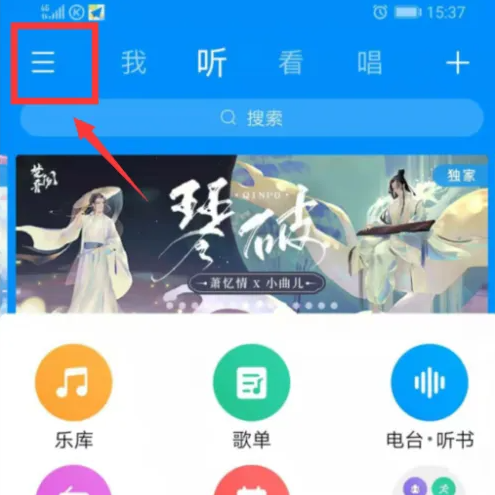
3. Then when you see that the button behind the lyrics on the lock screen is open, turn it off;

4. The lock screen display has been turned off. At this time, the lock screen setting of Kugou Music has been successfully set;
