How to set the password for Baidu Netdisk hidden space? Next, the editor will introduce to you how to set the hidden space password on Baidu Netdisk. I hope that through this article of the editor, I can solve your friends' problems.

1. Open the Baidu Netdisk app on your mobile phone, enter the homepage interface and click [My] in the lower right corner of the interface.

2. Swipe up the My interface to the bottom and click [Settings] in Settings and Services.

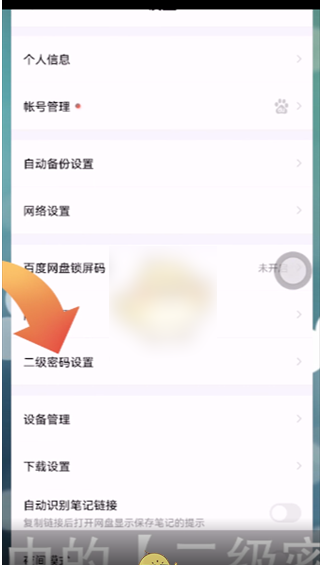
3. After entering the setting interface, click [Secondary Password Settings] in the interface, enter the settings and enable the secondary password.