
In the game Ark of Destiny, the introduction of facial pinching data imported into Ark of Destiny is a very important strategy in the game, but some players do not know much about it. You can follow the editor of Source Code Network to pay attention to the following content:
Next, the editor will lead adventurers to familiarize themselves with the operation of importing face pinching step by step:

First, adventurers need to download the face-making data they need (note that the file suffix is .cus);

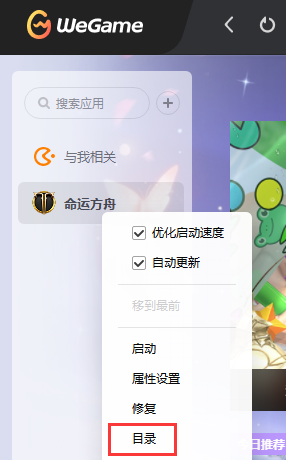
Next, right-click "Ark of Destiny" in Wegame and open the game installation directory;
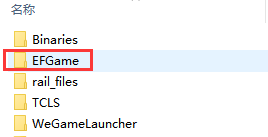
Enter the [EFGame] folder;
Then enter the [Customizing] folder;
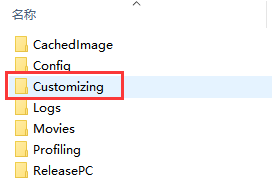
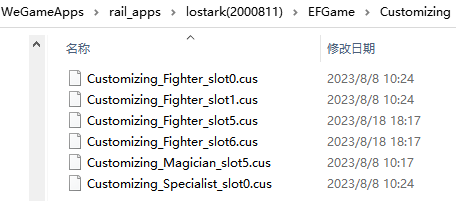
Import the previously downloaded face pinching file with .cus into the [Customizing] folder;
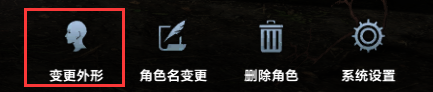
Next, enter the game, go to the expedition interface and click on the lower right corner to change the appearance;
Click on fields 0~5 on the left side of the face pinching interface [Save/Read Custom] and read to view the imported face pinching data;
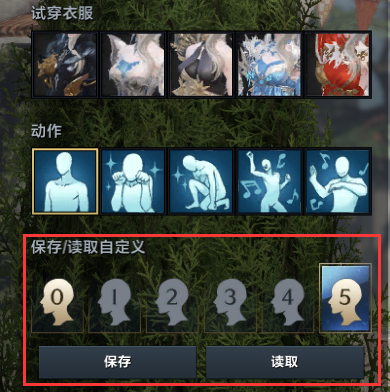
Adventurers need to note that fields 0 to 5 respectively correspond to the face-making files with the .cus suffix that were previously saved to the [Customizing] folder;
The numbers before .cus represent fields 0~5 respectively. Adventurers can modify the numbers before .cus according to the fields they need, and then change the face to the corresponding field.
Different words in the middle of the face pinching data file represent different professions: Warrior stands for warrior, Fighter stands for fighter, Magician stands for magician, Specialist stands for warlock, and Hunter stands for shooter. Face pinching data between different professions are not interoperable~
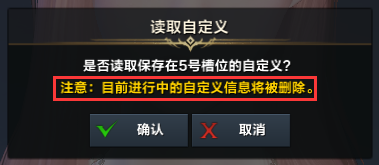
When adventurers decide on the face they want, click the Decide Appearance button to complete the import of the face.
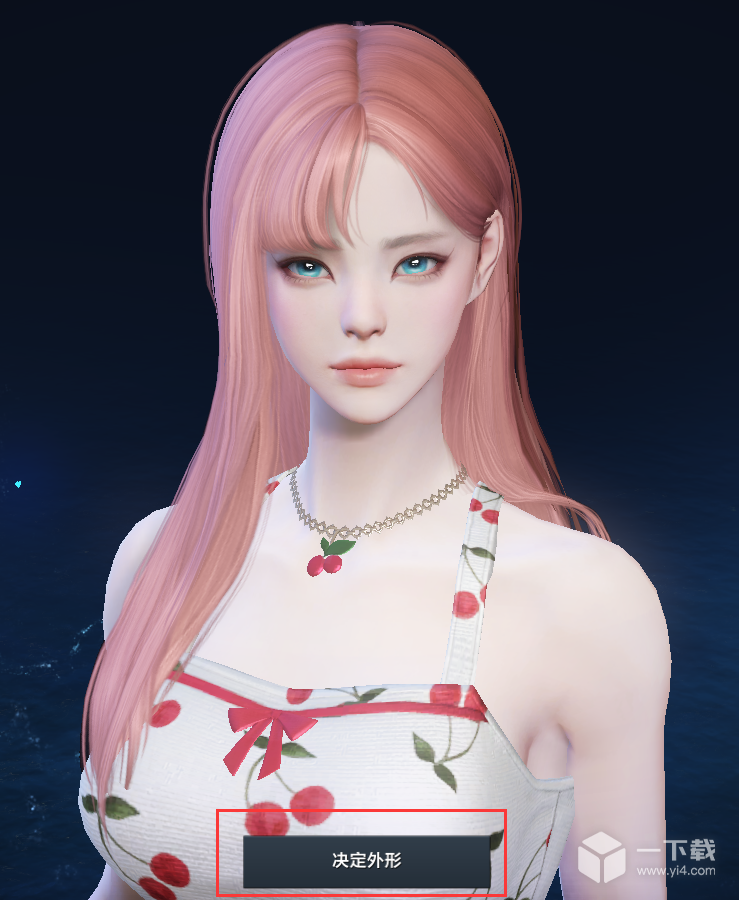
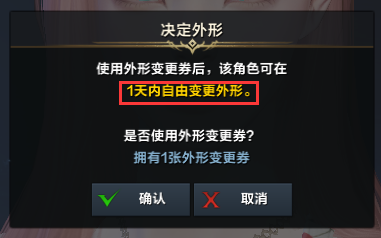
Adventurers who have purchased appearance change coupons do not have to worry about being dissatisfied with the effect after saving the face and entering the game. After deciding on the appearance, you can freely change the appearance within one day (24 hours).
If any adventurer cannot find the [Customizing] folder, you can first enter the game and create a new character, and then exit the game after the creation is successful~