Through the smoke head, we can see the location of the enemy more clearly. As win10 is a new system, today I will share with you how to set up the CF smoke head on the win10 system.
1. Right-click the mouse on the desktop and click "Display Settings", as shown in the figure:

2. After opening "Display Settings", the following interface will pop up. Click "Advanced Display Settings", as shown in the figure:

3. Click "Advanced Display Settings", then click the number in the box below the "Resolution" option, as shown in the figure:

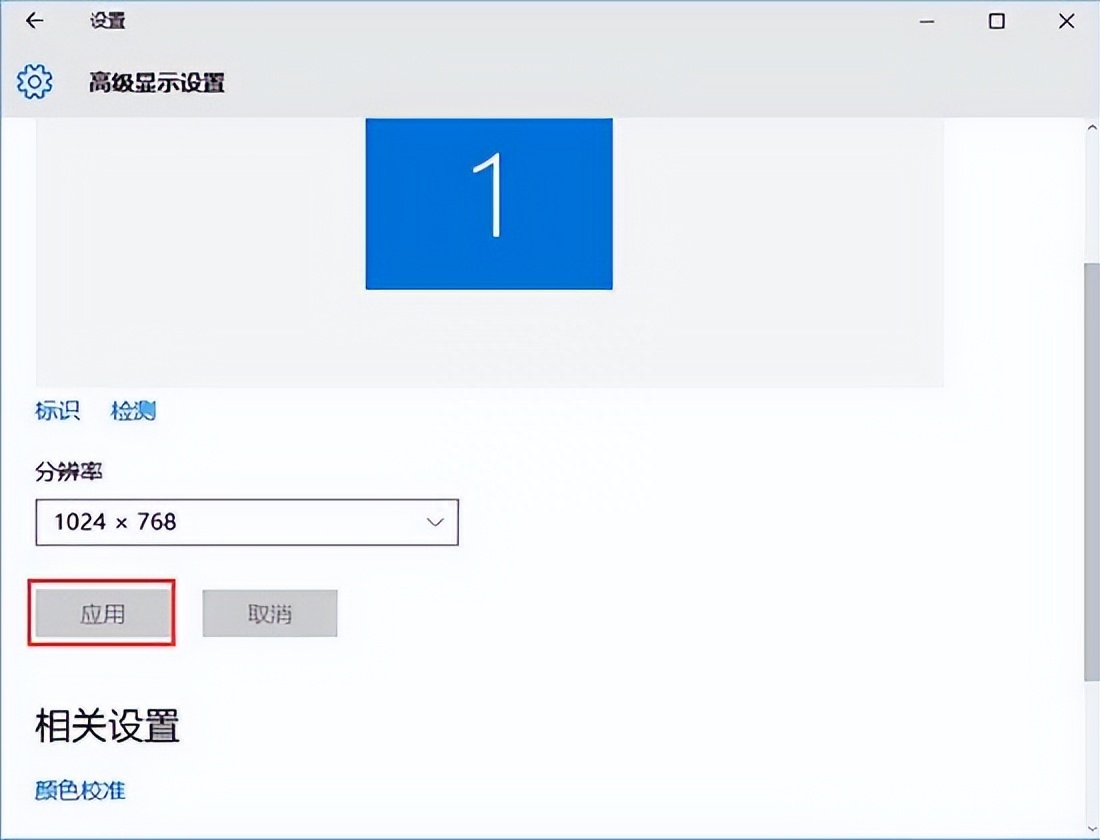
4. After clicking, the following resolution options will pop up. Select "1024x768", as shown in the figure:

5. Select "1024x768" and click Apply! As shown in the figure: