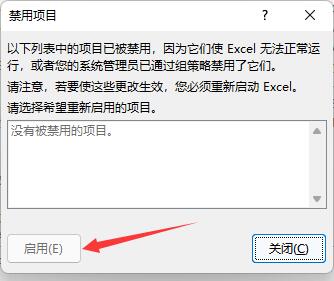
Many functions of Excel are in the menu bar. Recently, some users find that the Excel plug-in on their computers is disabled. What should they do?

1. After entering the application, click the Insert option on the upper navigation bar.

2. Then select the drop-down button on the right side of My Add-ons in the pop-up drop-down box.

3. Then click the Manage other add-ons option.

4. Then find the drop-down button on the right side of the Excel load option on the new page.

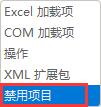
5. At this time we need to select the disabled item option in the drop-down box.
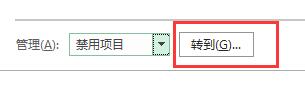
6. At this time, we click the Go button on the right again.
7. Finally, a disable window prompt will pop up. Just click the enable button.