360 Compression can compress a file into many small files, but many friends still don’t know how to perform volume compression with 360 Compression. The following is a tutorial on the method of volume compression with 360 Compression . If you need it, hurry up and read it. Take a look.

1. Right-click the file you want to compress and select Add to compressed file.

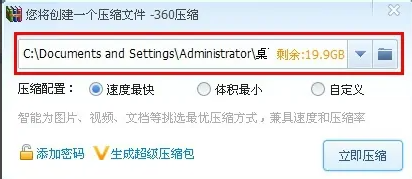
2. Select the saving path.
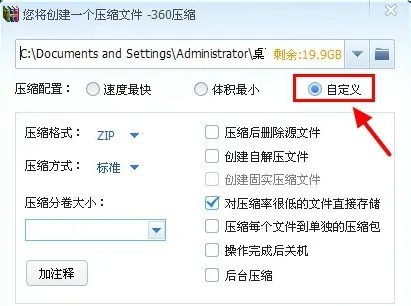
3. Click Customize.
4. Select the size of the compressed sub-file in Compressed Volume Size.
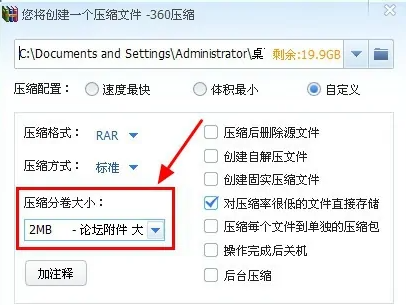
5. Click Compress Now to complete the compression of the volumes.