
Douyu Live is a very exciting and passionate online live broadcast platform. So how do you turn off the browsing history of Douyu Live? In fact, the method is very simple. Next, I will bring you a tutorial on turning off browsing history on Douyu Live. Netizens in need should take a look.

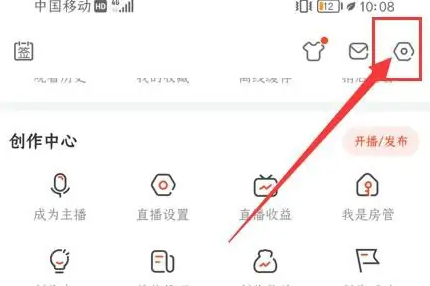
1. Open the Douyu app, enter the My interface, and select "Settings". As shown in the picture:
2. Enter the settings interface and select "Privacy". As shown in the picture:

3. Enter the privacy settings interface, select "Viewing History" and click the button on the right to close it. As shown in the picture:
