mdx docs
1.0.0

จัดทำเอกสารและพัฒนาส่วนประกอบ React ด้วย mdx และ next.js
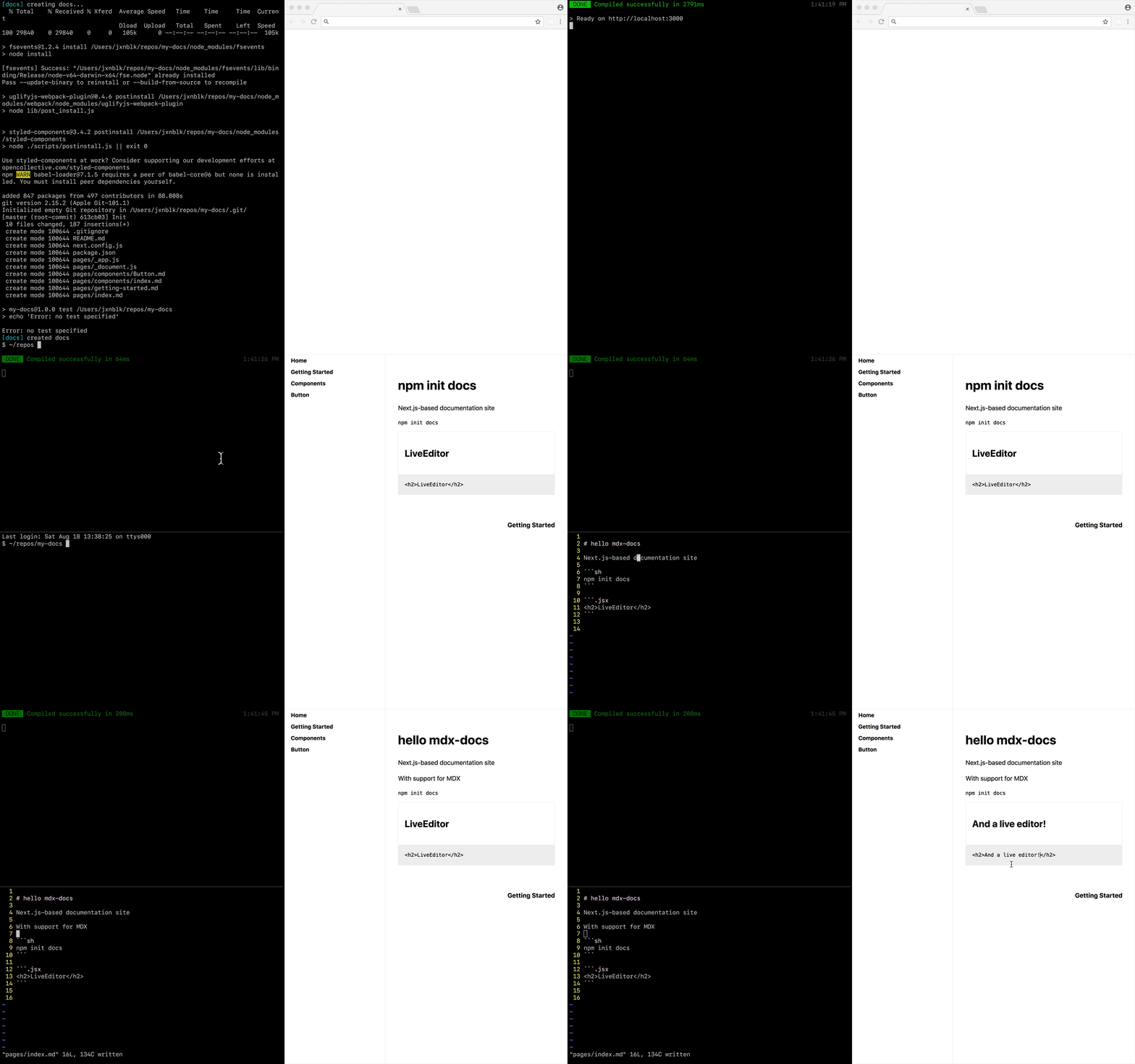
https://mdx-docs.now.sh/
npm init docs ในการสร้างไซต์เอกสารใหม่ให้เรียกใช้ npm init docs และทำตามพรอมต์ เมื่อแอปพลิเคชันถูกสร้างขึ้นให้ดูที่ readme.md สำหรับเอกสารเพิ่มเติม
หากต้องการเพิ่มเอกสาร MDX ลงในแอป Next.js ที่มีอยู่ให้ดูที่เอกสารการตั้งค่าที่กำหนดเอง
MDX ช่วยให้คุณผสมผสานการทำเครื่องหมายด้วย Inline JSX เพื่อแสดงส่วนประกอบที่ตอบสนอง เขียน Markdown ตามปกติและใช้ไวยากรณ์นำเข้า ES เพื่อใช้ส่วนประกอบที่กำหนดเองในเอกสารของคุณ
 import { Box } from ' grid-styled '

# Hello MDX!

< Box
  p = { 3 }
  bg = ' tomato ' >
  This will render as a component
</ Box > MDX Docs มีส่วนประกอบในตัวเพื่อแสดงบล็อกรหัส JSX ไม่พอใจเป็นตัวอย่างสดด้วยรหัสที่แก้ไขได้ซึ่งขับเคลื่อนโดย React-Live ในการทำให้บล็อกรหัสแสดงเป็นตัวอย่างที่แก้ไขได้ให้ใช้แอตทริบิวต์ภาษา .jsx (หมายเหตุคำนำ . )
Live code example:

``` .jsx
< button > Beep < / button >
``` ในการเพิ่มส่วนประกอบเพื่อกำหนดขอบเขตสำหรับใช้ในตัวอย่างรหัสสดให้ผ่านวัตถุ components ไปยังส่วนประกอบ Layout
 // example components
import React from 'react'

export default {
  Box : props => (
    < div
      { ... props }
      style = { {
        padding : '32px' ,
        backgroundColor : 'tomato'
      } }
    />
  )
}
// example _app.js
< Layout
{ ... this . props }
components = { components } >
< Layout . Main >
< Component { ... page } />
</ Layout . Main >
</ Layout > วัตถุ components ยังสามารถรวมส่วนประกอบเพื่อแสดงองค์ประกอบ HTML ใน MDX
MDX-GO, Compositor X0, MDX-Deck, Live-Doc, Doctor Mark, Docz
next.js, mdx, react-live
ใบอนุญาต MIT







