Arduios
v1.0

Arduios เป็นเหมือนระบบปฏิบัติการสำหรับ Arduino ช่วยให้คุณสามารถใช้ร่างในกรณีการใช้งานที่แตกต่างกันโดยไม่ต้องอัปโหลดใหม่ทุกครั้ง
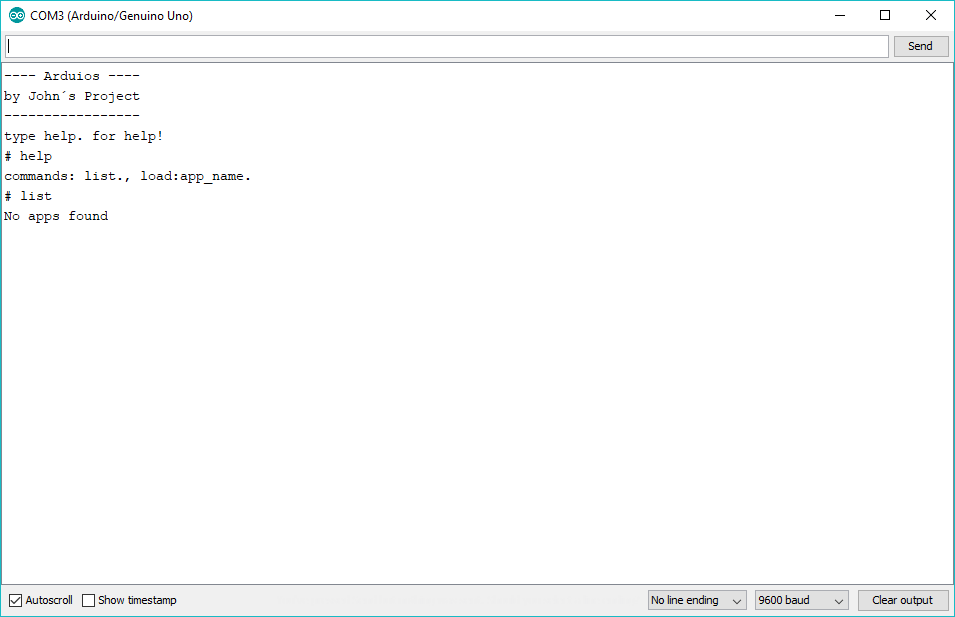
มันง่ายมากที่จะใช้ Arduios เนื่องจากมีแอพเชลล์ง่าย ๆ ที่ช่วยให้คุณสามารถสื่อสารกับมันผ่านมอนิเตอร์อนุกรมของ Arduino IDE
คำสั่งคือ
 help. - shows all available commands
list. - shows all available apps
load:app_name. - loads an app from registry
โปรดทราบว่ามีจุดที่อยู่ข้างหลัง สิ่งนี้จำเป็นเพราะวิธีการทำงานของเชลล์
นอกจากนี้ยังง่ายมากที่จะสร้างแอพ Arduios ของคุณเอง
ก่อนอื่นคุณต้องดาวน์โหลดรีลีส Arduios ล่าสุดด้วยการทำเสร็จแล้วสร้างร่างใหม่และเพิ่ม Arduios.zip ในห้องสมุด Arduino IDE ตอนนี้เพิ่มไฟล์ใหม่ลงในร่างที่เรียกว่า TestApp.h
นี่คือลักษณะของแอป Arduios พื้นฐาน
# ifndef __TESTAPP_H_INCLUDED__
# define __TESTAPP_H_INCLUDED__

# include < Arduios_Kernel.h >

class TestApp : public App {

    String getName () {
      // return your app name here
      return " TestApp " ;
    }

    void setup () {
      // put your setup code here, to run once:
      Serial. begin ( 9600 );
      Serial. println ( " TestApp begin " );
    }

    void loop () {
      // put your main code here, to run repeatedly:
      Serial. println ( " TestApp loop " );
      delay ( 1000 );
    }

} testApp;

# endif
ในการทำให้เสร็จคุณจะต้องเพิ่มแอพลงใน kernel และเรียกเคอร์เนล kernel.setup() และ kernel.loop() ภาพร่างของคุณควรมีลักษณะเช่นนี้:
# include < Arduios_Kernel.h >
# include " TestApp.h "

void setup () {
  kernel. addApp (testApp);
  kernel. setup ();
}

void loop () {
  kernel. loop ();
}
ยินดีด้วย! คุณเพิ่งสร้างแอป Arduios แรกของคุณ