โหนดตัวอย่าง js api สำหรับการค้นหารถยนต์และบัญชีสำหรับตัวแทนจำหน่าย ซึ่งใช้ที่นี่เพื่อแสดงขั้นตอนในการขยาย API/ML ด้วย API ส่วนที่เหลือของคุณเอง
บันทึก
Only rest api with https support can be deployed behind API/ML, make sure to enable https support in your rest api.
แอปด่วนตัวอย่างนี้เปิดใช้งาน https แล้ว
//on local
git clone https://github.com/zowe/sample-node-api
cd sample-node-api
npm install
npm start
เปิดเบราว์เซอร์ในเครื่องของคุณและตรวจสอบว่า Sample-node-api ทำงานโดยการเข้าถึง:
http://localhost:18000/accounts/
http://localhost:18000/accounts/1
http://localhost:18000/accounts/1/cars/
บันทึก
โฟลเดอร์ node_modules จะไม่ถูกถ่ายโอน เราสามารถทำการติดตั้ง npm ในภายหลังบนเซิร์ฟเวอร์ระยะไกลได้เองเพื่อดึงแพ็คเกจโหนดที่ต้องการ
cd sample-node-api
npm run build
scp -r dist [email protected]:</usr/lpp/extender>/sample-node-api
สำหรับขั้นตอนถัดไป ตรวจสอบให้แน่ใจว่าคุณได้ติดตั้งโหนดบน z/OS และ PATH ของคุณมีไดเร็กทอรี nodejs/bin
ssh [email protected]
. ~/.profile - (Skip if you can already run "npm" on z/OS)
cd </usr/lpp/extender>/sample-node-api
npm install
รับแพ็คเกจล่าสุดจาก artifactory
เลือกรุ่น Pax ล่าสุดที่ให้มาจากลิงก์ด้านบนและดาวน์โหลดลงในที่จัดเก็บในตัวเครื่องของคุณ
sftp [email protected]
put <pax-name>.pax
ssh [email protected]
./<zowe-runtime-dir>/bin/zowe-install-component.sh -d <zowe-extensions-dir> -i <zowe-instance-dir> -o <component-file-path> -l <log-folder>
<zowe-extensions-dir> - Directory that will hold all external extensions installed onto zowe
<zowe-instance-dir> - Current installed Zowe's instance directory
<component-file-path> - The path to the component being installed (the component file transferred from local to z/OS in PART I)
<log-file> - Directory that will hold the logs of the component installation
เราคาดว่าจะมีดังต่อไปนี้ในโฟลเดอร์บริการ start.sh ในกรณีของเราคือโฟลเดอร์ bin ที่มีสคริปต์ที่เกี่ยวข้อง
start.sh เริ่มแอปโหนดบนพอร์ตที่กำหนดค่าไว้
env.sh สคริปต์ที่กำหนดเองใช้เพื่อกำหนดค่าพอร์ตสำหรับแอปโหนดของเรา คุณสามารถใช้วิธีที่คุณต้องการได้ตามใจชอบ
โปรดดูไฟล์คำจำกัดความแบบคงที่ sample-node-api.yml
โดยจะกำหนดค่าจุดสิ้นสุดบริการเป็น sample-node-api ด้วยคุณสมบัติ serviceId
นอกจากนี้ เรายังจัดเตรียมพาธฐานเกตเวย์ api apiv1 พร้อมคุณสมบัติ gatewayUrl ในไฟล์เดียวกันอีกด้วย
สามารถเข้าถึงบริการได้โดยใช้ URL ต่อไปนี้:
https://{host}:{GATEWAY_PORT}/{gatewayUrl}/{serviceId}/*
โดยที่ GATEWAY_PORT ได้รับการกำหนดค่าใน $INSTANCE_DIR/instance.env
ตรวจสอบโดยเข้าไปที่:
https://my.mainframe.com:7554/api/v1/sample-node-api/accounts/
https://my.mainframe.com:7554/api/v1/sample-node-api/accounts/1/
https://my.mainframe.com:7554/api/v1/sample-node-api/accounts/1/cars/
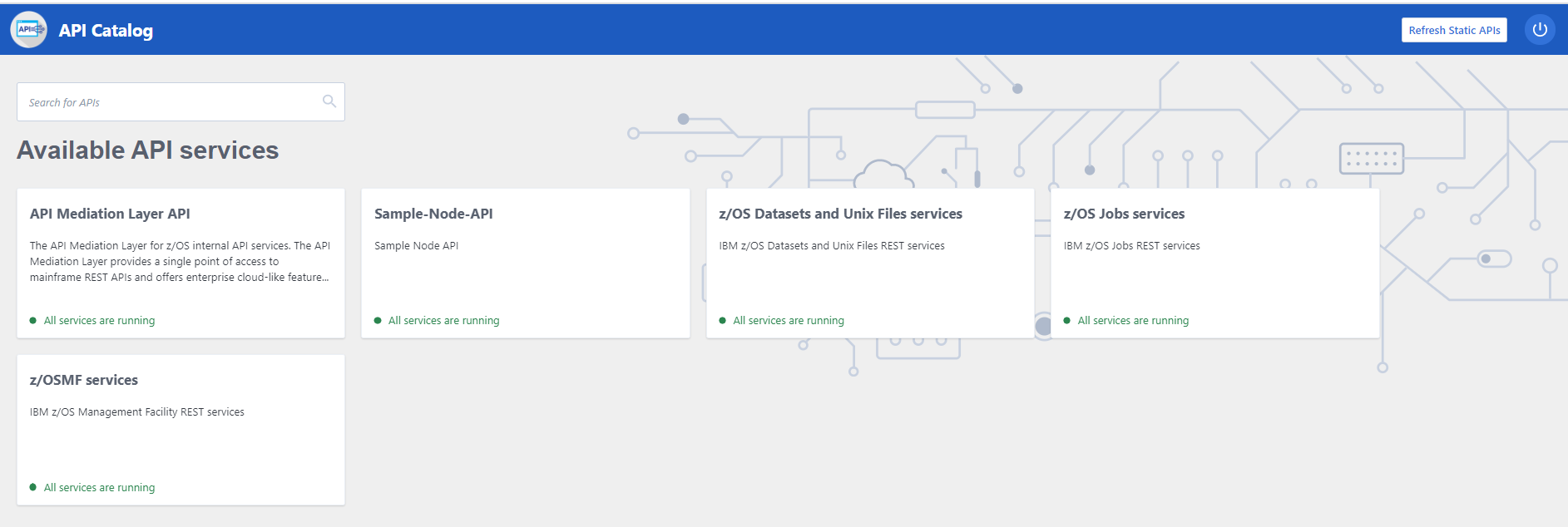
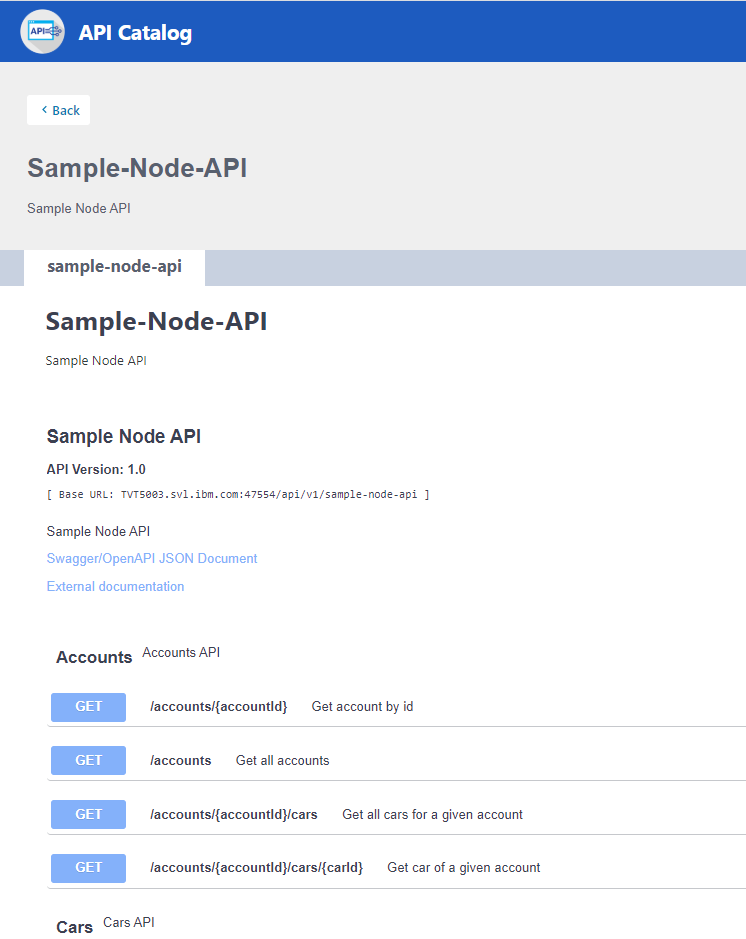
แค็ตตาล็อก API
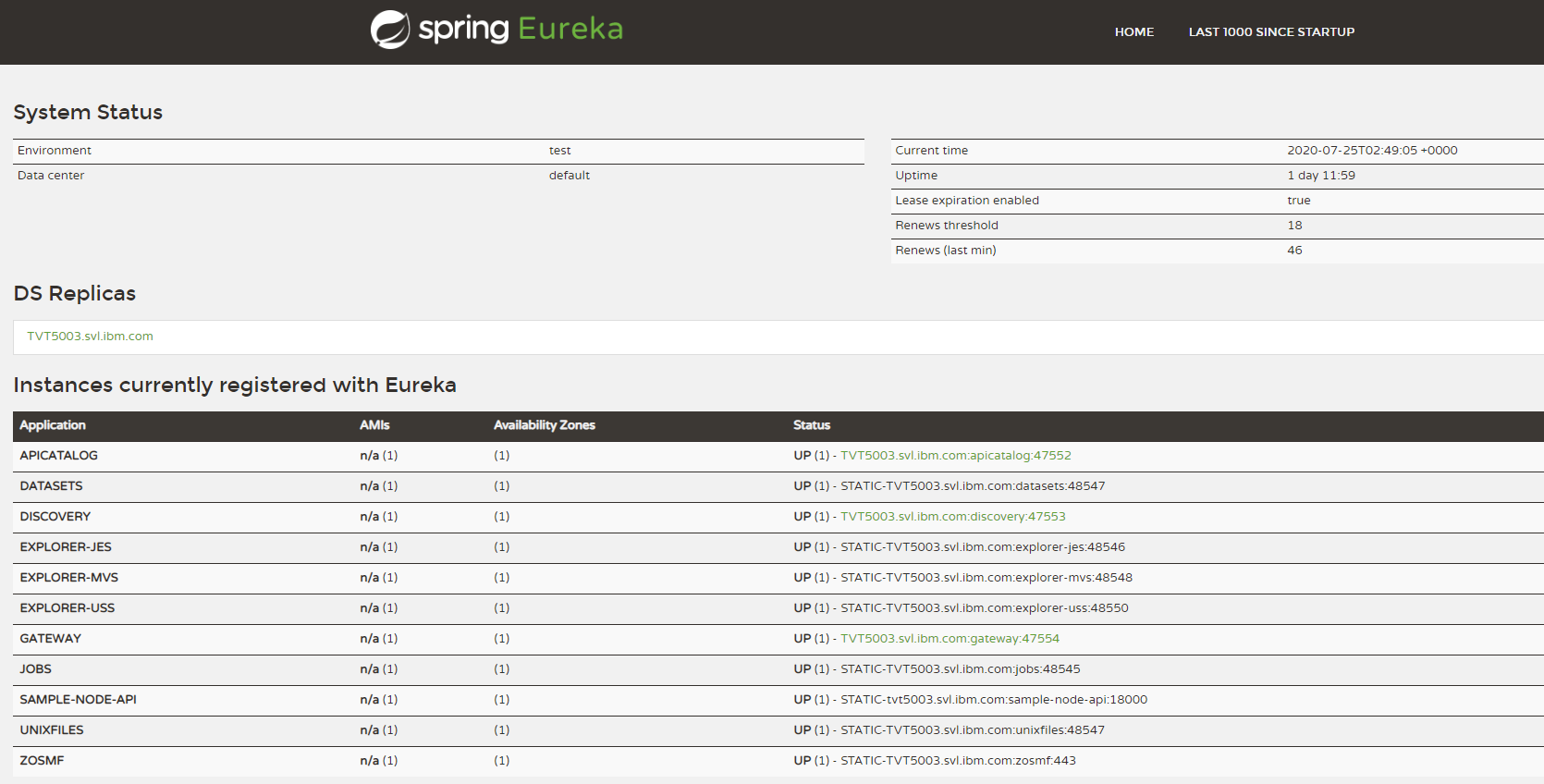
แดชบอร์ดบริการการค้นพบ