heksa
v1.14.0

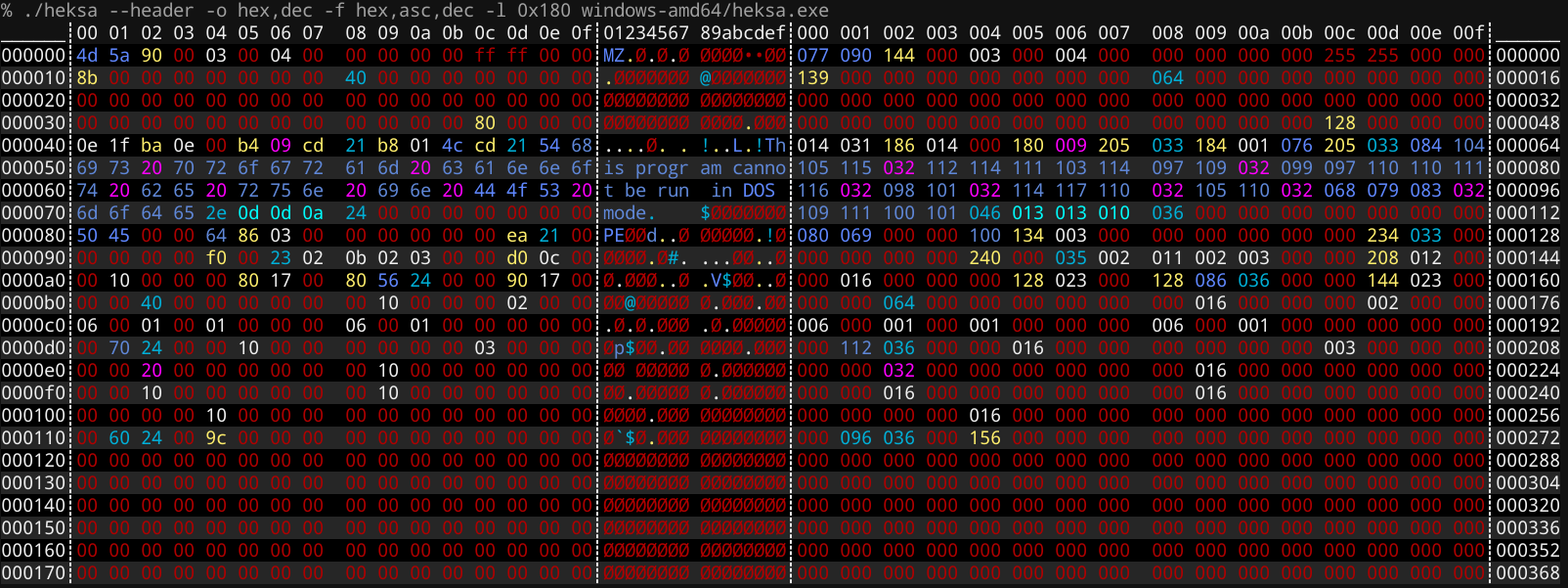
색상이있는 16 진수 덤퍼
0x ), 옥탈 ( 0o ) 및 이진 ( 0b )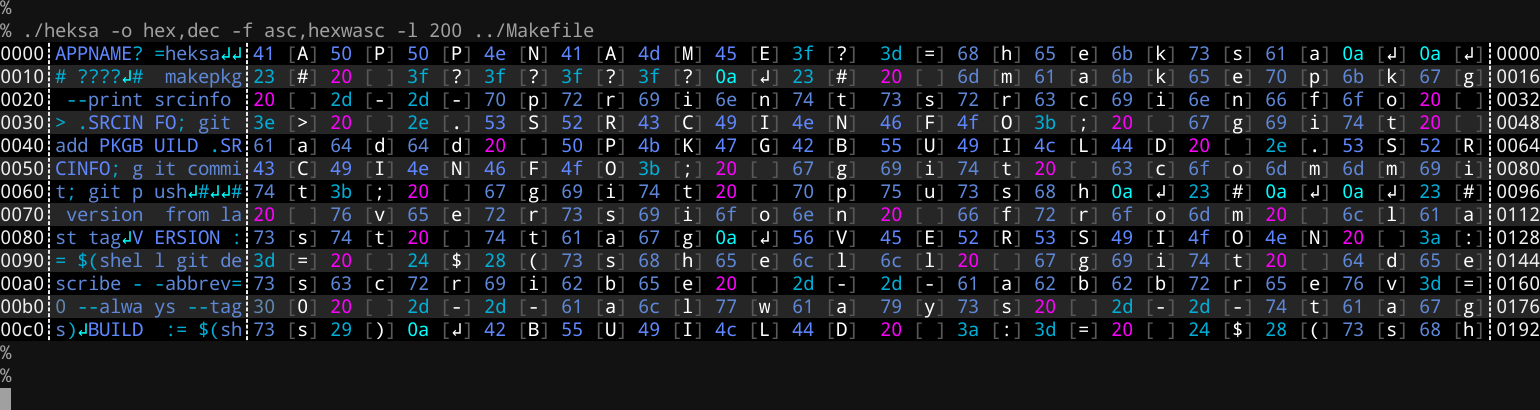
 heksa - hex file dumper v1.14.0 - (2021-05-18T16:20:59+03:00)
(c) Pekka Järvinen 2019- [ https://github.com/raspi/heksa ]
SYNOPSIS:
    heksa [--format|-f <fmt1,fmt2,..>] [--help|-h|-?]
          [--limit|-l <[prefix]bytes[unit]>] [--offset-format|-o <fmt1[,fmt2]>]
          [--print-relative-offset|-r] [--seek|-s <[prefix]offset[unit]>]
          [--splitter|-S <size>] [--version] [--width|-w <[prefix]width>]
          <filename> or STDIN

OPTIONS:
    --format|-f <fmt1,fmt2,..>          One or multiple of: asc, bit, bitwasc, bitwdec, bitwhex, blk, dec, decwasc, hex, hexwasc, oct (default: "hex,asc")

    --help|-h|-?                        Show this help (default: false)

    --limit|-l <[prefix]bytes[unit]>    Read only N bytes (0 = no limit). See NOTES. (default: "0")

    --offset-format|-o <fmt1[,fmt2]>    One or two of: dec, hex, humiec, humsi, oct, per, no, ''.
                                        First one is displayed on the left side and second one on right side after formatters. (default: "hex")

    --print-relative-offset|-r          Print relative offset(s) starting from 0 (file only) (default: false)

    --seek|-s <[prefix]offset[unit]>    Start reading from certain offset. See NOTES. (default: "0")

    --splitter|-S <size>                Insert visual splitter every N bytes. Zero (0) disables. (default: 8)

    --version                           Show version information (default: false)

    --width|-w <[prefix]width>          Width. See NOTES. (default: "16")


NOTES:
    - You can use prefixes for seek, limit and width. 0x = hex, 0b = binary, 0o = octal
    - Use '--seek -1234' for seeking from end of file
    - Limit and seek parameters supports units (KB, KiB, MB, MiB, GB, GiB, TB, TiB)
    - --print-relative-offset can be used when seeking to certain offset to also print extra offset position starting from zero
    - Offset formatters:
      - Disable formatter output with 'no' or ''
      - 'humiec' (IEC: 1024 B) and 'humsi' (SI: 1000 B) displays offset in human form (n KiB/KB)
    - Formatters:
      - 'blk' can be used to print simple color blocks which helps to visualize where data vs. human readable strings are

EXAMPLES:
    heksa -f hex,asc,bit foo.dat
    heksa -o hex,per -f hex,asc foo.dat
    heksa -o hex -f hex,asc,bit foo.dat
    heksa -o no -f bit foo.dat
    heksa -l 0x1024 foo.dat
    heksa -s 0b1010 foo.dat
    heksa -s 4321KiB foo.dat
    heksa -w 8 foo.dat
    echo "test" | heksa
git clone https://github.com/raspi/heksa
도움이 필요할 수있는 Contributing.md 및 현재 문제를 참조하십시오.
make build go build . 요구 사항 :
upxmake release 시각적 변경 사항이 많으면 _assets 디렉토리의 screenshot.sh 샷으로 새 스크린 샷을 찍을 수 있습니다.
예.







