powfu_file_organizer
New Release for Windows users

 This is a utility script to help users organize their files easily.
It goes through a folder and check all files and organize them by type (extension).
다운로드 링크 : https://bit.ly/3ofs7fk
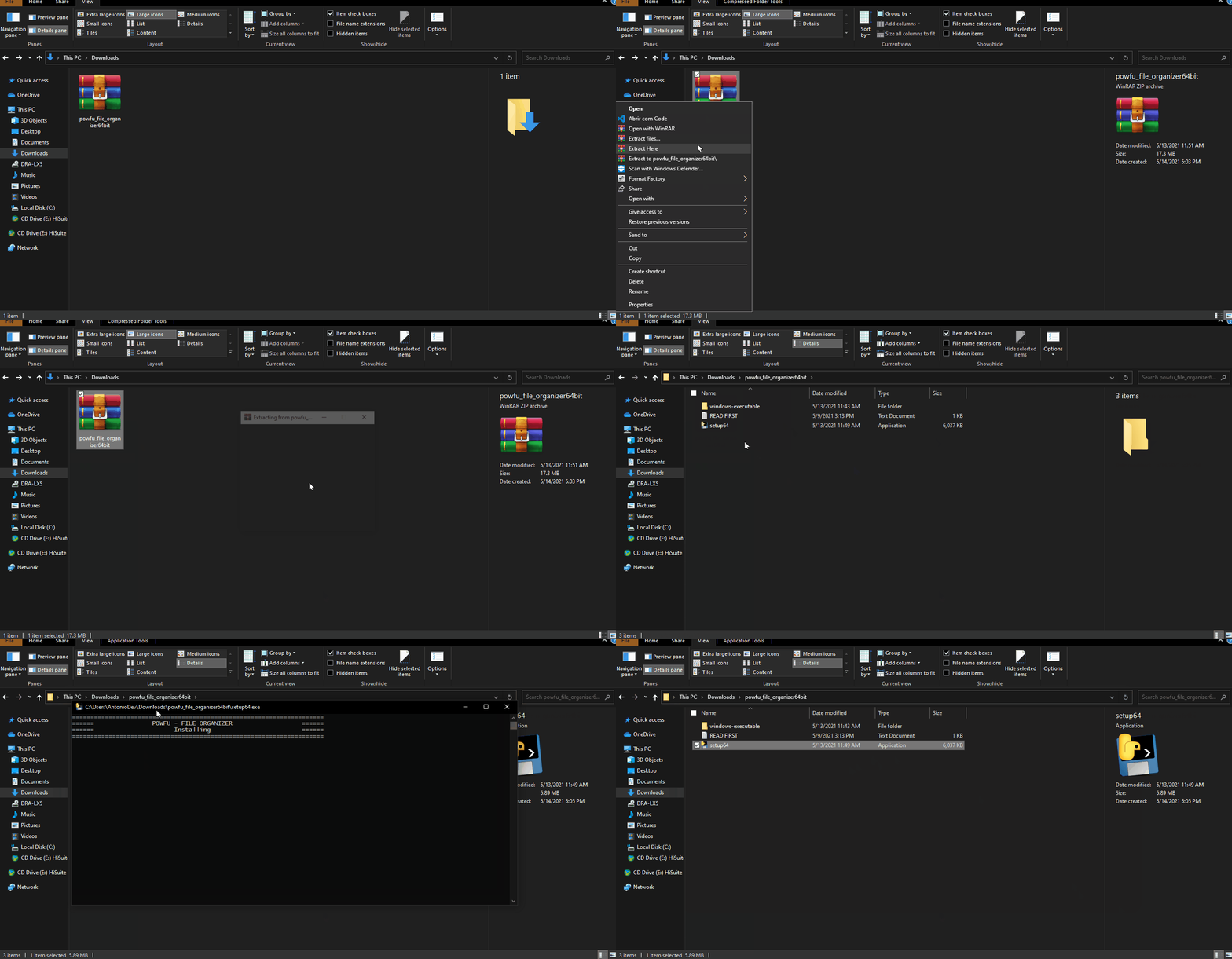
READ_FIRST.txt To Install:
1. Open the setup
2. Wait untill the installation be done.
How to use:
1. Open the folder you want to organize.
2. Click on the right button of your mouse (To open the Context Menu)
3. Click on Organize With PowFu - File Organizer
To uninstall:
1. Go to Program Files
2. Open the uninstaller
3. Restart your computer if required
This program was made by Antonio Pedro.
Follow me:
github: github.com/antonio-pedro99
Facebook: Antonio Pedro
Instagram: @antonio.pedro42
Installation
How to use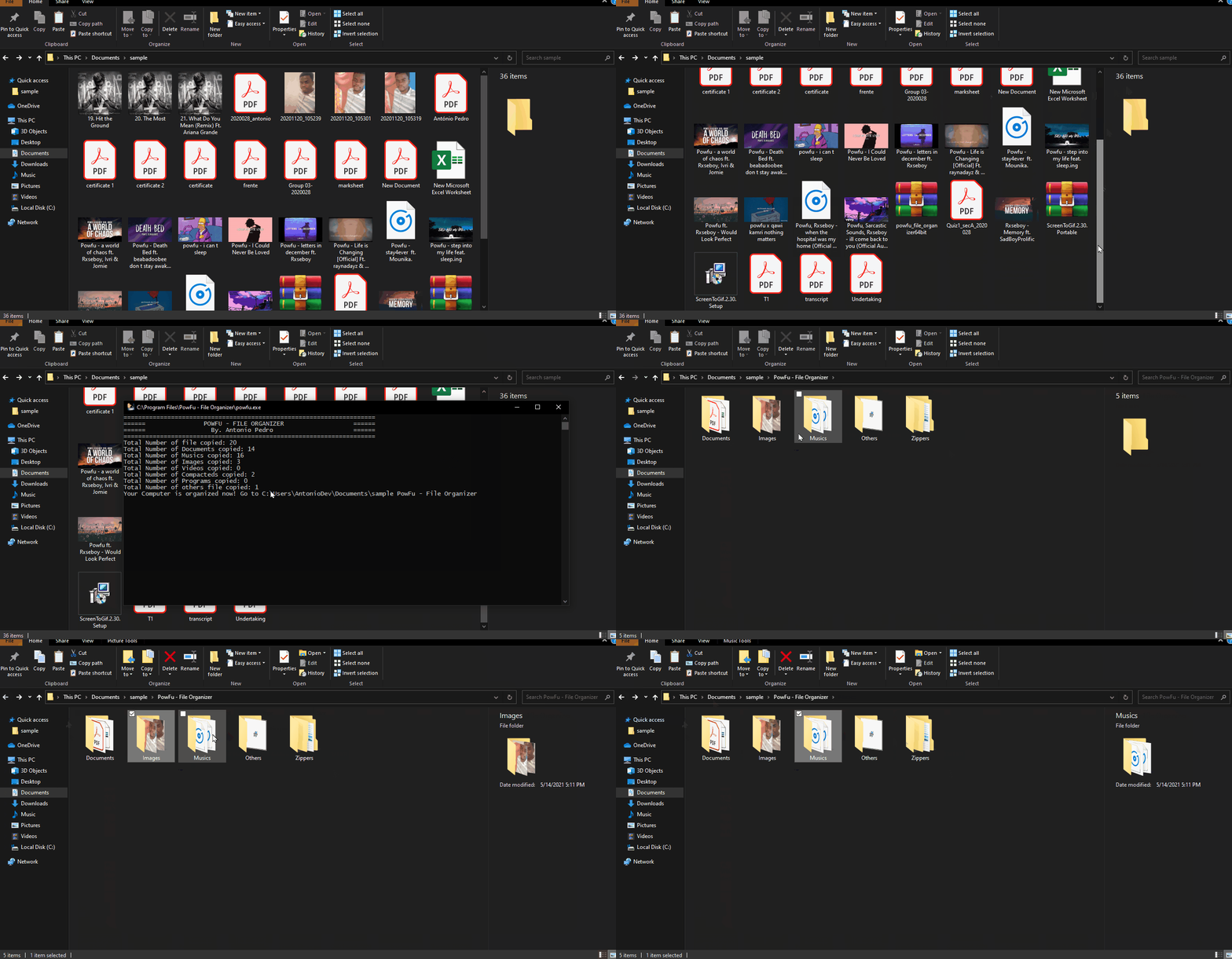
파일을 변경하거나 삭제하지 마십시오!
원한다면이 프로젝트에 기여할 수 있습니다.
© António Pedro





