AI_Hub_Discord Bot
1.0.0

자신의 Multi-IA 응용 프로그램 Discord Bot을 배포하십시오.
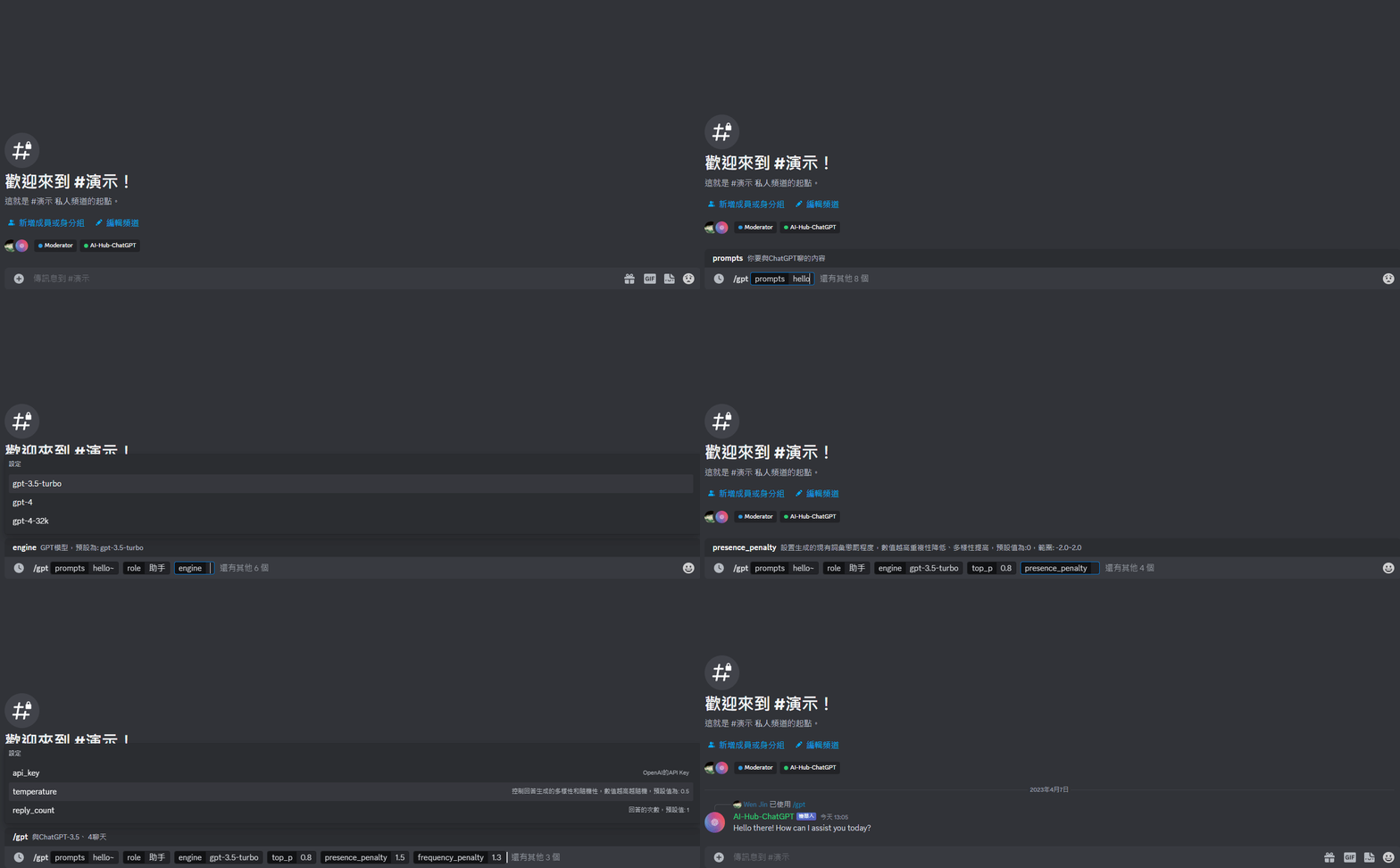
/gpt
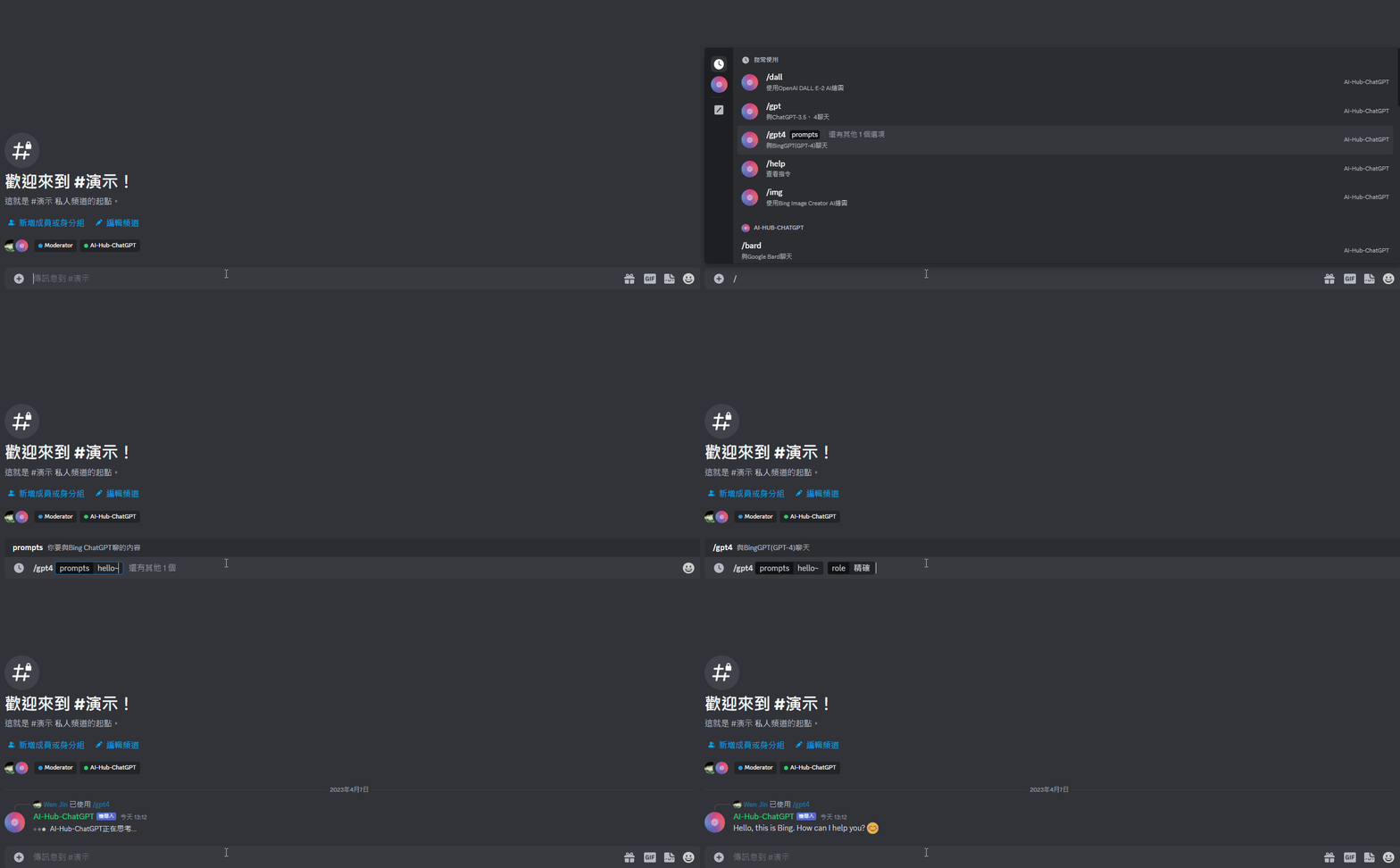
/gpt4
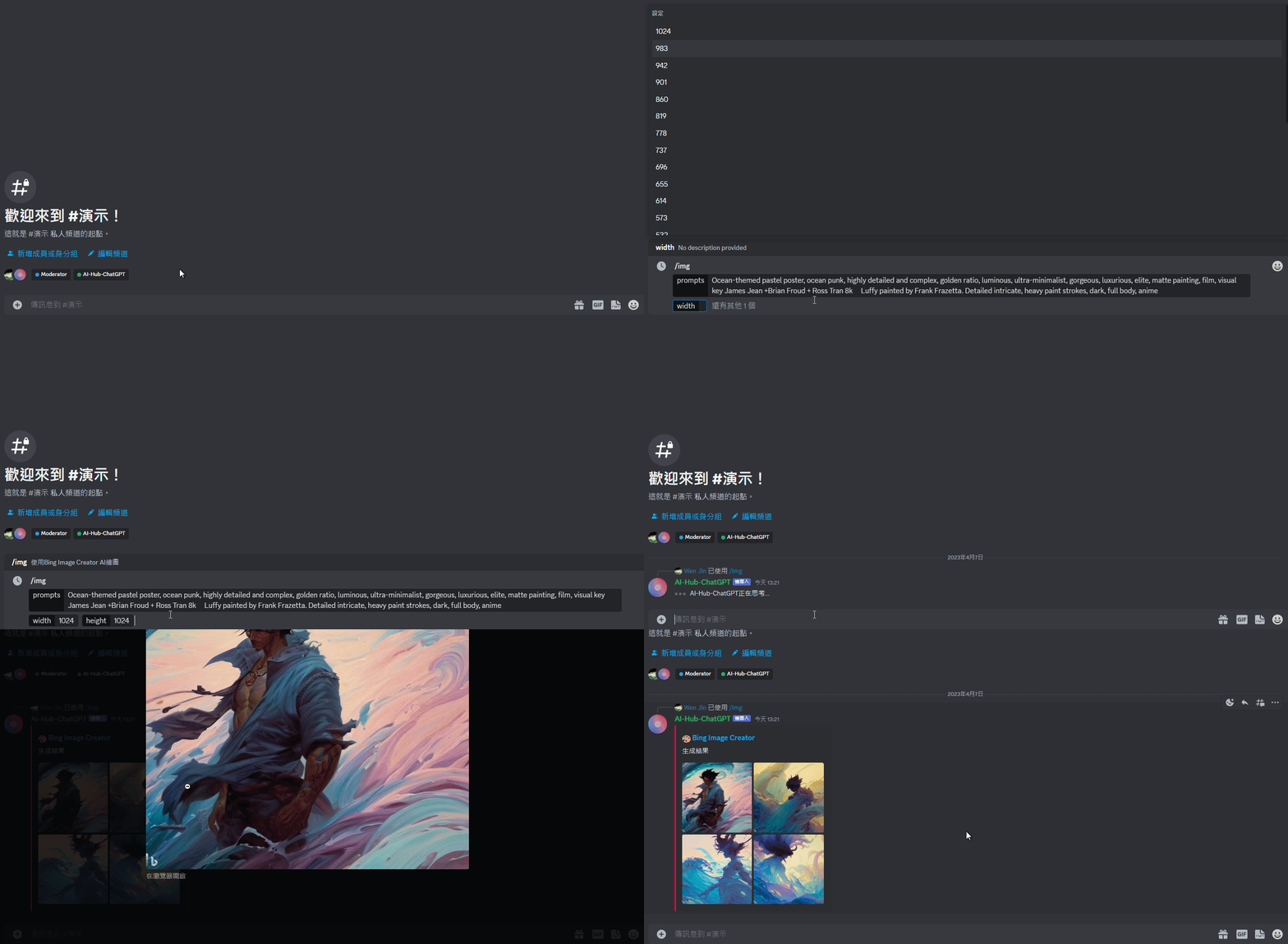
/img
 [ChatGPT]:
	/gpt:
	   + <prompts [message]>

	   + <api_key [OpenAI API Key]>

	   + <model [System, User(Default), Assistant]>

	   + <engine [gpt-3.5-turbo(Default), gpt-4, gpt-4-32k]> # GPT model

	   + <top_p [0.0~1.0, https://platform.openai.com/docs/api-reference/chat/create#chat/create-top_p]>

	   + <temperature [0.0~2.0, https://platform.openai.com/docs/api-reference/chat/create#chat/create-temperature]>

	   + <presence_penalty [-2.0 ~ 2.0, https://platform.openai.com/docs/api-reference/completions/create#completions/create-presence_penalty]>

	   + <frequency_penalty [-2.0 ~ 2.0, https://platform.openai.com/docs/api-reference/completions/create#completions/create-frequency_penalty]>

	   + <reply_count [Defaults: 1, https://platform.openai.com/docs/api-reference/completions/create#completions/create-n]>

	   + <rollback> [Rollback the conversation by n messages]

	   + <reset> [Reset the conversation]

	   + coming soon...

[Bing ChatGPT]:
	/gpt4:
	   + <prompts [message]>

	   + <style [Creative, Balanced(Default), Precise]> # Conversation style

[Bard]:
	/bard:
	   + <prompts [message]>

	   + <token [SESSION("__Secure-1PSID" cookie, https://github.com/acheong08/Bard#authentication)]>

[Bing Image Creator]:
	/img:
	   + <prompts [image description]>

	   + <width> # Image width

	   + <height> # Image height

	   + <auth_cookies [_U cookie, https://github.com/acheong08/BingImageCreator#getting-authentication]>

[DALL·E]:
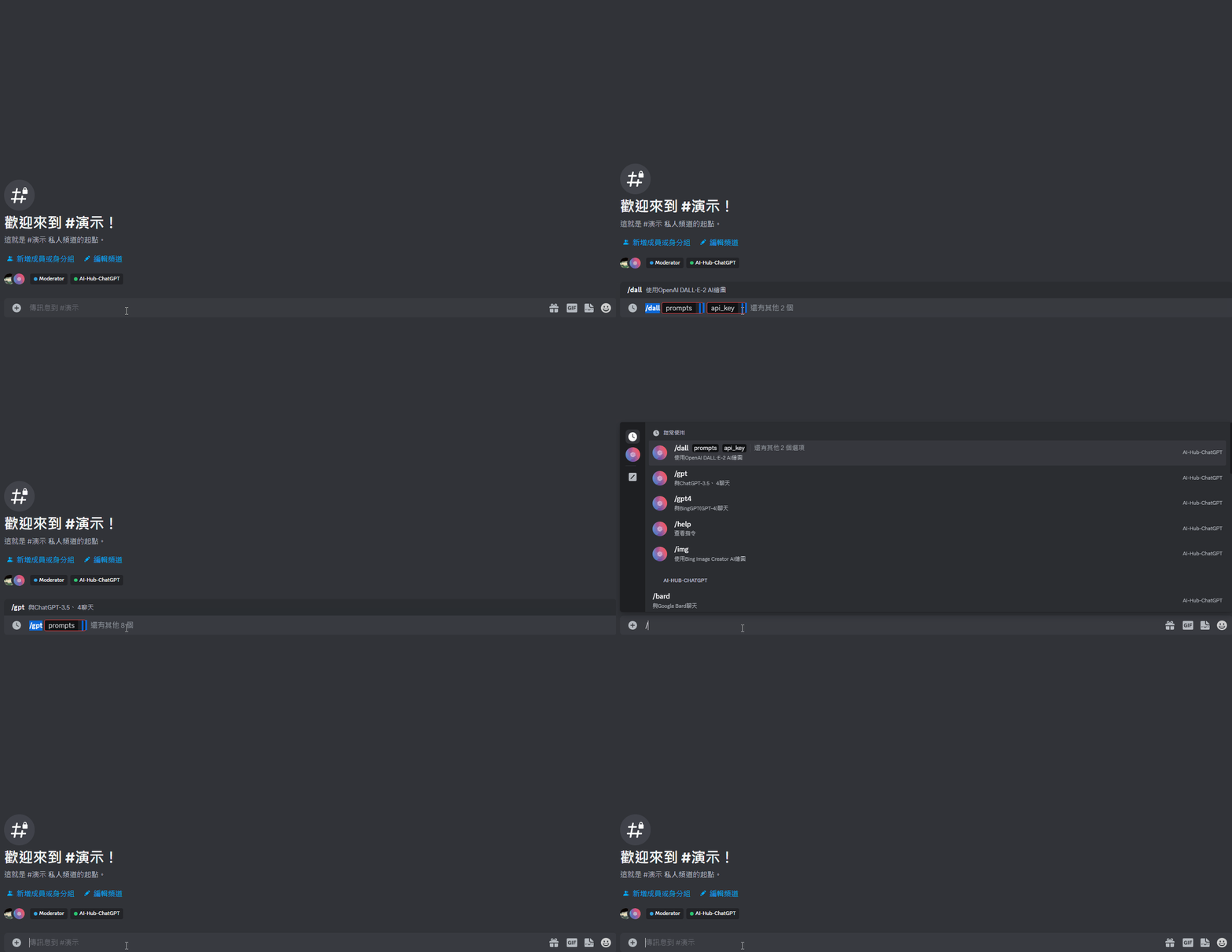
	/dall:
	   + <prompts [image description]>

	   + <api_key [OpenAI API Key]>

	   + <parameter [1~10, https://platform.openai.com/docs/api-reference/images/create#images/create-n]>

	   + <size [256x256, 512x512, 1024x1024]>

[Command Description]:
	/help

More...
무료 계획 : 매월 $ 5.00의 사용 시간 제한은 500 시간입니다. 512MB RAM, 2 VCPU 및 1GB 디스크.
git clone https://github.com/Lin-Rexter/AI_Hub_Discord-Bot.git
2-1. .env.example 파일의 이름을 .env로 바꿉니다
2-2.
 # ## "OPENAI_API_KEY", "AUTH_COOKIE", "BARD_TOKEN", "CHATGPT_MODEL", "RESPONSE_STYLE": The value returned from the command will be used first.

# Discord:
# Discord Bot token # https://discord.com/developers/applications
DISCORD_TOKEN = " "
# Discord Administrator ID(Administrator ID to mention when an unexpected error occurred in executing the command)
DISCORD_ADMIN_ID = " "

# ChatGPT(Official)、 DALL·E:
# [ChatGPT,DALL·E authentication](OpenAI API key) # https://platform.openai.com/account/api-keys
OPENAI_API_KEY = " "
# Default ChatGPT_Model(gpt-3.5-turbo, gpt-4, gpt-4-32k)
CHATGPT_MODEL = " gpt-3.5-turbo "

# Bing Image Creator:
# Bing Image Creator authentication(_U cookie) # https://github.com/acheong08/BingImageCreator#getting-authentication
# If you use cookies.json(Step 3), you do not need to set
AUTH_COOKIE = " "

# Google Bard:
# Google Bard authentication[SESSION("__Secure-1PSID" cookie)] # https://github.com/acheong08/Bard#authentication
BARD_TOKEN = " "

# Bing ChatGPT:
# Default Bing ChatGPT response style(creative, balanced, precise)
RESPONSE_STYLE = " balanced "
# Bing ChatGPT authentication(Paste cookies: https://github.com/acheong08/EdgeGPT#getting-authentication-required)
BING_CHAT_COOKIES =
3-1. 쿠키
3-2. 쿠키를 쿠키에 붙여 넣습니다
3-1. Poetry Config 설정 편집 프로젝트 디렉토리에 가상 환경이있는 경우
poetry config virtualenvs.in-project true
3-2. pyproject.toml에 지정된 종속성을 설치합니다
poetry install
3-3. 가상 환경 활성화
- 기본 파이썬 버전을 사용하십시오
poetry shell
- Python 버전을 지정 하려는 경우
poetry env use 3.9
3-4. 봇을 실행하십시오
poetry shell사용하는 경우python ./bot.py
poetry shell사용하지 않는 경우poetry run python ./bot.py
MIT