pocketdb api
1.0.0

PocketDb.jsの手作りのRESTAPI - Telegra.phのポケットデータベースラッパー
 // GET https://pocketdb-api.vercel.app/get?token=my-token&key=users
{
  "success" : true ,
  "result" : {
    "list" : [ "users" ] ,
    "data" : [ {
      "name" : "John Doe" ,
      "age" : 24 ,
      "email" : "[email protected]"
    } ]
  } ,
  "request" : {
    "endpoint" : "/get" ,
    "token" : "my-token" ,
    "key" : "users"
  }
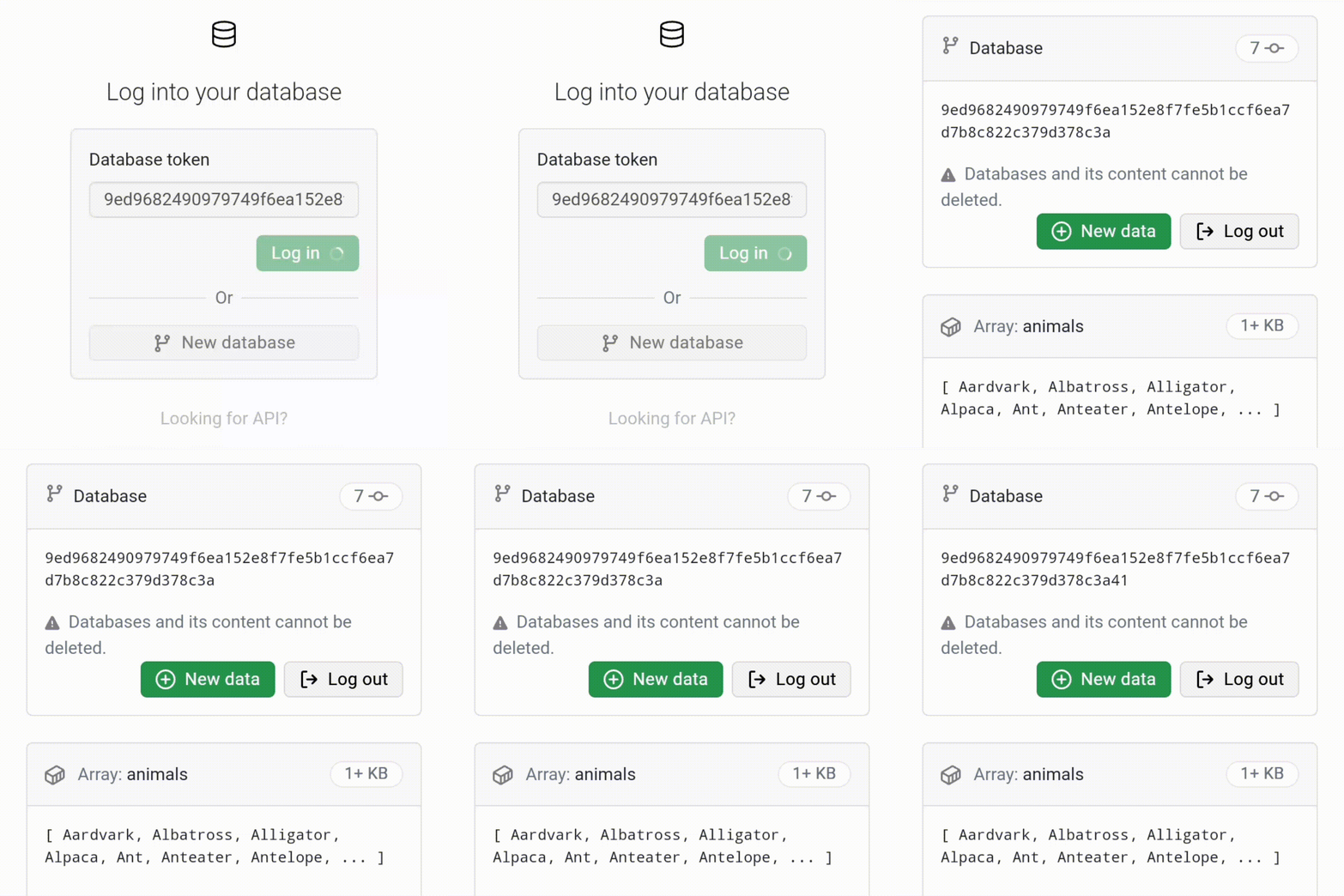
}pocketdb-api /web /index.htmlでオンライン使用を提供しています
| 終点 | 方法 | パラメーター |
|---|---|---|
/set | 役職 | キー、 *トークン |
/get | 得る | キー、トークン |
* - オプション
/set POST https://pocketdb-api.vercel.app/set?token=...&key=...
トークンで使用/setと、リクエスト本体に提供されるJSONコンテンツを使用して、指定されたキーに関連付けられたデータを変更または作成します。
 await fetch ( "https://pocketdb-api.vercel.app/set?token=...&key=users" , {
  method : "post" ,
  body : JSON . stringify ( {
    name : "John Doe" ,
    age : 24 ,
    email : "[email protected]"
  } )
} )
出力は次のようになります:
 {
  "success" : true ,
  "result" : {
    "list" : [ "users" ]
  } ,
  "request" : {
  "endpoint" : "/set" ,
    "key" : "users" ,
    "value" : {
      "name" : "John Doe" ,
      "age" : 24 ,
      "email" : "[email protected]"
    } ,
    "token" : "..."
  }
}
/set POST https://pocketdb-api.vercel.app/set?&key=...
トークンなしで使用/setすると、リクエストボディに提供されるJSONコンテンツを使用して、新しいデータベースを開始し、提供されたキーに関連付けられたデータを挿入します。
 await fetch ( "https://pocketdb-api.vercel.app/set?key=users" , {
  method : "post" ,
  body : JSON . stringify ( {
    name : "John Doe" ,
    age : 24 ,
    email : "[email protected]"
  } )
} )
出力は次のようになります:
 {
  "success" : true ,
  "result" : {
    "list" : [ "users" ] ,
    "token" : "..."
  } ,
  "request" : {
    "endpoint" : "/set" ,
    "key" : "users" ,
    "value" : {
      "name" : "John Doe" ,
      "age" : 24 ,
      "email" : "[email protected]"
    }
  }
}
/get GET https://pocketdb-api.vercel.app/get?token=...&key=...
このエンドポイントは、提供されたキーに関連付けられたデータコンテンツを取得し、JSON形式で返します。
await fetch ( "https://pocketdb-api.vercel.app/get?token=...&key=users" )出力は次のようになります:
 {
  "success" : true ,
  "result" : {
    "list" : [ "users" ] ,
    "data" : {
      "name" : "John Doe" ,
      "age" : 24 ,
      "email" : "[email protected]"
    }
  } ,
  "request" : {
    "endpoint" : "/get" ,
    "key" : "users" ,
    "token" : "..."
  }
} | 終点 | エラー | メッセージ | 原因 |
|---|---|---|---|
/set | INCOMPLETE_PARAM | 不完全なパラメーター。詳細については、ドキュメントhttps://github.com/creusers/pocketdb-api/blob/main/readme.md#documentationをご覧ください。 | パラメーターkey必要です。 JSONとしての体と同様に。 |
/set | INVALID_BODY | 体は適切にエンコードされていません。詳細については、ドキュメントhttps://github.com/creusers/pocketdb-api/blob/main/readme.md#documentationをご覧ください。 | ボディは有効なStringified JSONでなければなりません。文字列が予想されます |
/set | INVALID_METHOD | 投稿は、エンドポイント /セットに受け入れられている唯一の方法です | エンドポイント/set 、 POSTメソッドのみを受け入れます。 |
/get | INCOMPLETE_PARAM | 不完全なパラメーター。詳細については、ドキュメントhttps://github.com/creusers/pocketdb-api/blob/main/readme.md#documentationをご覧ください。 | パラメーターkeyとtokenが必要です。 |
/get | INVALID_METHOD | getはエンドポイント /getに受け入れられている唯一の方法です | エンドポイント/get 、 GETメソッドのみを受け入れます。 |
/setまたは/get | INTERNAL_ERROR | エラーメッセージ | このエラーは、エラーの上昇によって異なる場合があります。考えられる原因には、無効なJSON、接続障害、データベースが見つかりません(トークンは存在しません)、またはキーが見つかりません。 |
 // Example Error:
// POST https://pocketdb-api.vercel.app/get?token=...&key=...

{
  "success" : false ,
  "error" : "INVALID_METHOD" ,
  "message" : "GET is the only method accepted for the endpoint /get" ,
  "request" : {
    "token" : "..." ,
    "key" : "..." ,
    "endpoint" : "/get"
  }
}




