vue 163 music
1.0.0

Vueを使用して、163 Musicクライアントバージョンを模倣します。
当初の計画はすべてのページを模倣することでしたが、NetEaseのインターフェイスAPIが限られているため、実装ページも制限されています。
モバイルアクセスはお勧めしません。
ページの高さは670px 、 1366 X 768解像度以下はF11で全画面で閲覧する方が良いです
ようこそのissue 、 pr 、 star 、またはfollow !より興味深いプロジェクトをオープンし続けます
Reactファミリーバケツによって書かれた本を追いかけるツールをお勧めします
クリックして入力します
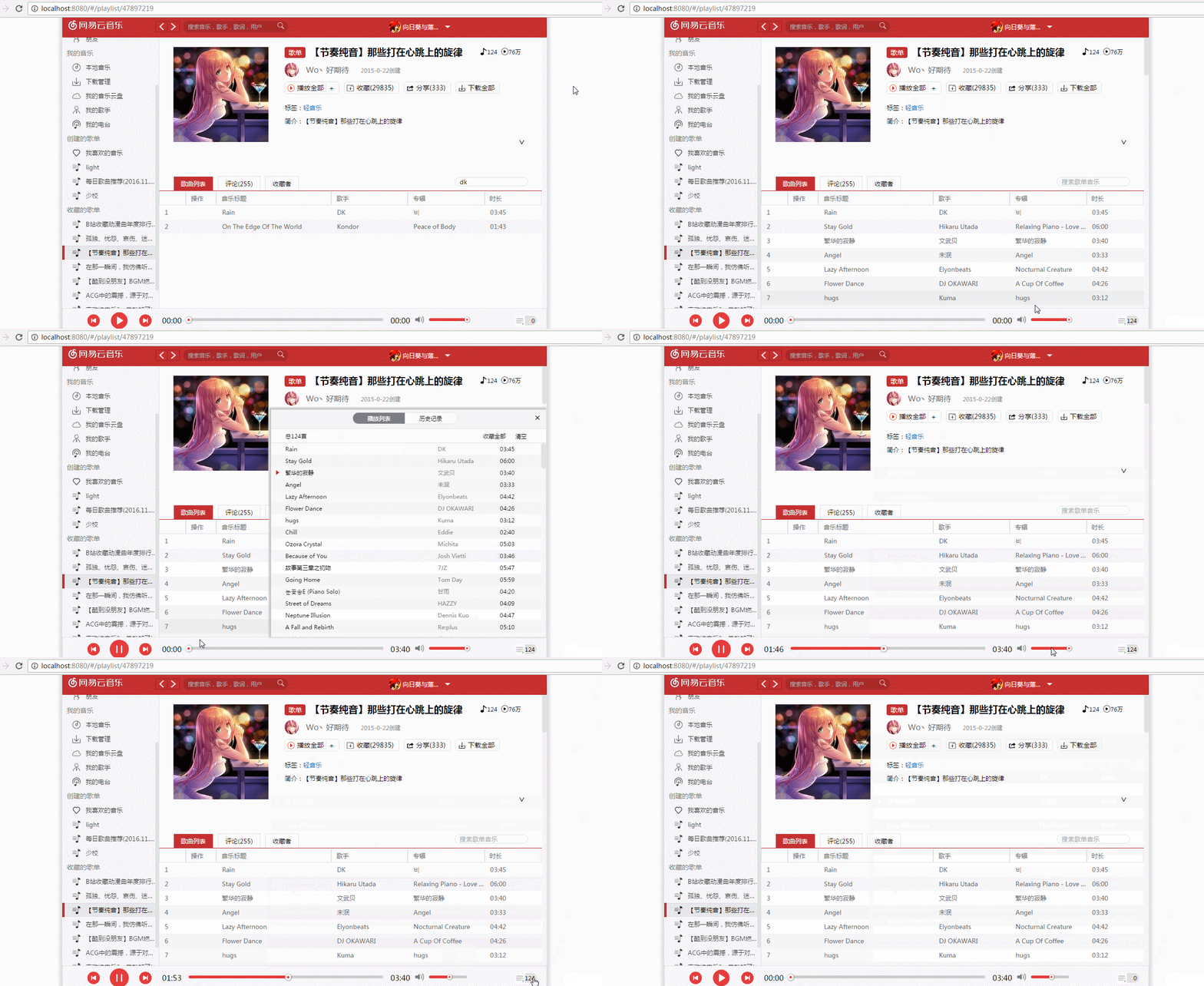
より多くの効果gif
vue + vuex + vue-router + vue-resource
express
http-proxy-middleware HTTPプロキシのミドルウェアであり、HTTP要求を転送し、クロスドメイン要求を実装します
store.jsは、 localStorageを処理する優れたホイールです。ネイティブのlocalStorage 、文字列タイプの保存のみをサポートします。ホイールがカプセル化された後、 Array 、 Object 、 function 、 Set 、その他のタイプを直接保存できます。
animate.css CSSアニメーションライブラリ
vue-slider-componentスライダーコンポーネント
postmanインターフェイステストツール
 git clone https://github.com/ShanaMaid/vue-163-music.git

cd vue-163-music

npm install

# 启动api转发
node server/newapi.js


# 开发环境
npm run dev
访问 http://localhost:8080/

# 打包
npm run build

# 实际环境
cd server
node app.js
访问 http://localhost:3000/
キーワードを検索するか、検索回车键か、放大镜アイコンをクリックします
APIインターフェイスを介して取得されたMV再生の量は基本的に不正確であり、その理由はまだ見つかりません。他のタイプの再生の量は正確です。
 |
|—— build
|—— config
|—— server 服务端
| |—— app.js 服务端启动入口文件
| |—— static 打包后的资源文件
| |__ index.html 网页入口
|
|——src 资源文件
| |—— assets 组件静态资源库
| |—— components 组件库
| |—— deal  163api返回的JSON字符串解构
| |—— filters 自定义过滤器
| |—— router 路由配置
| |—— store vuex状态管理
| |—— App.vue 163SPA
| |__ main.js SPA入口
|
|__ static 静态资源目录
このプロジェクトでは、Netease Dadのインターフェイスを使用しており、転送にhttp-proxy-middlewareを使用する必要があります。開発環境では、config/index.jsのdevに次の構成を追加する必要がありますconfig/index.js
 proxyTable: {
  '/api': {
      target: 'http://music.163.com',
      changeOrigin: true,
      headers: {
          Referer: 'http://music.163.com/'
      }
  }
}
実際の環境では、サーバー側の構成
 var express = require('express');
var proxy = require('http-proxy-middleware');

var app = express();
app.use('/static', express.static('static'));
app.use('/api', proxy({
  target: 'http://music.163.com',
  changeOrigin: true,
  headers: {
    Referer: 'http://music.163.com/'
  }
}
));

app.get('/', function (req, res) {
  res.sendFile(__dirname + '/index.html');
});
app.listen(3000);
返されたデータは、 js src/components/deal/ディレクトリで分解されます。たとえば、単一の検索結果が分解されます。
 single: (data) => {
  let list = []
  let count = data.result.songCount
  if (count === 0) {
    return {list, count}
  }
  for (let item of data.result.songs) {
    let singer = ''
    let {
      name,
      mp3Url,
      duration,
      id,
      album: {
        name: albumName
      }
    } = item
    for (let item of item.artists) {
      singer += item.name + ' '
    }
    list.push({name, mp3Url, duration, id, albumName, singer})
  }
  return {list, count}
}
vuexステータス管理はsrc/components/storeディレクトリにあります
vue-routerルーティング構成管理はsrc/components/routerディレクトリにあります
カスタムフィルターはsrc/components/filters/ディレクトリにあります
NetEase Cloud Music Interfaceは、http://moonlib.com/606.htmlから来ています







