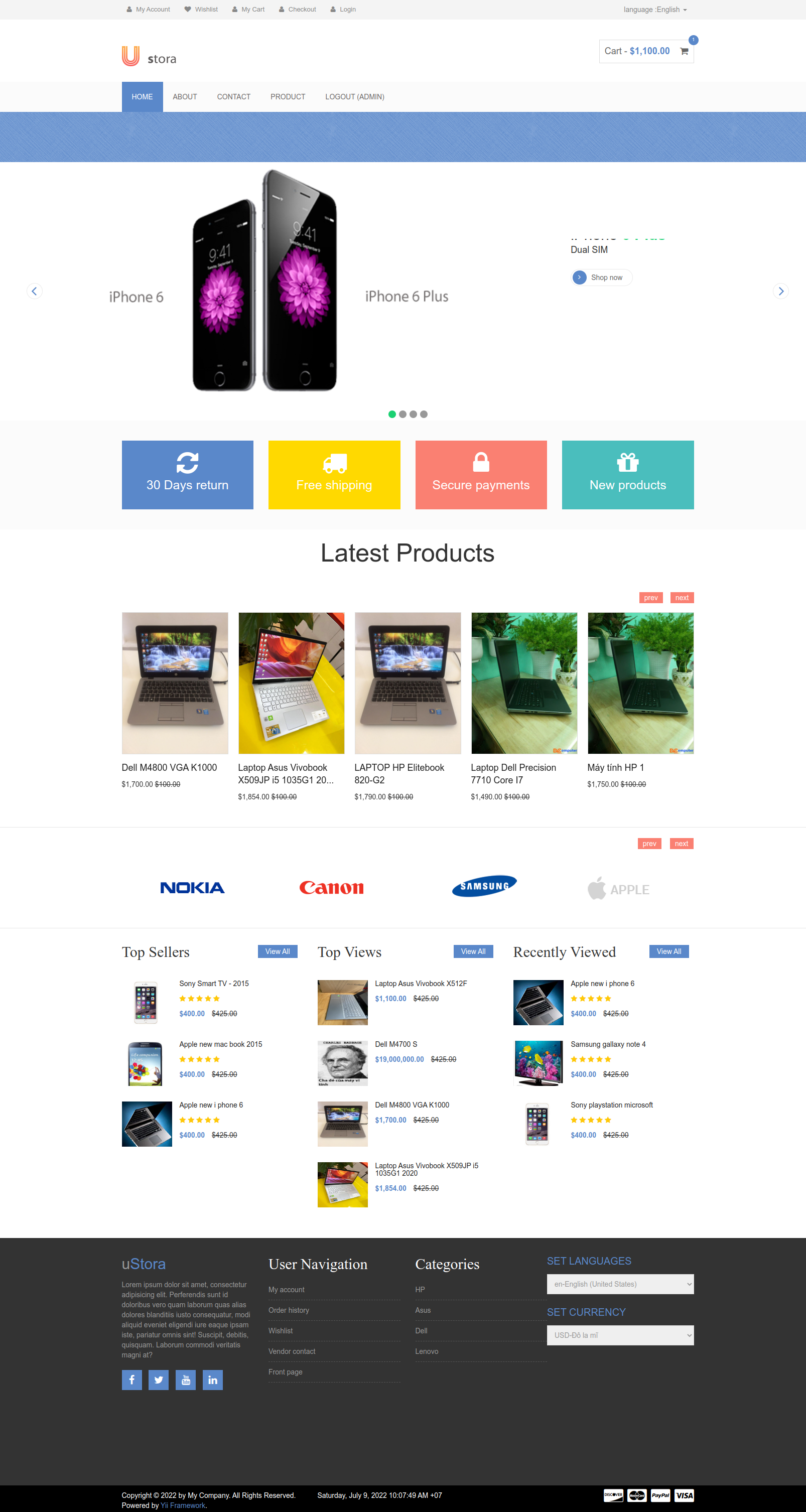
Webapp_Blog_Yii_PHP
1.0.0

Ini adalah proyek situs web e-commerce gratis untuk digunakan semua orang. Ini dibangun dalam kerangka kerja PHP YII.
 - Version PHP 7.2, 7.4
- OpenSSL PHP Extension
 1. FRONT-END
    - Shopping cart
    - Save cart with database
    - Customer login
    - Content: Page, Post, Product List, Product Details, Category,...
    - Product attributes: cost price, promotion price, detail,...
    - Comment on Product, Post,...
    - Search, pagination,...
    - Checkout, PlaceOrder,...
    ...

=================================================================

2. BACKEND-ADMIN
    - Product manager   (Create, delete, update)
    - Category manager  (Create, delete, update)
    - Order management  (Create, delete, update)
    - User management   (Create, delete, update)
    ...
Anda perlu mengubah informasi koneksi ke database jika Anda ingin menyimpan dan menggunakan data untuk situs web.
Path: /config/database.php
Ubah host , dbname , nama pengguna , kata sandi ke informasi database Anda.
 return array (
    ' connectionString ' => ' mysql:host=localhost;dbname=webapp_blog_yii_php ' ,
    ' emulatePrepare ' => true ,
    ' username ' => ' root ' ,
    ' password ' => ' root ' ,
    ' charset ' => ' utf8 ' ,
    ' tablePrefix ' => ' tbl_ ' ,
);Anda perlu mengubah informasi tentang surat SMTP untuk dapat menggunakan beberapa fungsi tentang otentikasi akun pengguna, mengubah kata sandi, memberi tahu pengguna, ...
/protected/libs define ( ' SMTP_HOST ' , ' smtp.gmail.com ' );
define ( ' SMTP_PORT ' , ' 465 ' );
define ( ' SMTP_UNAME ' , ' add_your_mail ' );
define ( ' SMTP_PWORD ' , ' add_your_application_password_from_your_mail ' );Ubah nilai SMTP_uname konstan dan SMTP_PWORD untuk mencocokkan konfigurasi yang Anda tambahkan di Gmail Anda.
Tips: https://support.google.com/accounts/answer/185833?hl=en
Menggunakan mkcert untuk membuat sertifikat SSL
sudo apt install libnss3-tools

sudo wget https://github.com/FiloSottile/mkcert/releases/download/v1.4.3/mkcert-v1.4.3-linux-amd64 &&
sudo mv mkcert-v1.4.3-linux-amd64 mkcert &&
sudo chmod +x mkcert &&
sudo cp mkcert /usr/local/bin/
Sekarang utilitas MKCERT diinstal, jalankan perintah di bawah ini untuk menghasilkan dan menginstal CA lokal Anda:
mkcert -installBerlari:
 cd /var/www/certs
mkcert local.webapp_blog_yii_php.comUbah file local.webapp_blog_yii_php.com.conf (/apache2/situs-tersedia/untuk ini)
 <VirtualHost *:80>
	ServerAdmin localserver@localhost
	ServerName local.webapp_blog_yii_php.com
	ServerAlias www.webapp_blog_yii_php.vdx.com
	DocumentRoot /var/www/webapp_blog_yii_php
	ErrorLog /var/www/logs/error-webapp_blog_yii_php.log
    CustomLog /var/www/logs/access-webapp_blog_yii_php.log combined
</VirtualHost>

<VirtualHost *:443>
    ServerAdmin localserver@localhost
    ServerName local.webapp_blog_yii_php.com
    ServerAlias www.local.webapp_blog_yii_php.com
    DocumentRoot /var/www/webapp_blog_yii_php

    ErrorLog /var/www/logs/error-webapp_blog_yii_php.log
    CustomLog /var/www/logs/access-webapp_blog_yii_php.log combined

    SSLEngine on
	SSLCertificateFile /var/www/certs/local.webapp_blog_yii_php.com.pem
	SSLCertificateKeyFile /var/www/certs/local.webapp_blog_yii_php.com-key.pem

    <Directory /var/www/webapp_blog_yii_php>
        Options Indexes FollowSymLinks
        AllowOverride All
        Require all granted
    </Directory>
</VirtualHost>
Setelah selesai, Anda dapat menguji situs web dengan membuka browser dan mengetik URL berikut:
Akun Admin:
 username: admin
password: admin
Frontend beberapa url demo:
 APP_URL/category/list/2
APP_URL/contact
APP_URL/product/list/2
APP_URL/post/view/post-1
...
URL Manajer Admin Backend:
 APP_URL/admin/slug/
APP_URL/admin/product/
APP_URL/admin/post/
APP_URL/admin/category/
APP_URL/admin/tag/