ved
vid macos

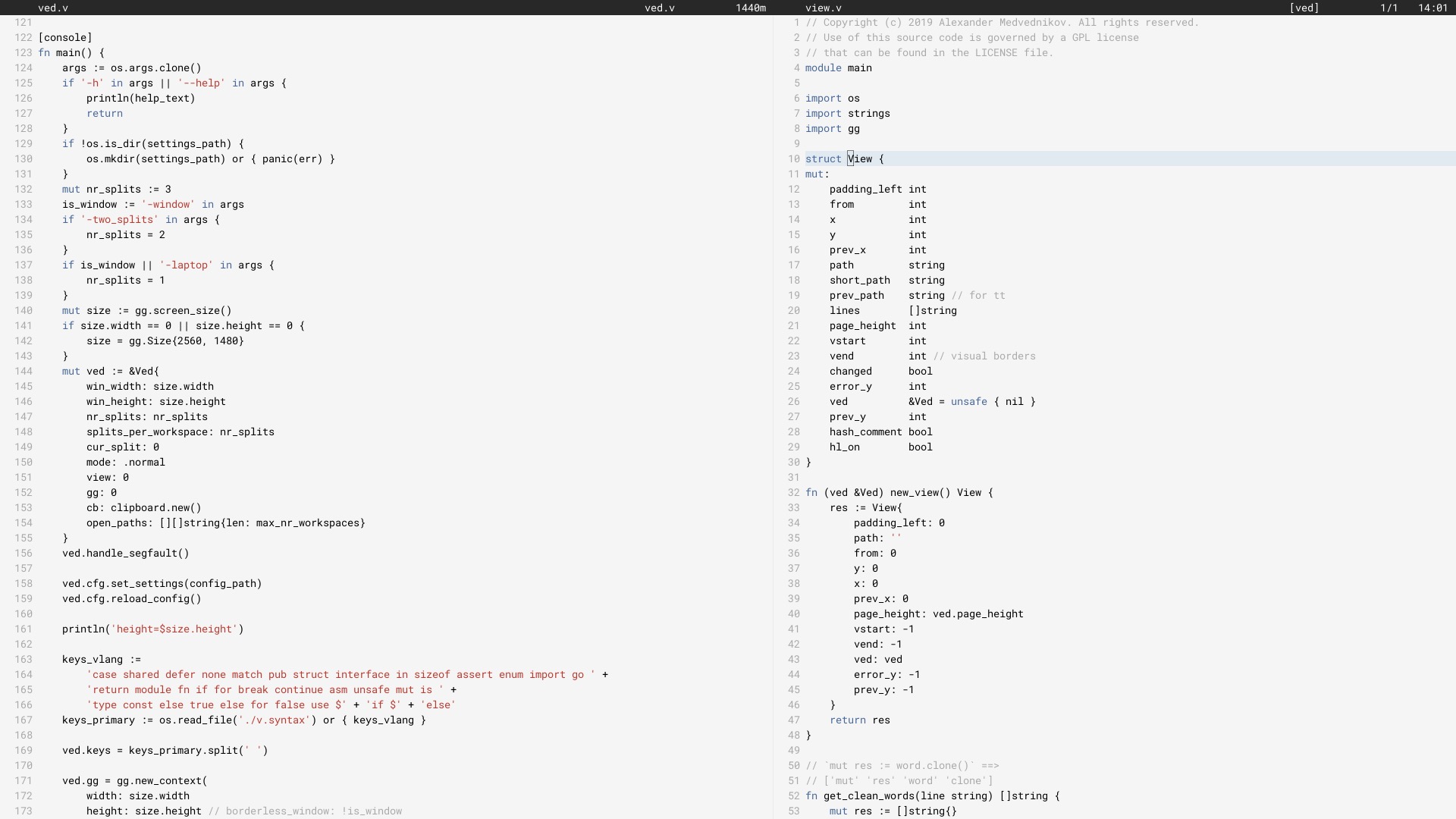
Saya telah menggunakan Ved sebagai editor utama saya sejak Juni 2017 (ditulis ulang dalam V pada Juni 2018).
Ini mungkin tidak berhasil untuk semua orang. Saat ini terdapat keterbatasan yang harus diatasi. Kami berupaya perlahan-lahan meningkatkan stabilitas dan pengalaman pengguna.
Untuk mengkonfigurasi editor, silakan lihat bagian konfigurasi.
Di Linux, Anda perlu menginstal beberapa paket, yang diperlukan untuk menggunakan perpustakaan X11, karena Ved adalah aplikasi grafis. Di macOS dan Windows, ini bisa dilewati. Kemudian instal V dan kompilasi ved. Ini akan memakan waktu beberapa detik.
 git clone https://github.com/vlang/ved
cd ved
v .
./ved
Ved harus membangunnya dalam waktu kurang dari satu detik.
Secara default, rendering font bawaan V digunakan, namun ada opsi untuk menggunakan freetype, yang mungkin memberikan rendering lebih baik untuk beberapa pengguna:
v -d use_freetype .
Untuk menggunakan freetype, pertama-tama harus diinstal pada sistem Anda. Ikuti langkah-langkah untuk platform Anda di bawah ini.
Ubuntu:
sudo apt install libfreetype6-dev libx11-dev libxrandr-dev mesa-common-dev libxi-dev libxcursor-dev
fedora:
sudo dnf install freetype-devel libXcursor-devel libXi-devel
Lengkungan:
pacman -S freetype2
macOS:
brew install freetype
jendela:
v setup-freetype
Perselisihan (komunitas utama): https://discord.gg/vlang. Bergabunglah dengan saluran #ved .
Ved membuat direktori pengaturan di $HOME/.ved tempat ia menyimpan ruang kerja, sesi, tugas, dan file konfigurasi. File konfigurasi hanyalah file TOML bernama conf.toml . Ini menyediakan cara untuk mengubah beberapa pengaturan dasar dan warna editor.
Jika Anda tidak ingin menyentuh file konfigurasi, Anda tidak perlu melakukannya! Ved tidak membuatnya sendiri dan memberikan default yang masuk akal untuk membantu Anda memulai. Jika Anda lebih suka bertualang, berikut adalah contoh file konfigurasi yang berisi semua kemungkinan pengaturan:
 # To get started, create a file called "conf.toml" in $HOME/.ved
# Most of the settings are contained inside this "editor" table.
[ editor ]
dark_mode = false       # Ved comes with a light and dark mode built-in.
cursor = ' variable '     # Ved has three variants: Variable, block, and beam. You are probably used to "variable" or "beam".
text_size = 18          # ┌───────────────────────────────────────────────────┐
line_height = 20        # │ These *can* be edited, but you probably shouldn't │
char_width = 8          # └───────────────────────────────────────────────────┘
tab_size = 4            # Ved uses tab characters (t). This settings changes how many spaces a tab should be displayed as
backspace_go_up = true  # If set to true, hitting the backspace doesn't do anything when you reach the beginning of the line

# If you do not like ved's default colorscheme, or you just want
# something new, edit the "colors" table. Ved uses a form of base16
# to control syntax and editor highlighting. Please note that due
# to ved's very minimal highlighting, base16 themes copied off of
# the internet are not going to look like very much like their
# screenshots.
[ colors ]
base00 = " efecf4 "
base01 = " e2dfe7 "
base02 = " 8b8792 "
base03 = " 7e7887 "
base04 = " 655f6d "
base05 = " 585260 "
base06 = " 26232a "
base07 = " 19171c "
base08 = " be4678 "
base09 = " aa573c "
base0A = " a06e3b "
base0B = " 2a9292 "
base0C = " 398bc6 "
base0D = " 576ddb "
base0E = " 955ae7 "
base0F = " bf40bf " Ved bekerja paling baik dengan ruang kerja (direktori dengan kode). Anda dapat memiliki beberapa ruang kerja dan dengan cepat beralih di antara mereka dengan C [ dan C ] .
Untuk membuka beberapa ruang kerja, jalankan
ved path/to/project1 path/to/project2
Ikatan kunci:
C adalah ⌘ di macOS, Ctrl di semua sistem lain.
 C q q  exit the editor
C o    open a file
C s    save
C r    reload current file
C p    open ctrlp (fuzzy search)
/      search in current file
C g    copy current file's path to clipboard
t      go to the previous file
gd     go to definition

C c    git commit -am
C -    git diff
?      git grep (search across all files in current workspace)

C u    build current project (build instructions must be located in "build")
C y    alternative build of the current project (build instructions must be located in "build2")
C 1    switch to Ved from any other application (only on macOS for now)

C d    go to the previous split
C e    go to the next split
C [    go to the previous workspace
C ]    go to the next workspace

C a    start a new task
C t    show the Timer/Pomodoro window
Ikatan vim yang didukung:
 j k h l         down, up, left, right (moves cursor)
C-F C-B         page down, page up
L H             go to top/bottom of the page
w b             next/previous word
dw de cw ce     delete word
di ci           smart delete
A I             go to start/end of line, insert mode
o O             new line below/above, insert mode
v               selection mode
zz              center current line
y d p J         yank, delete, paste, join lines
.               repeat last action
< >             indent right/left
/ * n           search, search for word under cursor, next occurence
gg G            go to the beginning/end of the file
x r             delete/replace character under cursor
C-n             autocomplete
+y              yank and copy to system clipboard





