SequenceDiagram
1.0.0

Un outil pour créer des diagrammes de séquence à partir d'une langue spécifique au domaine. Exécute dans Nodejs et navigateurs.
Voir It In Action dans l'éditeur en ligne
La capacité de rendu de base est également disponible en tant que bibliothèque:
npm install --save svg-sequence-diagram import { SequenceDiagram } from 'svg-sequence-diagram' ;
const myDiagram = new SequenceDiagram ( `
title Foo
A -> B
B -> A
` ) ;
document . body . appendChild ( myDiagram . dom ( ) ) ;Voir ici pour la documentation complète de l'API.
Ou générer des SVG à partir de la ligne de commande:
npx svg-sequence-diagram < source.txt > diagram.svg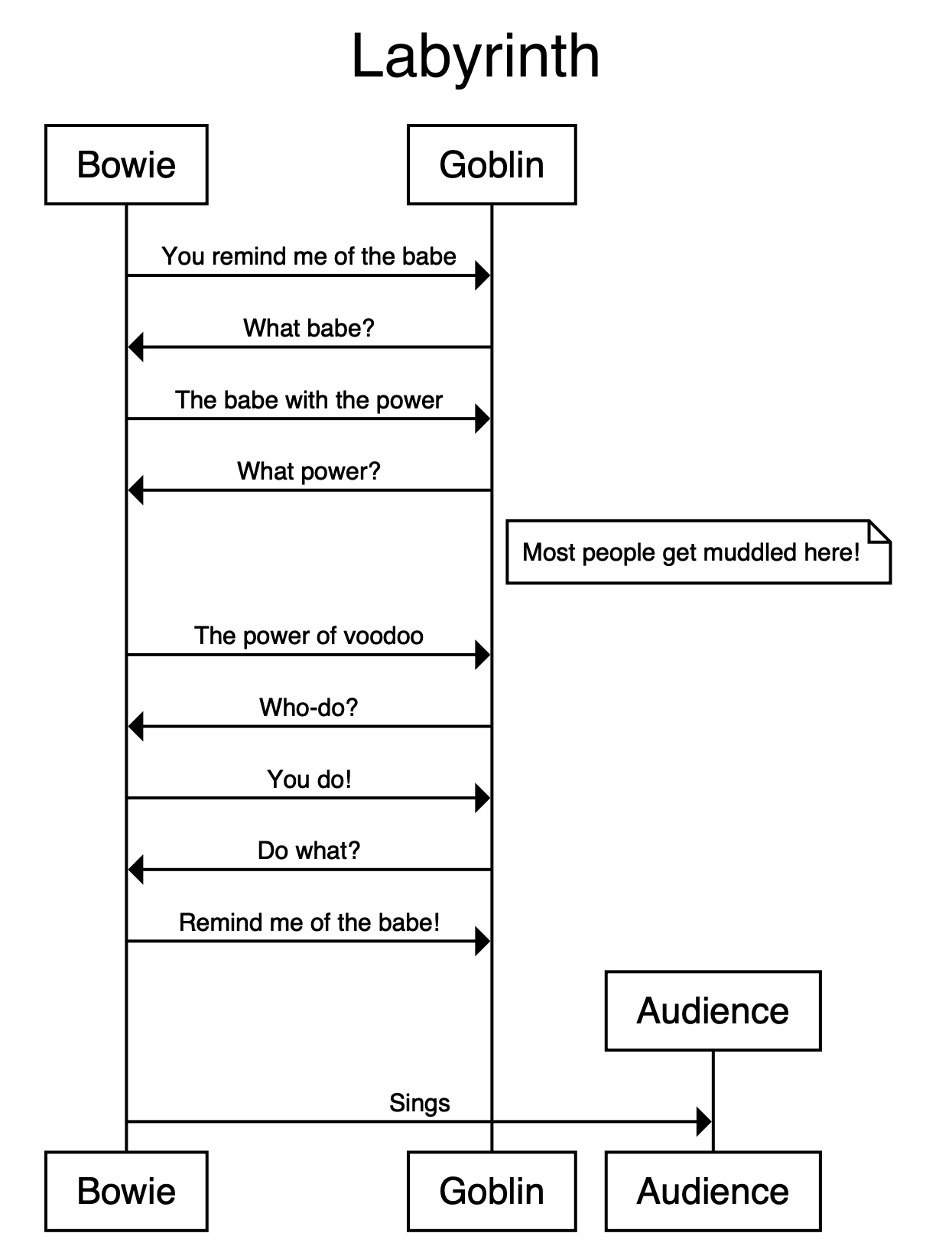
 title Labyrinth

Bowie -> Goblin: You remind me of the babe
Goblin -> Bowie: What babe?
Bowie -> Goblin: The babe with the power
Goblin -> Bowie: What power?
note right of Bowie, Goblin: Most people get muddled here!
Bowie -> Goblin: "The power of voodoo"
Goblin -> Bowie: "Who-do?"
Bowie -> Goblin: You do!
Goblin -> Bowie: Do what?
Bowie -> Goblin: Remind me of the babe!

Bowie -> Audience: Sings

terminators box
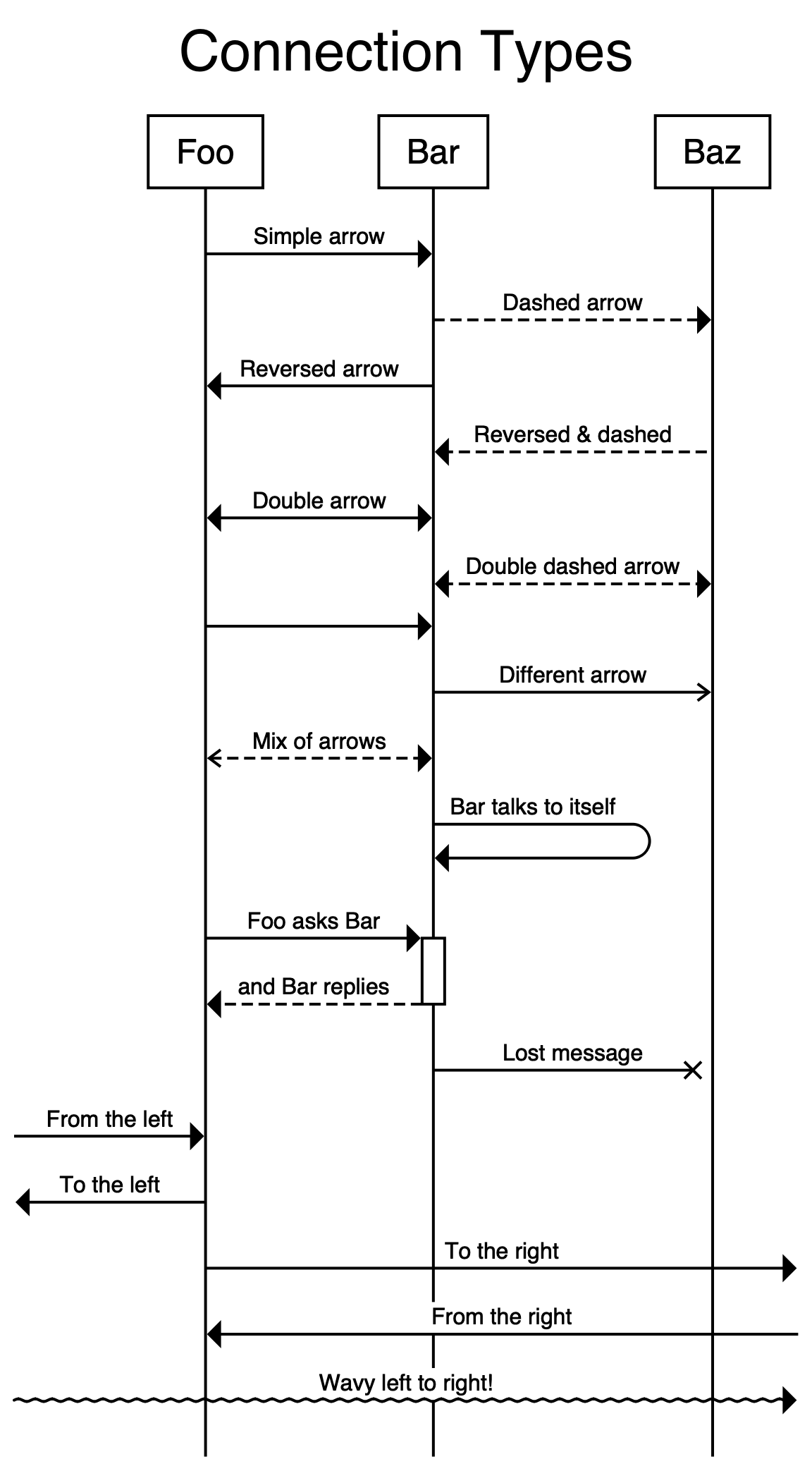
 title Connection Types

begin Foo, Bar, Baz

Foo -> Bar: Simple arrow
Bar --> Baz: Dashed arrow
Foo <- Bar: Reversed arrow
Bar <-- Baz: Reversed & dashed
Foo <-> Bar: Double arrow
Bar <--> Baz: Double dashed arrow

# An arrow with no label:
Foo -> Bar

Bar ->> Baz: Different arrow
Foo <<--> Bar: Mix of arrows

Bar -> Bar: Bar talks to itself

Foo -> +Bar: Foo asks Bar
-Bar --> Foo: and Bar replies

Bar -x Baz: Lost message

# Arrows leaving on the left and right of the diagram
[ -> Foo: From the left
[ <- Foo: To the left
Foo -> ]: To the right
Foo <- ]: From the right
[ ~> ]: Wavy left to right!
# (etc.)
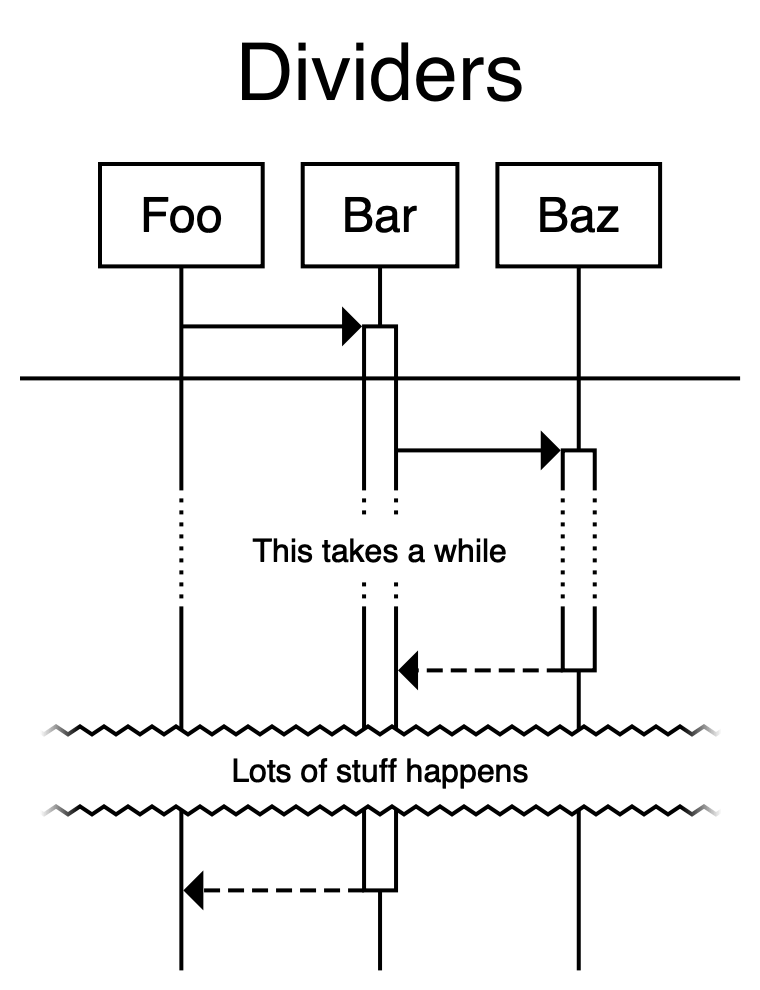
 title Dividers

begin Foo, Bar, Baz

Foo -> +Bar

divider

Bar -> +Baz

divider delay: This takes a while

-Baz --> Bar

divider tear with height 20: Lots of stuff happens

-Bar --> Foo
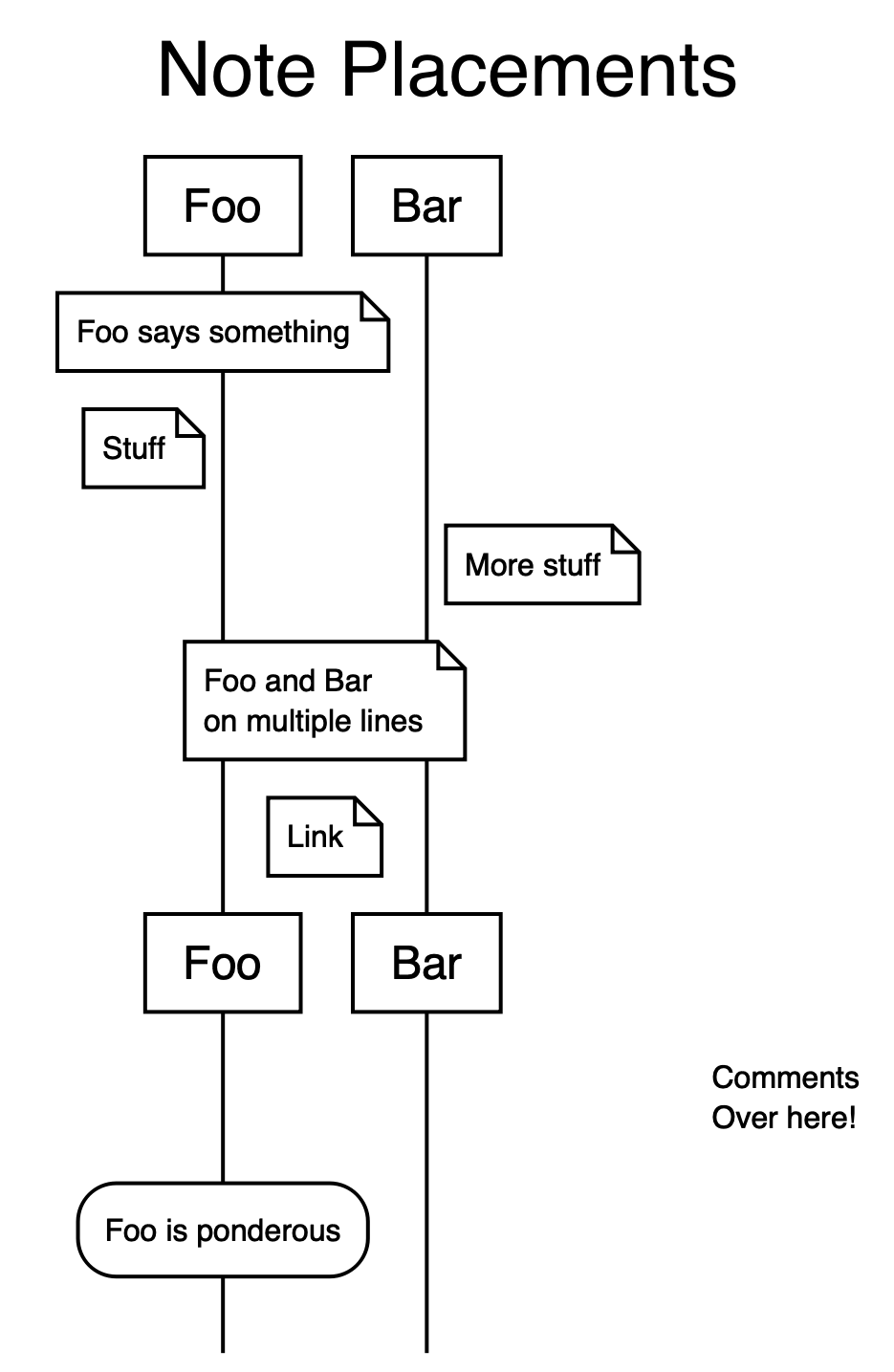
 title Note Placements

begin Foo, Bar

note over Foo: Foo says something
note left of Foo: Stuff
note right of Bar: More stuff
note over Foo, Bar: "Foo and Bar
on multiple lines"
note between Foo, Bar: Link

# in long diagrams, we can add reminders of which agent is which:
relabel

text right: "CommentsnOver here!"

state over Foo: Foo is ponderous
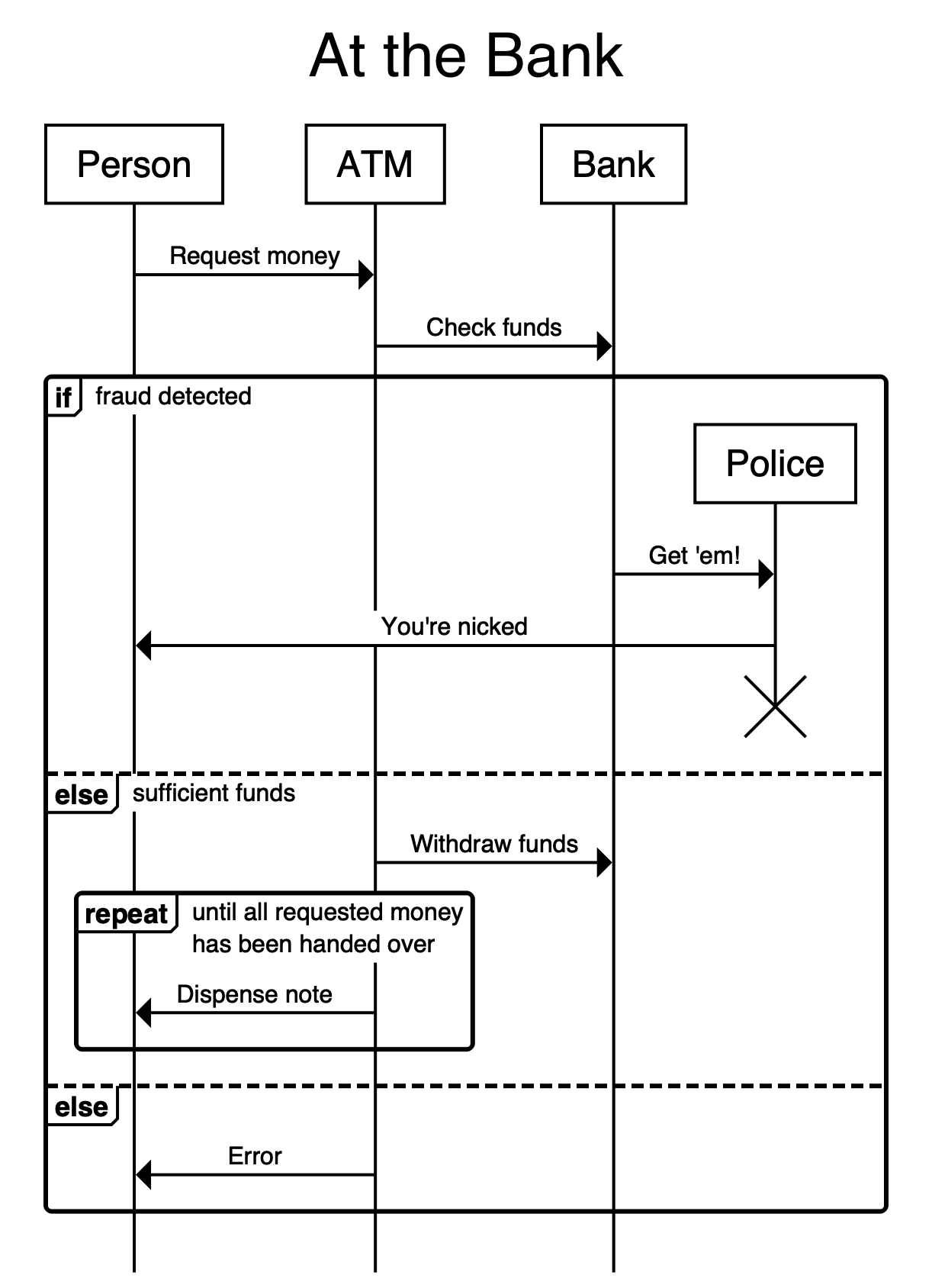
 title At the Bank

begin Person, ATM, Bank
Person -> ATM: Request money
ATM -> Bank: Check funds
if fraud detected
  Bank -> Police: "Get 'em!"
  Police -> Person: "You're nicked"
  end Police
else if sufficient funds
  ATM -> Bank: Withdraw funds
  repeat until "all requested money
                has been handed over"
    ATM -> Person: Dispense note
  end
else
  ATM -> Person: Error
end
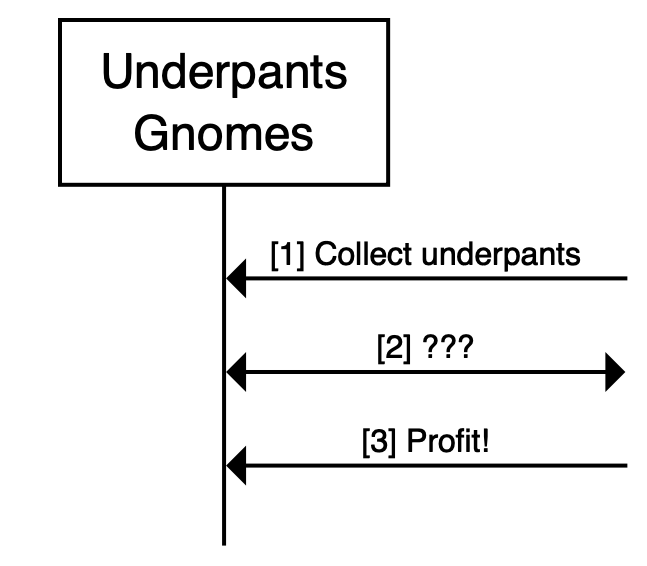
 autolabel "[<inc>] <label>"

begin "UnderpantsnGnomes" as A
A <- ]: Collect underpants
A <-> ]: ???
A <- ]: Profit!
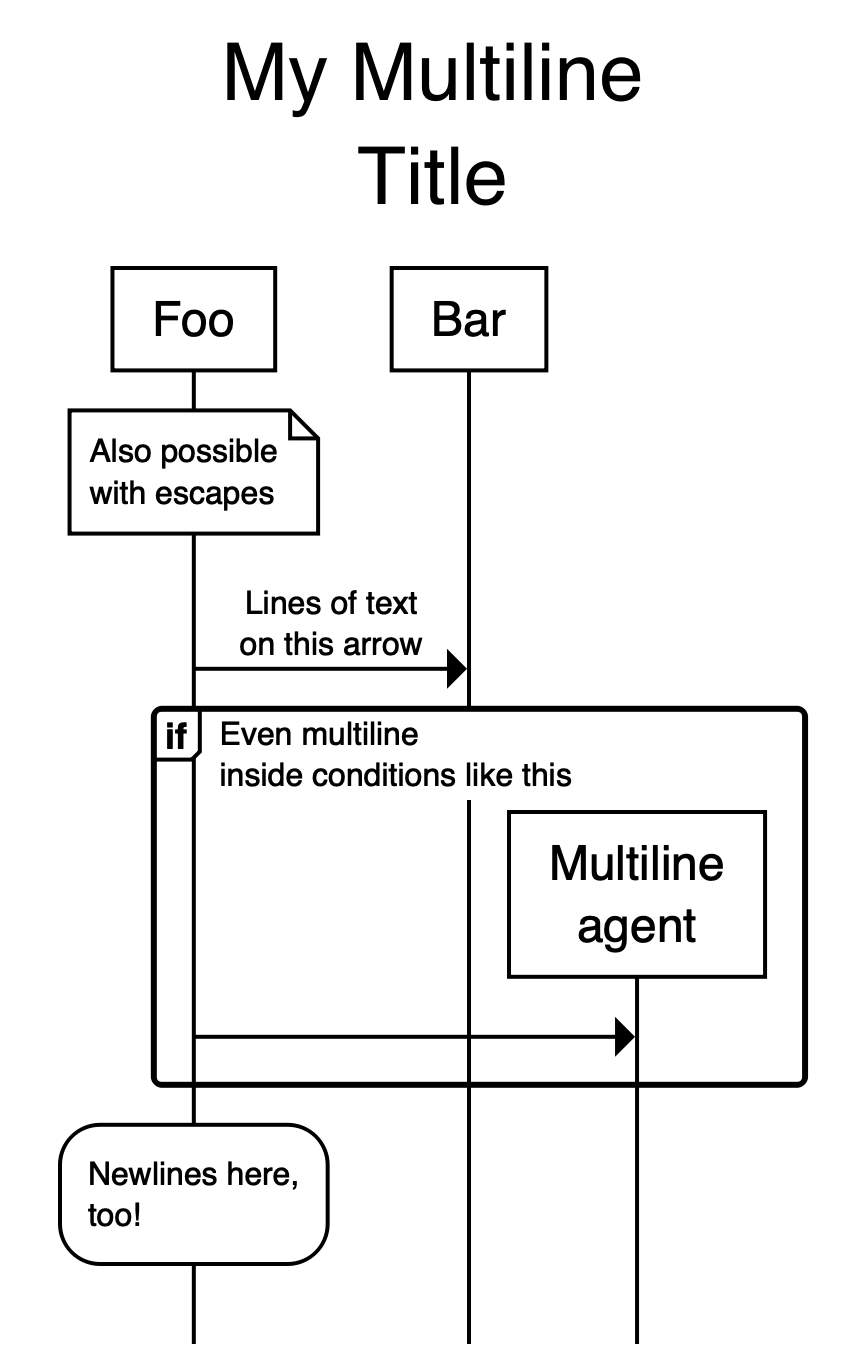
 title "My Multiline
Title"

begin Foo, Bar

note over Foo: "Also possiblenwith escapes"

Foo -> Bar: "Lines of textnon this arrow"

if "Even multilineninside conditions like this"
  Foo -> "Multilinenagent"
end

state over Foo: "Newlines here,
too!"
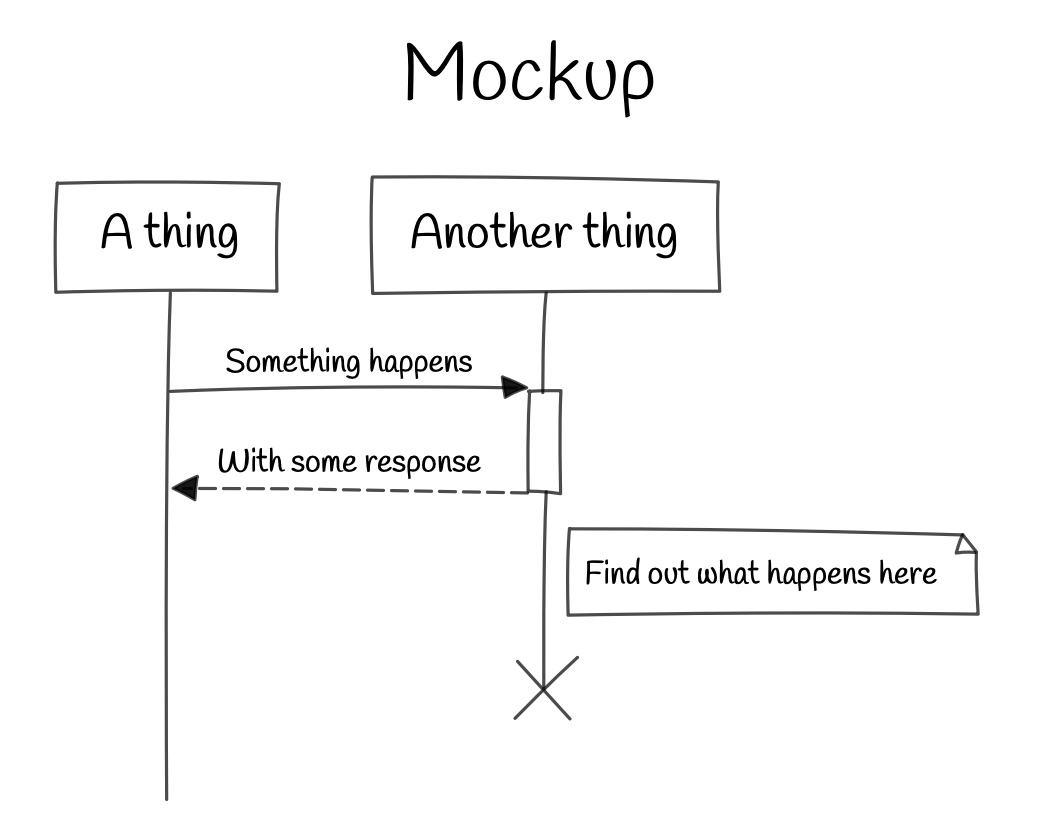
 theme sketch

title Mockup

A thing -> +Another thing: Something happens
-Another thing --> A thing: With some response
note right of Another thing: Find out what happens here
end Another thing
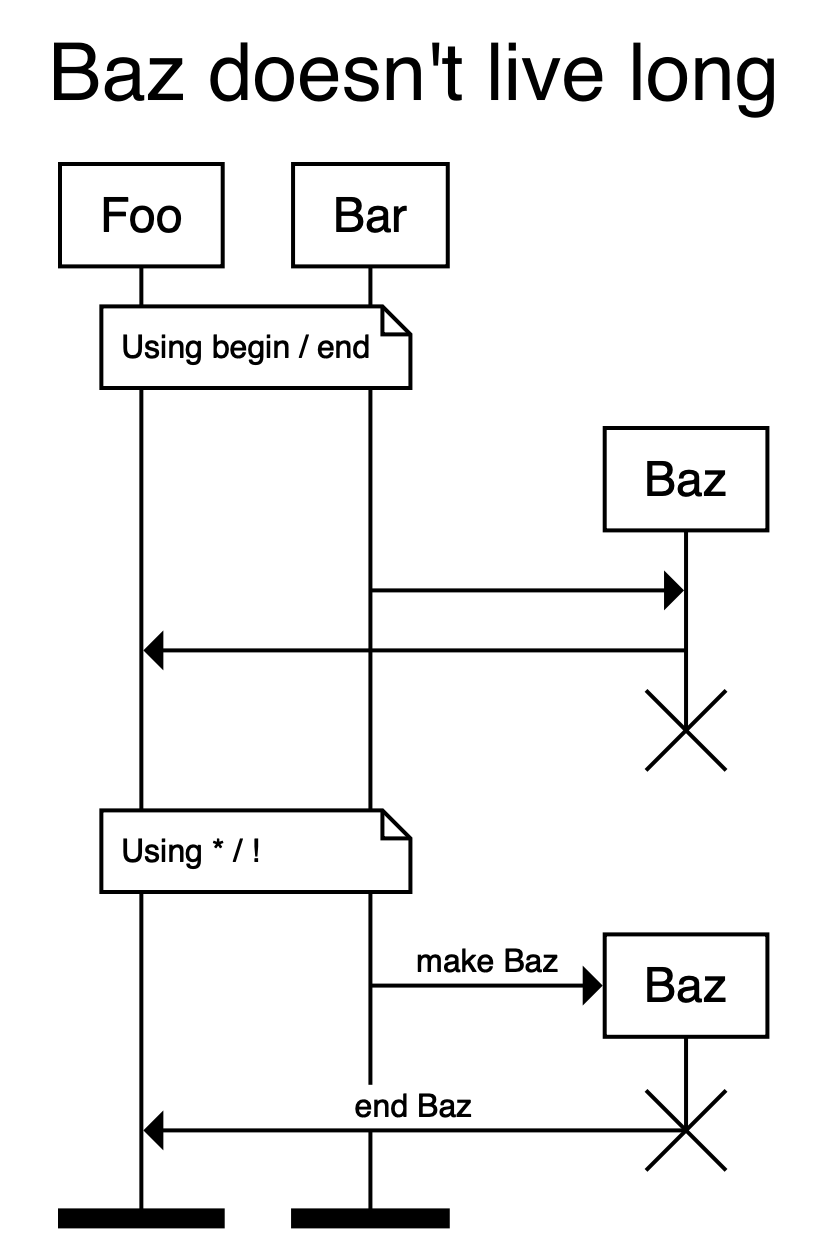
 title "Baz doesn't live long"

note over Foo, Bar: Using begin / end

begin Baz
Bar -> Baz
Baz -> Foo
end Baz

note over Foo, Bar: Using * / !

# * and ! cause agents to be
# created and destroyed inline
Bar -> *Baz: make Baz
Foo <- !Baz: end Baz

# Foo and Bar end with black bars
terminators bar
# (options are: box, bar, cross, fade, none)
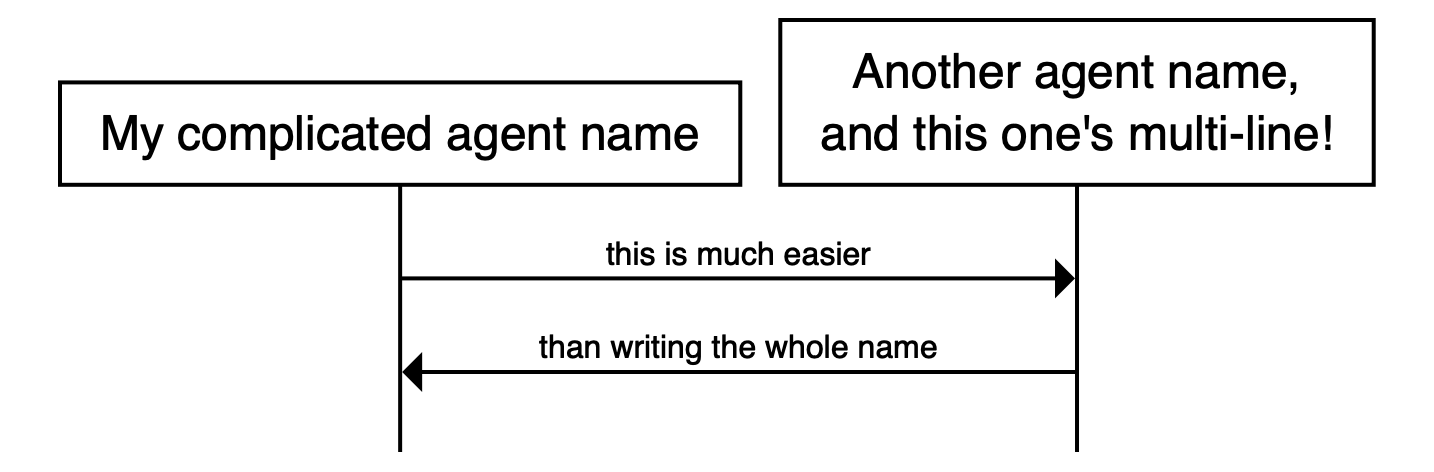
 define My complicated agent name as A
define "Another agent name,
and this one's multi-line!" as B

A -> B: this is much easier
A <- B: than writing the whole name
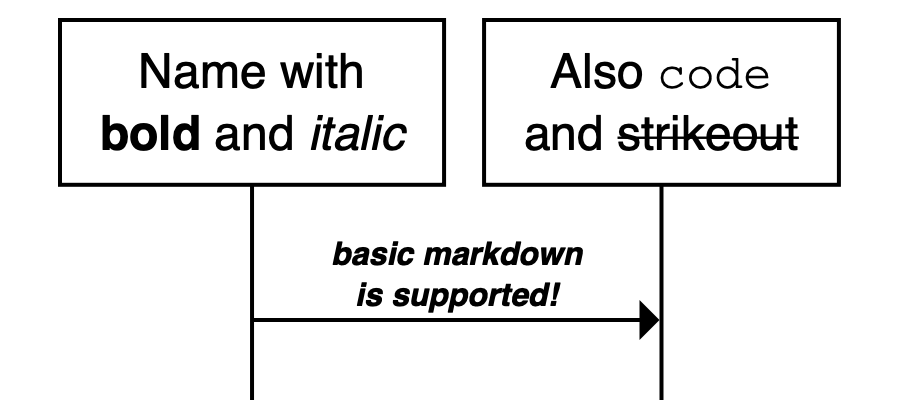
 define "Name with
**bold** and _italic_" as A
define "Also `code`
and ~strikeout~" as B

A -> B: "_**basic markdown
is supported!**_"
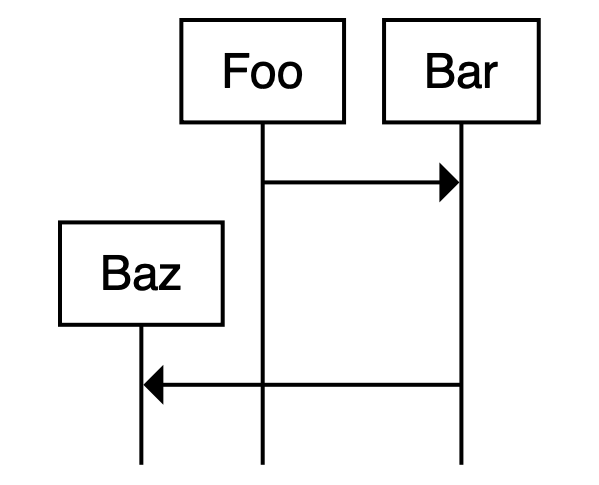
 define Baz, Foo

Foo -> Bar
Bar -> Baz
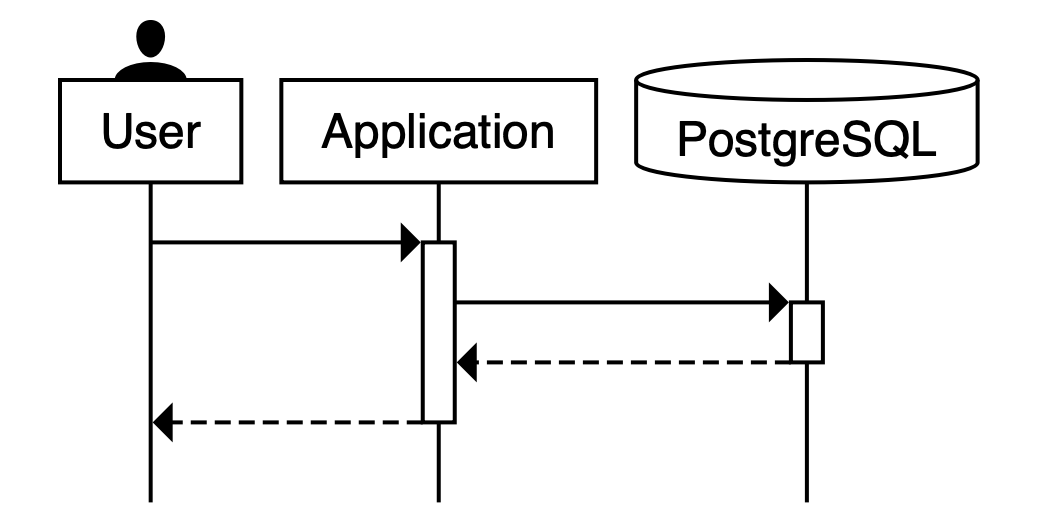
 begin User, Application, PostgreSQL

User -> +Application
Application -> +PostgreSQL
-PostgreSQL --> Application
-Application --> User

User is a person
PostgreSQL is a database
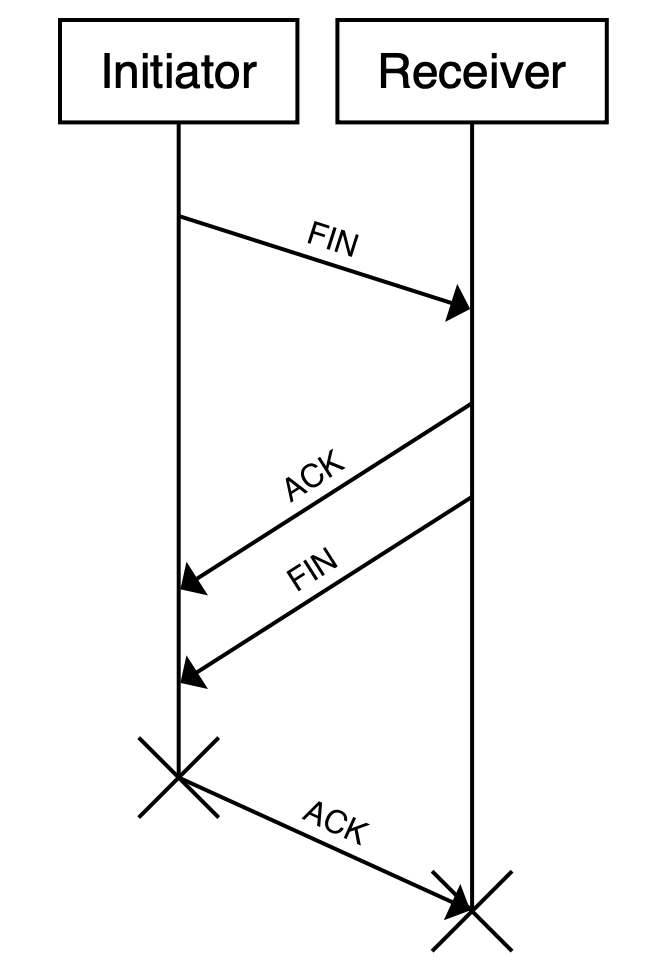
 begin Initiator as I, Receiver as R

# the '...id' syntax allows connections
# to span multiple lines

I -> ...fin1
...fin1 -> R: FIN

# they can even inter-mix!
R -> ...ack1
R -> ...fin2
...ack1 -> I: ACK
...fin2 -> I: FIN

!I -> ...ack2
...ack2 -> !R: ACK
Il s'agit d'une fonctionnalité de travail en cours. Il existe des situations où cela peut conduire à un contenu moche / illisible qui se chevauche.
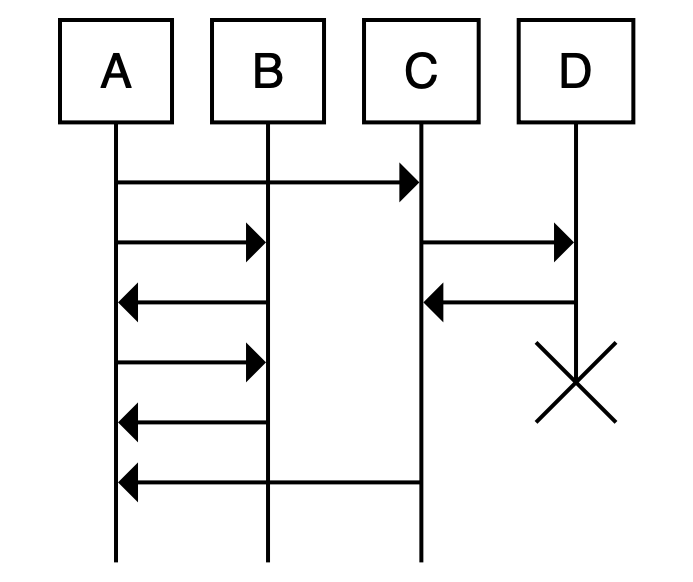
 begin A, B, C, D
A -> C

# Define a marker which can be returned to later

some primary process:
A -> B
B -> A
A -> B
B -> A

# Return to the defined marker
# (should be interpreted as no-higher-then the marker; may be
# pushed down to keep relative action ordering consistent)

simultaneously with some primary process:
C -> D
D -> C
end D
C -> A

# The marker name is optional; using "simultaneously:" with no
# marker will jump to the top of the entire sequence.
Les commentaires commencent par un # et se terminent à la prochaine nouvelle ligne:
# This is a comment
Les métadonnées peuvent être fournies avec des mots clés particuliers:
title "My title here"
La citation des chaînes est généralement facultative, par exemple, ce sont les mêmes:
 title "My title here"
title My title here
title "My title" here
title "My" "title" "here"
Chaque ligne non métadatique représente une étape dans la séquence, dans l'ordre.
 # Draw an arrow from agent "Foo Bar" to agent "Zig Zag" with a label:
# (implicitly creates the agents if they do not already exist)

Foo Bar -> Zig Zag: Do a thing

# With quotes, this is the same as:

"Foo Bar" -> "Zig Zag": "Do a thing"
Bloque les étapes enroulées et peut nicher:
 if something
  Foo -> Bar
else if something else
  Foo -> Baz
  if more stuff
    Baz -> Zig
  end
end
(L'indentation est ignorée)
Si vous souhaitez exécuter un rendu en ligne (comme https://sequence.davidje13.com/), jetez un œil à https://github.com/davidje13/website/tree/master/Sequence.
Les contributions sont les bienvenues!
Si vous trouvez un bug ou désirez une nouvelle fonctionnalité, n'hésitez pas à le signaler dans le tracker GitHub Issue, ou à écrire le code vous-même et à faire une demande de traction.
Pour plus de détails sur la contribution, consultez le fichier contribution.md.






