rxfetch
1.0.0

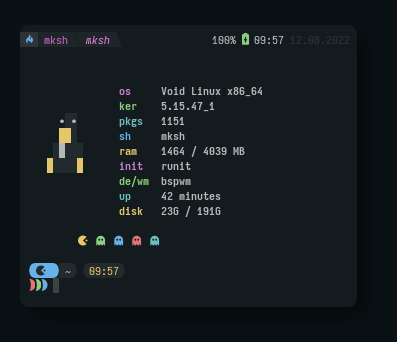
Outil de récupération du système personnalisé écrit en script bash.
Si vous ne voulez pas cloner ce dépôt ou installer RXFetch, vous pouvez utiliser Curl.
$ curl https://raw.githubusercontent.com/Mangeshrex/rxfetch/main/rxfetch | bash RxFetch est disponible dans l'AUR, vous pouvez l'installer avec
$ yay -S rxfetchAussi, installez aussi les polices
$ yay -S ttf-material-design-iconsInclus dans le référentiel principal, installez avec:
$ pkg in rxfetch # clones the rxfetch repo
$ git clone https://github.com/mangeshrex/rxfetch
# cd into rxfetch
$ cd rxfetch
# copy the fonts
$ cp ttf-material-design-icons/* $HOME/.local/share/fonts
# update fontconfig
$ fc-cache -fv
# run rxfetch
$ ./rxfetchSi vous avez installé les polices, exécutez simplement cette commande.
$ wget https://raw.githubusercontent.com/Mangeshrex/rxfetch/main/rxfetch && chmod +x rxfetch/usr/local/bin $ sudo cp rxfetch /usr/local/binFait avec contribution.








