Customer Instructions: (Please be sure to read before purchasing)
1: In order to avoid unnecessary disputes, our store's source code provides front-end and back-end demonstrations. If it fails, please contact customer service to provide front-end and back-end or test accounts;
2: Please be sure to test the demo site before deciding whether to purchase it. Once purchased, refund applications for non-source code quality issues will not be accepted;
3: The price is only for the source code. If you need to provide installation services, please contact the store owner in advance and ensure that your host must be a Pagoda environment and provide a Pagoda account.
4: The free installation service is limited to building to the server and can access the front and back ends. Involves docking payment interface, API docking and other services, and also negotiates fees;
5: The program is for learning and research only. Please do not use it for illegal purposes or violate national laws. Otherwise, you will be responsible for the consequences. All legal responsibilities have nothing to do with our store.
6: Please read the above terms carefully before purchasing. By taking a photo, you agree to the terms and abide by the agreement. Thank you for your support and understanding!
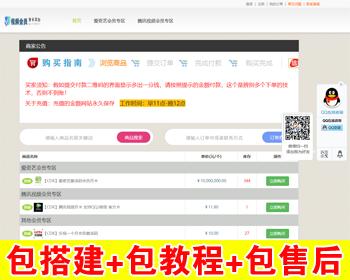
Demo site:
Front desk: http://faka1.dao886.top
Backend: http://faka1.dao886.top/houtai
Account: admin Password: 123456
Source code introduction:
1. It is recommended to build the pagoda panel, which requires a server, VPS, and VM to install.
2. The source code is all open source and no authorization is required. There are 6 built-in PC templates and 4 mobile phone templates.
3. Payment interface: WeChat Android visa-free, Alipay face-to-face payment, WeChat official native, Alipay official, new version code payment, new version blue payment, WeChat H5, WeChat JSAPI, aggregated new version code payment, aggregated Android visa-free
4. Main station system, sub-station system, distribution system, membership system, points system, advertising system, store system, card issuance system, wholesale system, visa-free system
5. For more functions, please test the demo site by yourself
Instructions for the major upgrade in April 2022:
1. All payment interfaces have been upgraded:
(1) Support WeChat and Alipay official interface
(2) Support new version code payment,
(3) Support new version of blue payment,
(4) Personal visa-free interface (Alipay cannot be used, WeChat is normal)
(5) Support easy payment universal interface
2. More instructions for previous upgrades:
2022.4.18-V8.0.1 version: Fixed some template search result inventory inaccuracies and optimized wap picture style template declaration code
Version 8.0 or above, supports backend → system management → online upgrade → one-click update
2022.4.8-V8.0.0 version: Details upgrade, framework upgrade, elimination of redundant code, and improvement of code security
(1) Support emoji expressions, optimize the template to select the first payment by default, remove back-end advertisements, and eliminate redundant codes
(2) Strengthen security configuration. The back-end login verification code is changed from the original pure numbers to a mixture of numbers and letters (in rare cases, pure letters or pure numbers will appear)
(3) The back-end sub-station management has newly added "self-service activation", which allows you to set annual sub-station fees and permanent sub-station fees separately.
(4) "Online upgrade" has been added to the back-end system management location. Subsequent versions can be upgraded directly on the back-end to avoid frequent uploading and modification of source code (update installation does not appear, a new installation will appear, a new installation is recommended)
Installation steps: It is recommended to use the server pagoda panel
1. Create a new website and database
2. Upload files to the root directory of the website
3. Select tinkphp for pseudo-static and public for website directory.
4. Open the domain name installation
5. Website backend: http://your domain name/houtai Default account password: admin 123456
During the initial build and upgrade, an illegal host may be displayed on the front desk. Please go to the back-end sub-site management and set the main site domain name (just save it directly on the back-end. This problem will be fixed later.