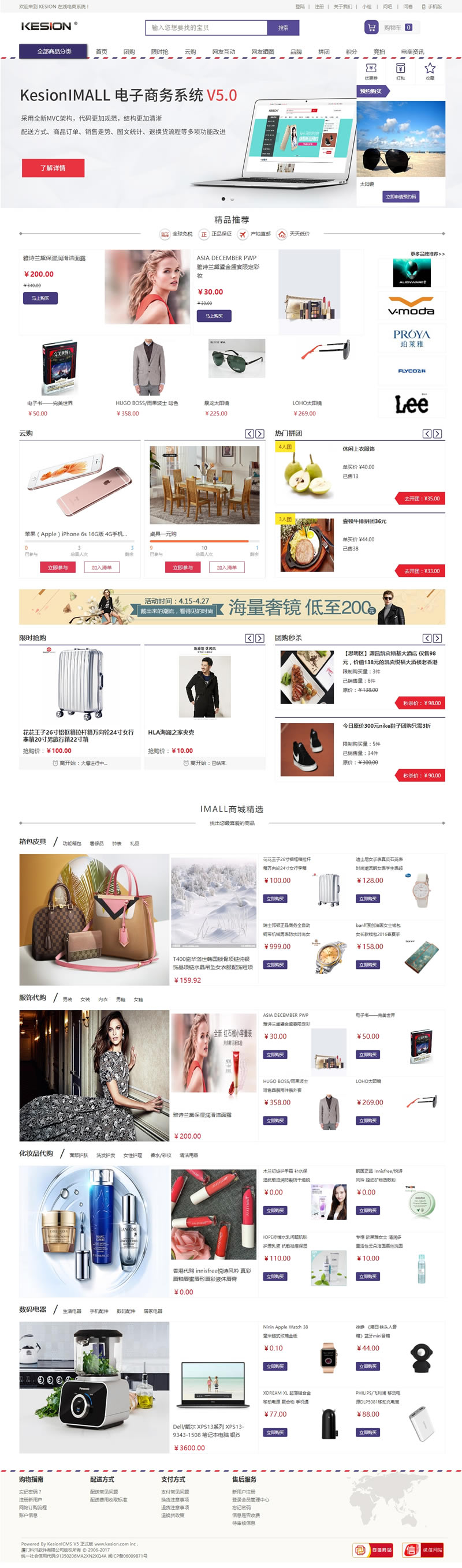
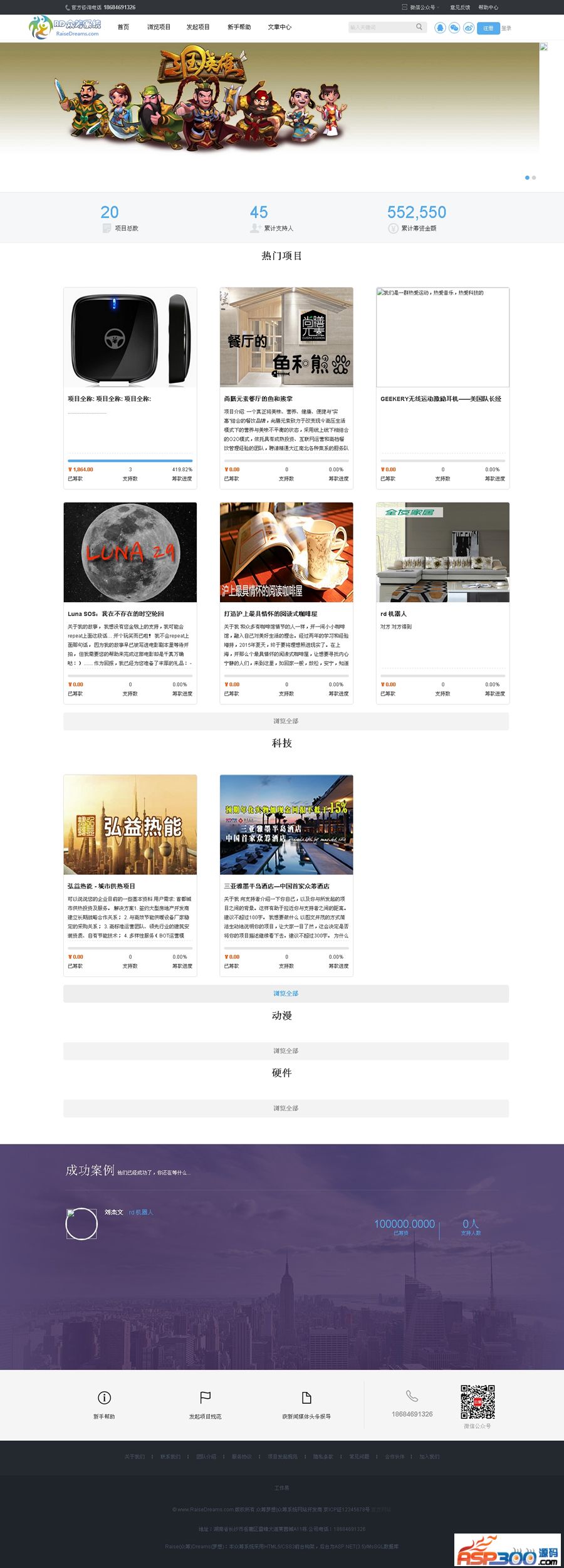
ShopNum1 has a powerful online store promotion module, which includes product group purchases, bundled sales, brand exclusives, point redemptions, coupon promotions, discount promotions and many other promotional functions. Through reasonable combination use, it can help merchants better improve consumers. loyalty, effectively develop new users, thereby increasing the number of orders. By optimizing many details of the online store system software itself, ShopNum1 has effectively improved the friendliness of major search engines for its inclusion, thereby helping merchants bring more direct and effective customers through search engines to achieve the purpose of increasing order sales.
Powerful online store customization settings:
Set whether the site description is displayed
UTF-8 international encoding can be expanded to support any language and support multiple ad slots, ad sizes and presentation forms (text ads, image ads, floating ads)
The problem of having to re-upload images when editing advertisements improves the speed of first access to system pages, allowing users to open site pages faster.
The installation package has built-in ShopNum1 default template background permission setting issues. Administrators in each department have different operating permissions. Support adding multiple online store administrators. Support adding different operating permissions to each administrator. Support setting specified IP or IP range to prohibit access. Query the administrator operation log, delete, set the online store name, set the online store LOGO
Set the description of the online store. Set the keywords of the online store. Set the reason for closing the website. Set the reason for closing the online store registration. Set whether a verification code is required for member registration. Set whether a verification code is required for member login. Set whether a verification code is required for member login. Set whether a verification code is required for member messages. Set whether to allow non-logged-in users to shop. Whether the email service is activated, whether the member registration is successful, whether to send emails, set the consumption points given by member registration, set the level points given by member registration, set the user center announcement content, set the display quantity of the product list, set the display quantity of the product review list, set the reviewers who post product reviews. Conditions Set whether product reviews can only be displayed after passing review Set the display number of article lists Set the display number of article comments Set the conditions for reviewers who post article comments (to prevent online store reputation from being maliciously attacked)
Set whether article comments will be displayed after passing review. Set whether to send an email when confirming an order. Set whether to send an email when shipping. Set whether to send an email when canceling an order. Set the number of top products in the sales ranking list. Set the top products in the browsing history list. The quantity can set unique attributes for the product to adapt to product descriptions in different industries. Shopping guide articles can be set for each product category to guide buyers to purchase like a mall shopping guide. Inventory can be set for each product, and modifications are allowed to support member publishing. Product reviews, merchants can manage reply comments in the background, support adding multiple pictures for each product, and customize the picture type (such as appearance pictures of mobile phones, disassembly pictures)
Supports setting multiple related products or accessories for each product, and can customize the type of related products. Products can choose whether to be displayed as recommended products, latest products, hot-selling products, boutique products, etc. in the front desk. Supports customizing the detailed page of each product. Title, description, keywords. Strengthen the optimization of search engines. Support cross-categorization of products by function and brand, making it easier for buyers to browse. Support adding product suppliers to facilitate delivery management. Support products by group purchasewholesale planlow-price auctionhigh-price auctiononline. Promotions and other popular and fashionable sales methods have been added to the multi-picture page for viewing products at the front desk. The shopping cart page allows customers to directly enter the product number to add products, which is conducive to wholesale users increasing their purchases in large quantities and allowing for different Different templates can be applied to the categories. This allows merchants to more flexibly control the layout display of each category. After editing the product in the background, click Return and it will not jump to the original list page of the product. This will be corrected so that adjacent products can be displayed. Perform the operation to increase the user's ability to judge whether the product has optional attributes when putting the product into the shopping cart. If there are optional attributes, a pop-up page will pop up on the current page to allow the user to select the attributes. Only when the user is allowed to put the product into the shopping cart can the member's optional configuration be set. Price supports the setting of price templates, which can be applied to members or agents to set customized configurations for products (such as the binding of books, the memory capacity of digital cameras), and regenerate prices according to the configuration selected by buyers. Add new batches to adjust the price of a category of products. Including purchase price, default sales price, market price. Simple operation allows the price adjustment of the entire site's products to be completed with just a few clicks. Administrators can preset category price ratios. When users manually add products, they only need to fill in a price, and the system will automatically generate a list of products with other prices. The product price displays the market price, member price and your price (actual purchase price)
Powerful report statistics function:
Statistics on the visit purchase rate of new products. Statistics on the sales details of new products. Support viewing the mall transaction volume, transaction volume and profit statistics by month and day. Support viewing the sales volume, sales volume and sales profit statistics of products by time period. Supporting statistics by time period. View the statistics of the total number of orders and total order amount of users. Support the administrator's statistics on members' shopping volume. Support the statistics of inventory by product, brand and category. Support the statistics of visits by product, brand and category. Support the viewing of mall users by month. Growth quantity statistics support monthly viewing of mall order growth statistics. Support multi-condition query for related information. Flexible order operation functions:
Support order printing. Support a complete order process to manage the shopping cart and order process. Move the selection of gifts and greeting cards to the shopping cart page to print the order details page. Change the sorting method of "orders in paid orders" to "payment time by order". to the old sorting. This will not cause missing orders. Improve the page turning control of the system, plus the function of turning directly to the first page, so that users can set whether to automatically confirm the order when operating the list of products, members, and large orders. If it is not automatically confirmed, the customer will need to manually confirm the order in the background before payment after placing the order. Added the administrator order note function so that the administrator can make notes about other circumstances of the order at any time. Supports customized order options (such as whether an invoice is needed, whether reinforced packaging is needed) )
Supports multi-condition query orders. Added front-end order query and delivery query functions, allowing users to query the order status and delivery status directly on the homepage. When the order number is increased, back-end administrators and agents view the order details page of subordinate members. , the payer (i.e. buyer) information can be viewed on the page. In the order management query conditions, the status of the order is refined to every possible actual status, so that merchants can accurately query unpaid orders in each status here. :Only refers to "unpaid and unshipped orders"
Paid orders: only refers to "paid but unshipped orders"
Orders in delivery: including "paid orders in delivery" and cash on delivery "unpaid orders in delivery"
Shipped orders: including "paid shipped orders" and cash on delivery "unpaid shipped orders"
Completed order: This refers to the order where the front-end user "confirms the transaction" or the back-end administrator manually "confirms the transaction". Refund order application: only orders that have been shipped are allowed for users to apply for refund online, and this order is still being refunded Within the validity period
Expand