WLR089U0_LORAWAN_ORANGE
1.0.0


"Wireless Made Easy!" - Getting Started with WLR089U0 and Orange LoRaWAN Network
Devices: | WLR089U0

THE SOFTWARE ARE PROVIDED "AS IS" AND GIVE A PATH FOR SELF-SUPPORT AND SELF-MAINTENANCE.
This repository contains unsupported example code intended to help accelerate client product development. It is not validated for production nor audited for security best-practices.
Note that while this repository is unsupported, Microchip welcome community contributions, and all pull-requests will be considered for inclusion into the repository.
Interact with peers in the community at LoRa Forum.
Getting Started with WLR089U0 and Orange LoRaWAN Network.
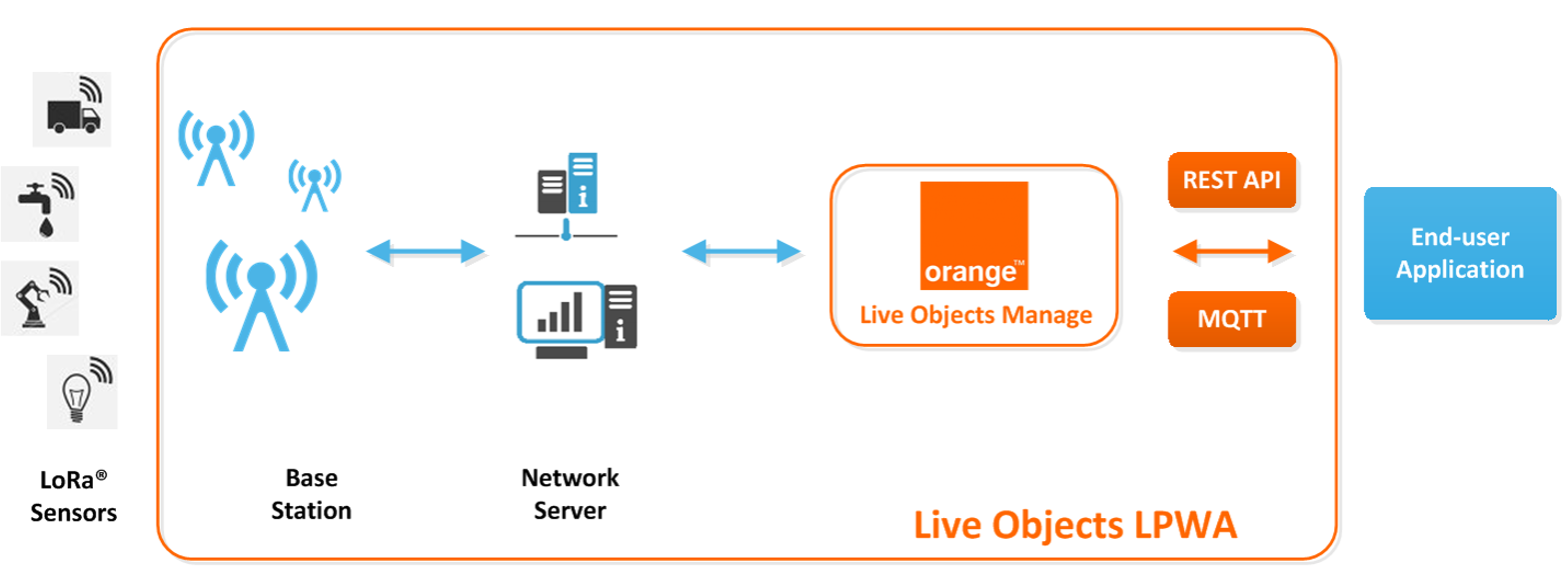
Orange has deployed massively a public LoRaWAN network and propose Live Objects, a software suite for IoT / M2M solution integrators offering a set of tools to facilitate the interconnection between devices and business applications.
For more details, check out :
The purpose of this repo is to provide guidelines to connect Microchip WLR089U0 Module to Orange LoRaWAN Network and interact with Live Objects
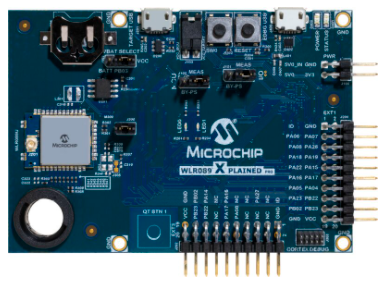
Purchase the WLR089U0 Xplained Pro Evaluation Kit
Make sure you have a base station nearby and the device is in coverage area.
Download and install Microchip Studio 7.0 IDE.
Open Microchip Studio 7.0 IDE.
From Tools - > Extensions and updates, install Advanced Software Framework (ASFv3) v3.49.1 release or upper release.
Restart Microchip Studio
Download and install a serial terminal program like Tera Term.
Clone/Download the current repo to get the sample applications.
The following sample applications provided have been tested with Orange Core Network supporting LoRaWAN 1.0.2
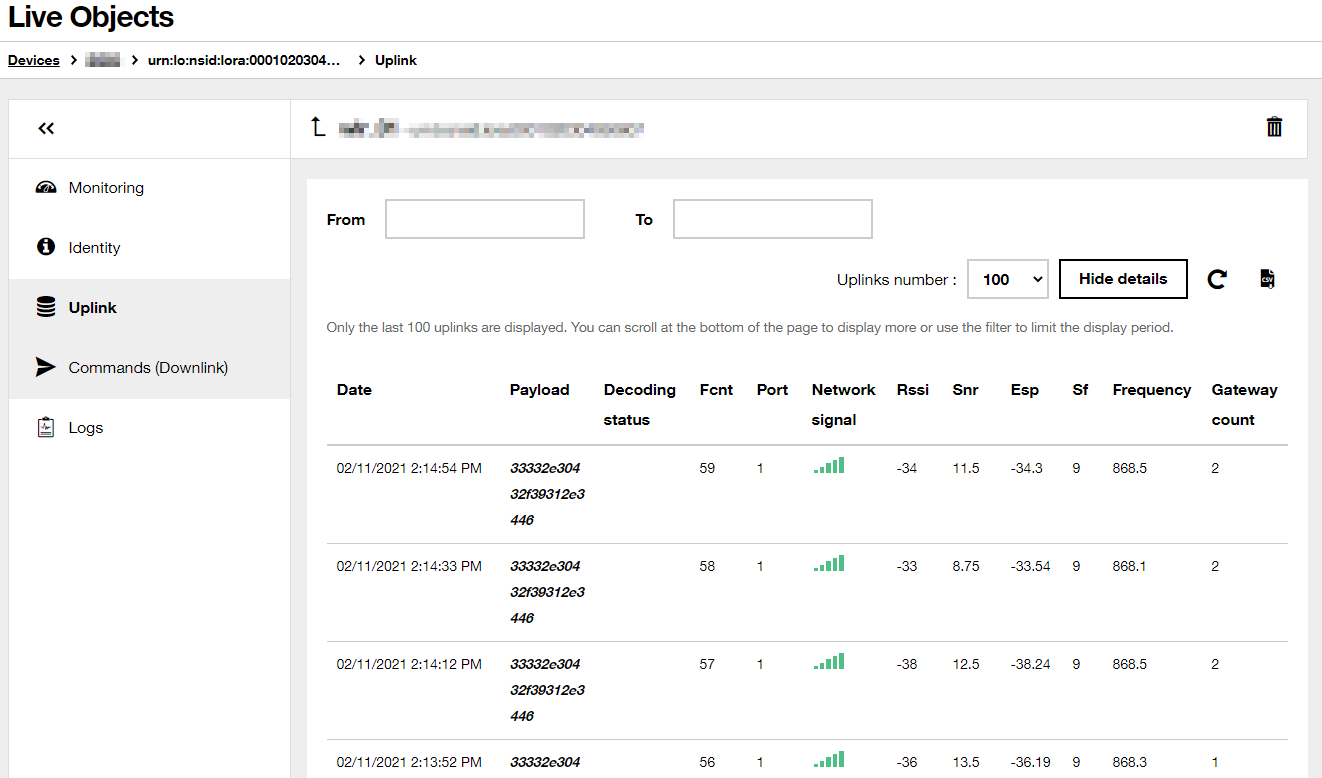
Here are the steps to provision your WLR089 end device in order to join the Orange network.
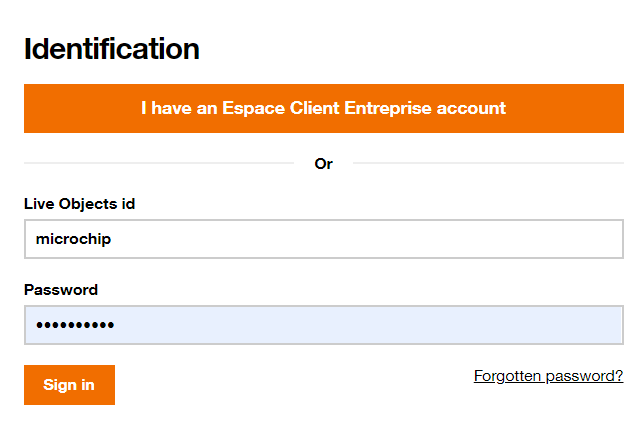
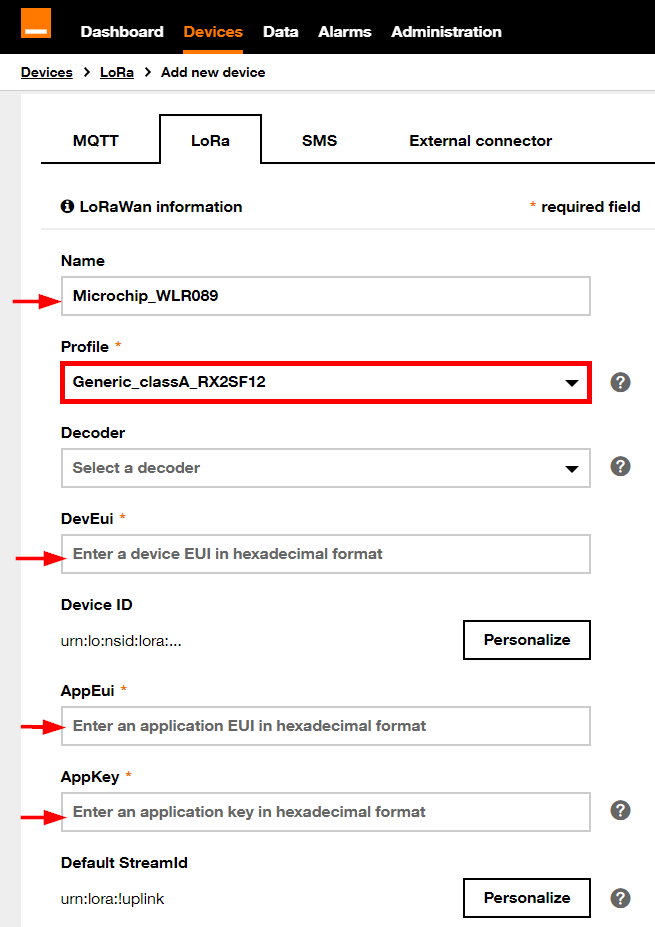
You can find some useful videos about Live Objects here.
By default, the application is configured to use WLR089 Hardware EUI as Device EUI with the help of the SYMBOL MODULE_EUI_READ=1
The OTAA keys are defined in conf_app.h:
/* OTAA Join Parameters */

#define DEMO_DEVICE_EUI                         { 0x00, 0x01, 0x02, 0x03, 0x04, 0x05, 0x06, 0x07 }
#define DEMO_APPLICATION_EUI                    { 0x00, 0x01, 0x02, 0x03, 0x04, 0x05, 0x06, 0x07 }
#define DEMO_APPLICATION_KEY                    { 0x00, 0x01, 0x02, 0x03, 0x04, 0x05, 0x06, 0x07,0x00, 0x01, 0x02, 0x03, 0x04, 0x05, 0x06, 0x07 }
Make sure to use the same provisioning keys as configured in Live Objects.
For more details, check out the document
SAMR34_GettingStarted_LoRaWAN Range Testwhich is part of the project directory.
Module EUI = 13ffffc4c4fefeff
Last reset cause: External Reset

***********************************************

Microchip LoRaWAN Stack MLS_SDK_1_0_P_4

Init - Successful

Please select one of the bands listed below
1. EU868
2. NA915
3. AU915
4. AS923
5. JPN923
6. KR920
7. IND865
8. Clear PDS
9. Reset Board
Select Regional Band : 1

****************Join Parameters****************

DevEUI : 0xXXXXXXXXXXXXXXXX

AppEUI : 0xXXXXXXXXXXXXXXXX

AppKey : 0xXXXXXXXXXXXXXXXXXXXXXXXXXXXXXXXX

TxPower Index     = 00
Current Data rate = DR3
ADR               = OFF

Confirmed Retries : 04

Join Request Sent for EU868

Joining Successful
Joined on Channel 1

DevAddr: 0x1fb4dd6f

*************Application Configuration*************

DevType           : CLASS A

ActivationType    : OTAA

Transmission Type : UNCONFIRMED

FPort             : 1

TxPower Index     : 00

Confirmed Retries : 04

***************************************************
***************************************************
Temperature: 33.0ø C  / 91.4ø F

Tx Data Sent
Transmission Success
Active Channel 0
Active TxPower Index = 00
Active Data rate = DR3
***************************************************

wakeup from sleep_ok 14135 ms
***************************************************
Temperature: 33.0ø C  / 91.4ø F

Tx Data Sent
Transmission Success
Active Channel 0
Active TxPower Index = 00
Active Data rate = DR3
***************************************************
By default, the application is configured to use WLR089 Hardware EUI as Device EUI with the help of the SYMBOL MODULE_EUI_READ=1
The OTAA keys are defined in conf_app.h:
/* OTAA Join Parameters */

#define DEMO_DEVICE_EUI                         { 0x00, 0x01, 0x02, 0x03, 0x04, 0x05, 0x06, 0x07 }
#define DEMO_APPLICATION_EUI                    { 0x00, 0x01, 0x02, 0x03, 0x04, 0x05, 0x06, 0x07 }
#define DEMO_APPLICATION_KEY                    { 0x00, 0x01, 0x02, 0x03, 0x04, 0x05, 0x06, 0x07,0x00, 0x01, 0x02, 0x03, 0x04, 0x05, 0x06, 0x07 }
Make sure to use the same provisioning keys as configured in Live Objects.
Module EUI = 13ffffc4c4fefeff
Last reset cause: External Reset


*******************************************************

Microchip LoRaWAN Stack MLS_SDK_1_0_P_4

Init - Successful
1. Demo application
2. Certification application

 Select Application :
Please select one of the band given below
1. EU868
2. NA915
3. AU915
4. AS923
5. JPN923
6. KR920
7. IND865
8. Clear PDS
9. Reset Board
Select Regional Band :
********************Join Parameters********************

DevEUI : 0xXXXXXXXXXXXXXXXX

AppEUI : 0xXXXXXXXXXXXXXXXX

AppKey : 0xXXXXXXXXXXXXXXXXXXXXXXXXXXXXXXXX

Join Request Sent for EU868

Joining Successful

DevAddr: 0x1fb4dd6f

***************Application Configuration***************

DevType : CLASS A

ActivationType : OTAA

Transmission Type - UNCONFIRMED

FPort - 1

*******************************************************

*******************************************************

1. Send Join Request
2. Send Data
3. Sleep
4. Main Menu

Enter your choice:
Select Send Join Request
After received Joining Successful, you can send unconfirmed message
1. Send Join Request
2. Send Data
3. Sleep
4. Main Menu

Enter your choice: 2

Temperature:35.4ø C/95.7ø F

Tx Data Sent
Transmission Success
The regional parameters such as default Data Rate can be set in
conf_regparams.h
E.g. forEU_BAND:
#if (EU_BAND == 1)

#define MAC_DEF_TX_POWER_EU					(1)
#define MAC_DEF_TX_CURRENT_DATARATE_EU		(DR0)
#define MAC_DATARATE_MIN_EU					(DR7)
#define MAC_DATARATE_MAX_EU					(DR0)
#define FEATURES_SUPPORTED_EU               (DUTY_CYCLE_SUPPORT|JOIN_BACKOFF_SUPPORT)
#endif
Last reset cause: External Reset


*******************************************************

Microchip LoRaWAN Stack MLS_SDK_1_0_P_4

Module EUI = 13ffc4feff19276a
Init - Successful

---Join Type Selection---
1. Over The Air Activation(OTAA)
2. Activation By Personalization(ABP)

Enter your choice:
Enter Device EUI(hex 0-F): XXXXXXXXXXXXXXXX
Enter Join EUI(hex 0-F):
Enter Application Key(hex 0-F):
1. Confirm App Configuration Selection
2. Modify Configuration
Enter your choice:
--Choose Application Type--
1. Demo application
Please select one of the band given below
1. EU868
2. NA915
3. AU915
4. AS923
5. JPN923
6. KR920
7. IND865
8. Clear PDS
9. Reset Board
Select Regional Band :
Joining Successful, you can send unconfirmed message1. Send Join Request
2. Send Data
3. Sleep
4. Select Band
Enter your choice: 2
Temperature:35.1ø C/95.1ø F
Tx Data Sent
Transmission Success
> sys factoryRESET
> mac reset 868
> mac set deveui XXXXXXXXXXXXXXXX
> mac set joineui XXXXXXXXXXXXXXXX
> mac set appkey XXXXXXXXXXXXXXXXXXXXXXXXXXXXXXXX
accepted, you can send uplink message to the network> mac tx uncnf 1 AABBCCDDEEFF
ok
mac_tx_ok
> mac tx cnf 2 0011223344556688
ok
mac_tx_ok
For more details on this demo, check out here