lxmf_messageboard
1.0.0

Simple message board that can be hosted on a NomadNet node, messages can be posted by 'conversing' with a unique peer, all messages are then forwarded to the message board.
A user can submit messages to the message board by initiating a chat with the message board peer, they are assigned a username (based on the first 5 characters of their address) and their messages are added directly to the message board. The message board can be viewed on a page hosted by a NomadNet node.
An example message board can be found on the reticulum testnet hosted on the SolarExpress Node <d16df67bff870a8eaa2af6957c5a2d7d> and the message board peer <ad713cd3fedf36cc190f0cb89c4be1ff>
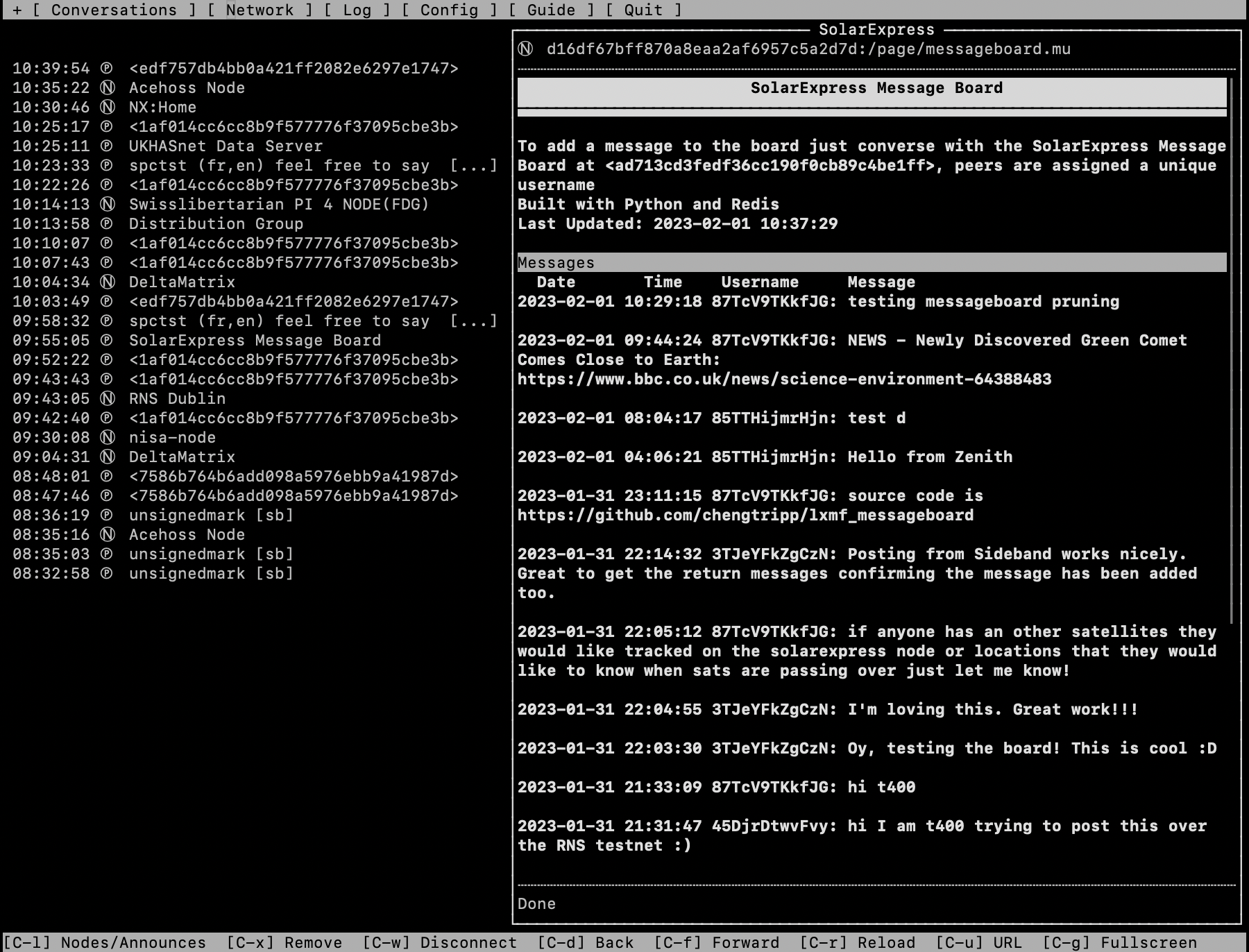
The message board page itself is hosted on a NomadNet node, you can place the message_board.mu into the pages directory. You can then run the message_board.py script which provides the peer that the users can send messages to. The two parts are joined together using umsgpack and a flat file system similar to NomadNet and Reticulum and runs in the background.
message_board.mu file into pages directory in the config file for NomadNet. Edit the file to customise from the default page.message_board.py script (python3 message_board.py either in a screen or as a system service), this script uses NomadNet and RNS libraries and has no additional libraries that need to be installed. Take a note of the message boards address, it is printed on starting the board, you can then place this address in message_board.mu file to make it easier for users to interact the board.






