replicate flux lora
v1.2.1

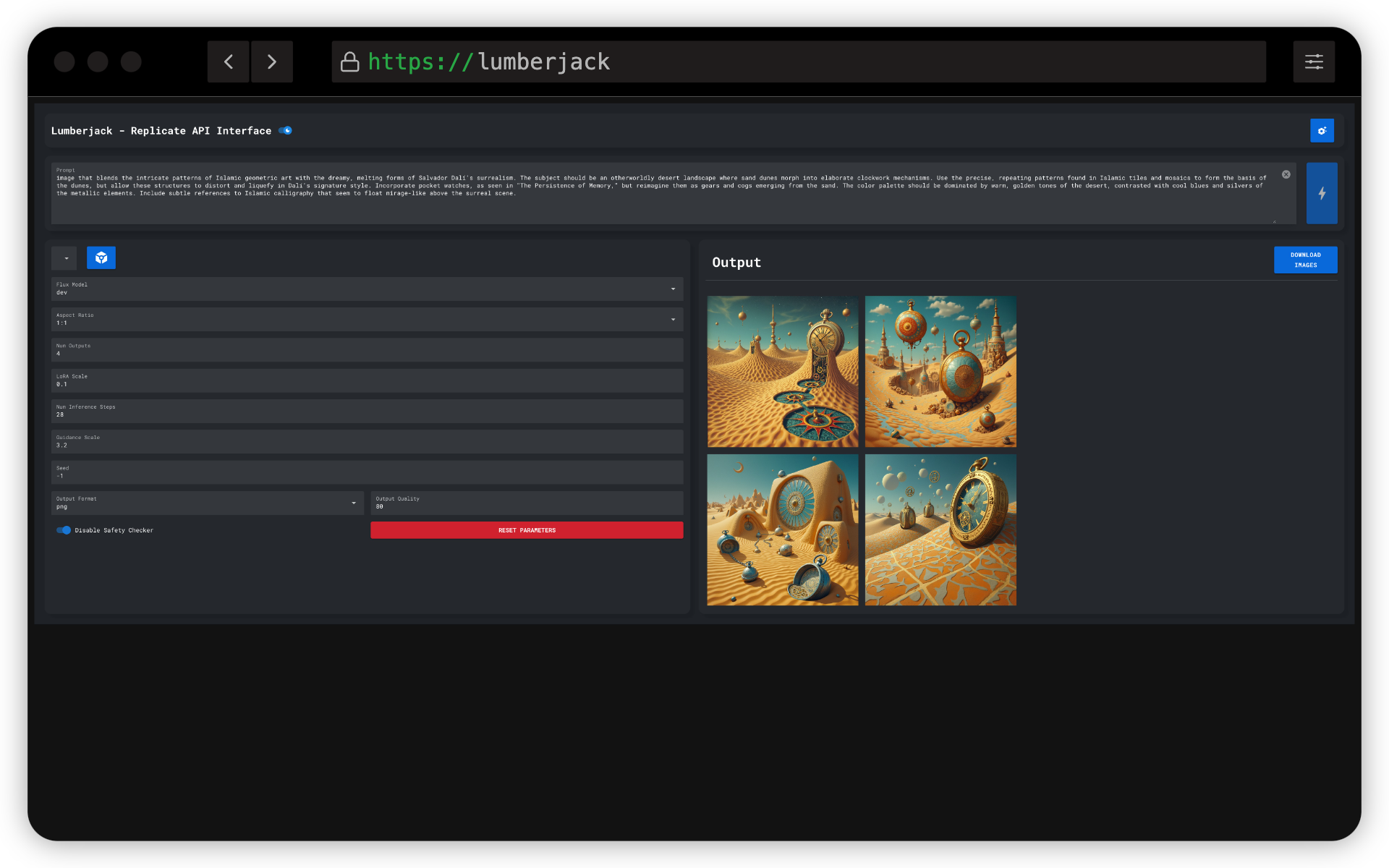
A powerful and user-friendly GUI application for generating images using the Replicate API and Flux LoRA models. This tool provides an intuitive interface for controlling various parameters of image generation, making it accessible for both beginners and advanced users.
Docker is the recommended way to run this application. Follow these steps to get started:
Ensure you have Docker and Docker Compose installed on your system.
Create a new directory for the project and navigate to it.
Create a docker-compose.yml file with the following content:
services:
  replicate-flux-lora:
    image: ghcr.io/rtuszik/replicate-flux-lora:latest
    container_name: replicate-flux-lora
    ports:
      - "8080:8080"
    volumes:
      - replicate-flux-lora-settings:/app/settings
      - ${HOST_OUTPUT_DIR}:/app/output
    restart: unless-stopped
volumes:
  replicate-flux-lora-settings:
Replace /path/to/your/output/directory with the actual path where you want to save the generated images on your host machine.
Run the application using Docker Compose:
docker-compose up -dAccess the application at http://localhost:8080
http://localhost:8080.In order to fine-tune you own model, please check out Replicate's guide on fine-tuning Flux: https://replicate.com/blog/fine-tune-flux
To use this application, you need a Replicate API key. Follow these steps to set it up:
The API key will be stored and used for subsequent requests.
Contributions are welcome! Please feel free to submit a Pull Request.
GPLv3







