VividHues
Prettier dunders guide

Super light Python string formatter!
?
?
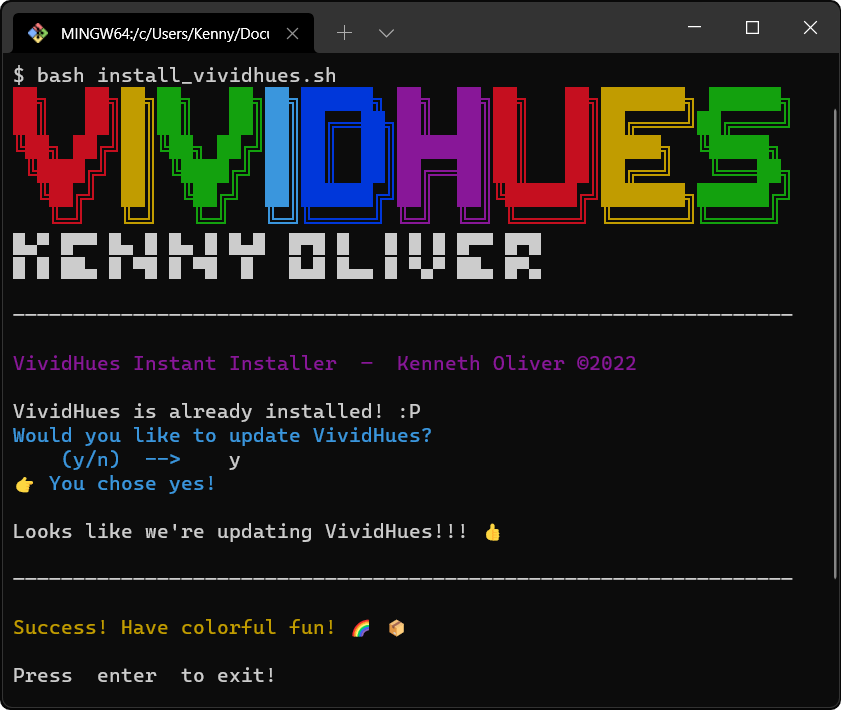
install_vividhues.sh...bash install_vividhues.sh in your shell/CLI. (Or... double click the install_vividhues.sh file)Note!
This requires Bash to be installed on your OS. Git Bash or WSL are two of many to pick from!
bash install_vividhues.sh in the shell
$ pip install VividHuesTip
Use this command to update
pip install --upgrade VividHues
from VividHues import Clrrequirements.txt (Highly Recommended!)requirements.txt...VividHues>=5.4.0Changelog ?
VividHues>=3.0.0    #  basics: only has Clr codes
VividHues>=4.1.0    #  new: abbreviations & "Magic Functions"
VividHues>=5.2.0    #  Magic Function: Clr.pattern()
VividHues>=5.3.0    #  all Magic Functions no longer leak color
VividHues>=5.4.0    #  Clr.delPrevLine()
.github/Dependabot.yml (optional, but needs requirements.txt).github directory, create one.Dependabot.yml file to it.version: 2
updates:
- package-ecosystem: "pip"
directory: "/"
schedule:
interval: "daily"Dockerfile ? (optional)# recommended
COPY requirements.txt .
RUN pip install -r requirements.txt# alternatively...
RUN pip install VividHues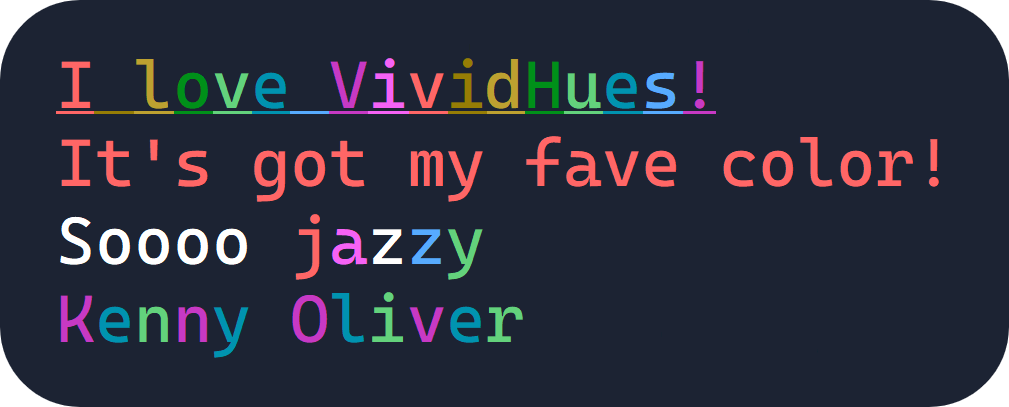
print(Clr.BO + Clr.UL + Clr.rainbow('I love VividHues!'))
print(Clr.RED + "It's got my fave color!" + Clr.RS)
print(f"Soooo {Clr.jazzy('jazzy')}")
#                          ^^^
# you'll get an error using "" in f-string interpolations
print(Clr.pattern("Kenny Oliver", Clr.PURPLE, Clr.CYAN, Clr.LIME)) Color leakage is when you have forgotten to use Clr.RS/Clr.RESET ? to reset the formatting after the last character printed to the standard output!
It results in any trailing characters, in the output stream, to continue to have the same formatting.
This is an intentional feature, because it allows for the formatting of entire chunks of code in one go. See the example
Note!
As of
VividHues>=5.3.0, ALL magic functions do not leak color.Previously, it was only
Clr.random()!
print(... + Clr.RS)  # recommended!

print(..., Clr.RS)

print(..., end=Clr.RS+"n")# start formatting here
print(Clr.BOLD + Clr.RED, end="")
if something:
print(Clr.BLUE + "blah blah blah" + Clr.RS)
else:
for x in range(100):
# lots of print statements
# end formatting here
print(Clr.RS, end="")Tip!
These solutions also prevent the leakage of other formatting
(e.g.
Clr.BO,Clr.BOLD,Clr.UL,Clr.UNDERLINE)
Clr codes:Note!
In order to make your life easy, when reading the documentation,
Your import statement should be the following... ?
from VividHues import Clrso that you can useClr.___
VividHues provides you with a quick way to erase the last line of the CLI!
# Delete the last printed line of the CLI
Clr.delPrevLine()
# Delete the last 5 printed lines
Clr.delPrevLine(5)TIP!
Magic Functions do not leak color (as of
VividHues>=5.3.0)
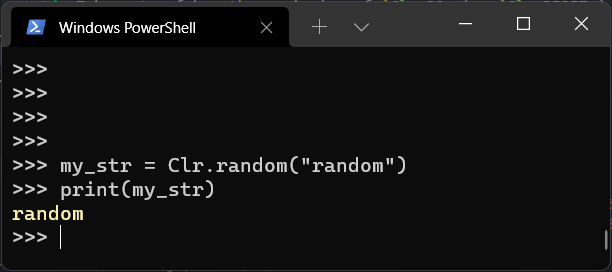
print( Clr.random(string) )Paints your string in a random Clr code.
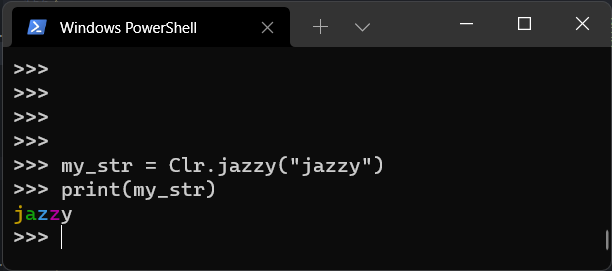
print( Clr.jazzy(string) )Paints each letter in jazzy random colors! It's a total gamble, that's guaranteed to be ugly! :)
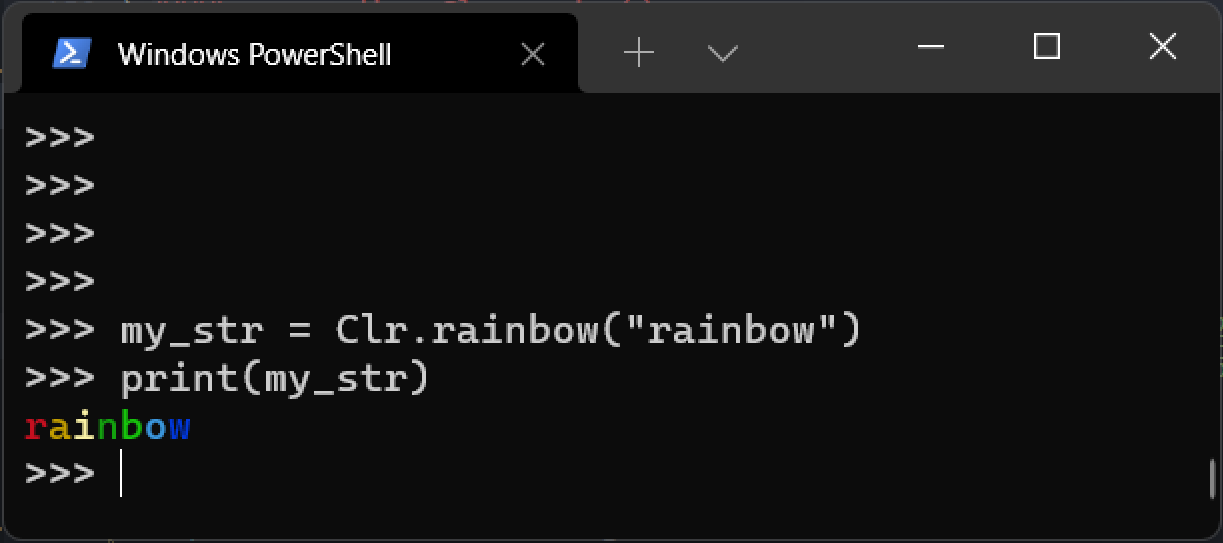
print( Clr.rainbow(string) )Paints your string in a rainbow pattern.
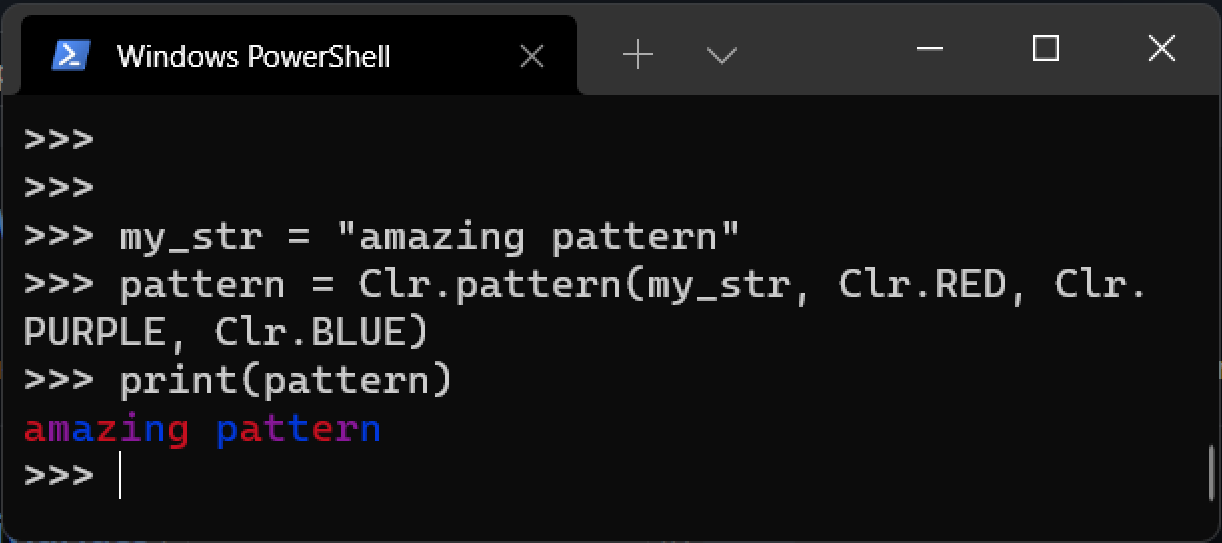
print( Clr.pattern(string, *color) )Paint your letters in a repeating pattern, by specifying an unlimited amount of Clr codes!
| Feature | VividHues | colorama | termcolor |
|---|---|---|---|
| Simplicity/Abstraction | |||
| Font Colors | |||
| Background/Highlight | ? | ||
| Bold/Underline | |||
| Most Lightweight | |||
| Auto-Reset | |||
| Cursor Positioning | |||
| Special/Unique Features | |||
| Dependencies | |||
| Total | 7/9 | 6/9 | 6/9 |
Potentially, VividHues will have more features than the alternatives if they are implemented.
VividHues comes with a variety of 'dunder' values that you can check out.
An important example is checking out the current version: VividHues.__version__
Note!
The import is different this time!
import VividHues
You can use the following command to find out all the possible dunders!
VividHues.dunders()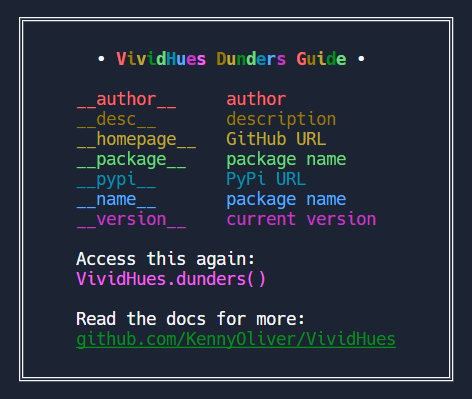
| Dunder | What It Does | Expected Output |
|---|---|---|
__author__ |
author | "Kenneth Oliver ©2022" |
__desc__ |
description | "Super light Python string formatter! ? ?" |
__homepage__ |
GitHub URL | "https://github.com/KennyOliver/VividHues" |
__package__ |
package name | "VividHues" |
__pypi__ |
Pypi URL | "https://pypi.org/project/VividHues/" |
__version__ |
current version | (whatever the current version is!) |
print(VividHues.__version__) will display the current version.Kenny Oliver ©2024







