whisperspeech webui
2.2

Web UI for WhisperSpeech (https://github.com/collabora/WhisperSpeech)
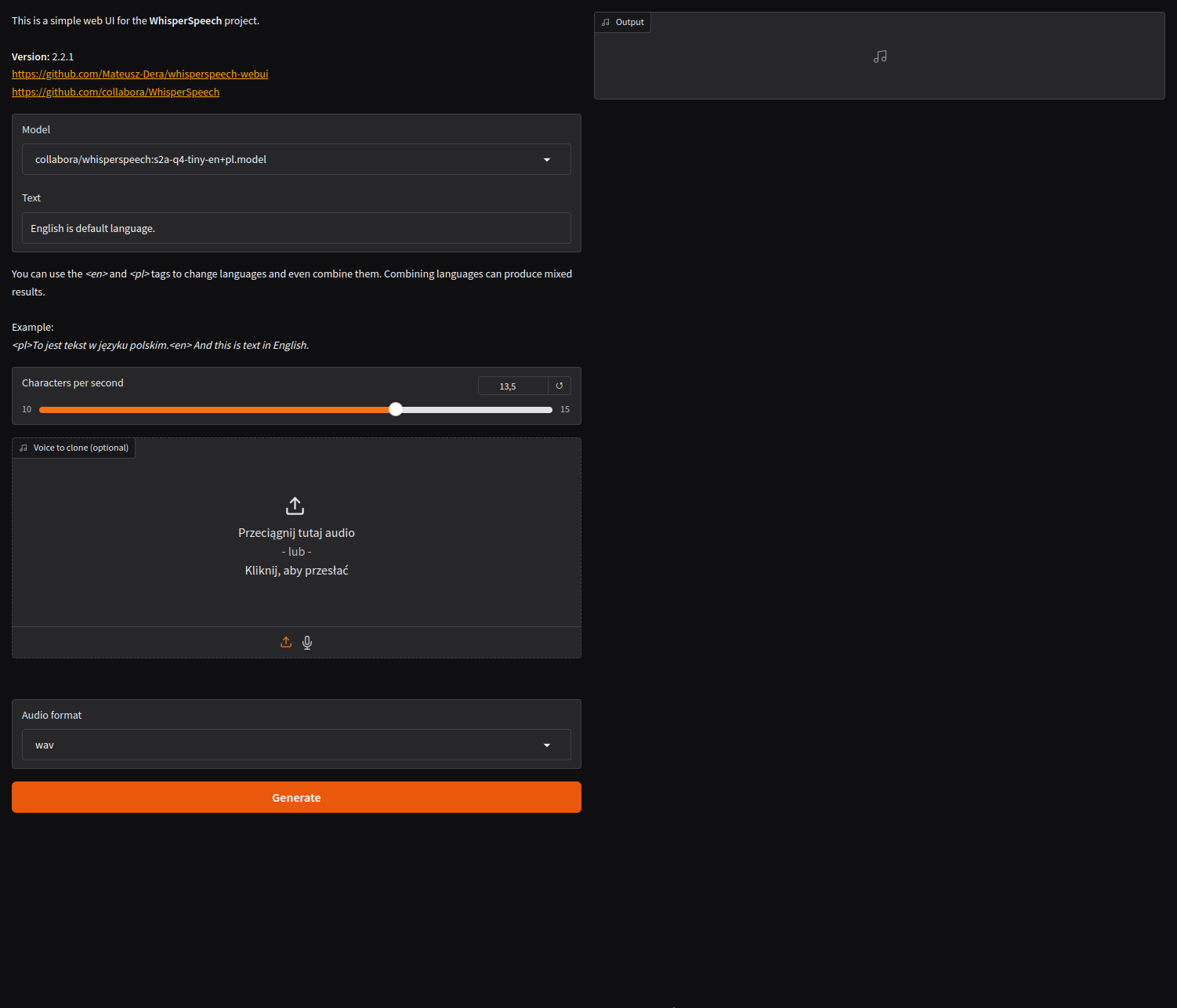
Note
Version 2.x now allows voice generation via API.
| Name | Info |
|---|---|
| CPU | AMD Ryzen 7900X3D (iGPU disabled in BIOS) |
| GPU | AMD Radeon 7900XTX |
| RAM | 64GB DDR5 6600MHz |
| Motherboard | ASRock B650E PG Riptide WiFi (3.08) |
| OS | Ubuntu 24.04 |
| Kernel | 6.8.0-47-generic |
| ROCm | 6.2.2 |
| Name | Info |
|---|---|
| CPU | IntelCore i5-12500H |
| GPU | NVIDIA GeForce RTX 4050 |
| RAM | 16GB DDR4 3200MHz |
| Motherboard | GIGABYTE G5 MF (BIOS FB10) |
| OS | Ubuntu 24.10 |
| Kernel | 6.11.0-9-generic |
| NVIDIA Driver | 560.35.03 |
| CUDA | 12.6.2 |
1. Install Python 3.12
2. Clone repository
3. Mount the repository directory.
3. Create and activate venv
4. For ROCm set HSA_OVERRIDE_GFX_VERSION. For the Radeon 7900XTX:
export HSA_OVERRIDE_GFX_VERSION=11.0.05. Install ffmpeg:
Ubuntu 24.04/24.10:
sudo apt install ffmpeg6. Install requirements
CPU (not recommended):
pip install -r requirements.txtCUDA 12.4:
pip install -r requrements_cuda_12.1.txtROCm 6.2
pip install -r requirements_rocm_6.2.txt7. Run:
python webui.pyWith -h or --help for help:
python webui.py -h| Languages |
|---|
| English |
| Polish |
1. Install PyBabel:
pip install babel==2.16.02. Extract messages.pot:
pybabel extract -F babel.cfg -o ./locale/messages.pot . 3. Create new:
pybabel init -i ./locale/messages.pot -d ./locale -l pl_PL
# Replace pl_PL by your language
4. Compile:
pybabel compile -d ./locale






